LinkedIn's AI-Enabled Coding Interview: What Candidates Report and How to Prepare
LinkedIn reportedly swaps one coding round for a CoderPad session with an AI panel. Here is the reported format, what gets scored, and what is unconfirmed.
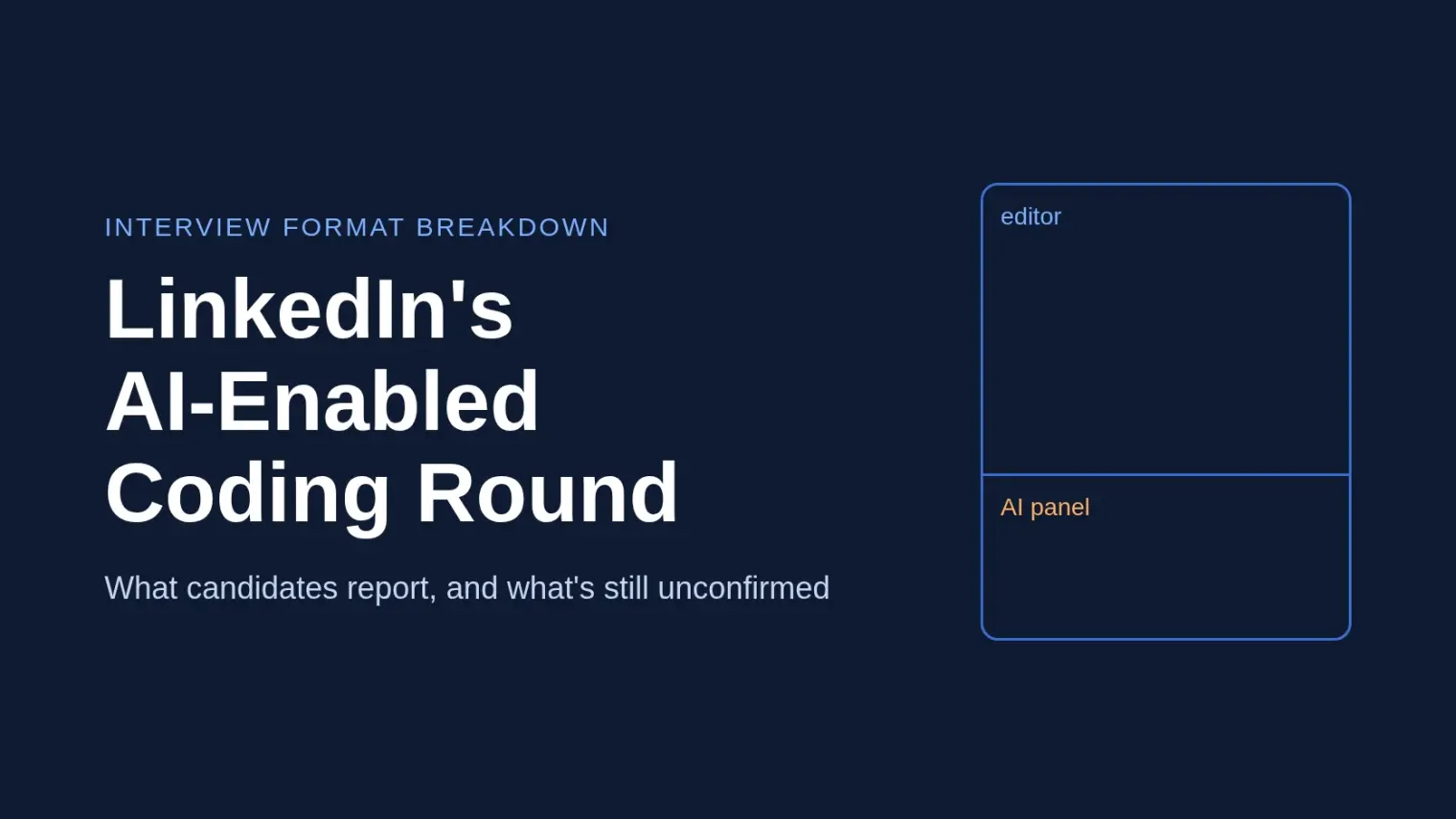
TL;DR: According to candidate reports, LinkedIn's onsite for engineers includes one AI-enabled coding round. It runs on CoderPad, with an editor in the middle and an AI chat panel on the right, and it replaces one of the two standard coding rounds. The problems are familiar patterns. The scoring weight sits on follow-ups, verification and how you talk, not on the first solution.
Source note: I could not find an official LinkedIn page describing this round or an AI policy. Everything about the format below comes from Hello Interview's write-up, which is based on conversations with candidates at senior and Staff levels. Treat it as reported, and check your own loop with your recruiter.
Most "can I use AI in my interview" questions get a flat no. LinkedIn is one of the cases where, by candidates' accounts, the answer for one specific round is yes, and the round is built around it. That changes what you should practice.
Where the Round Sits
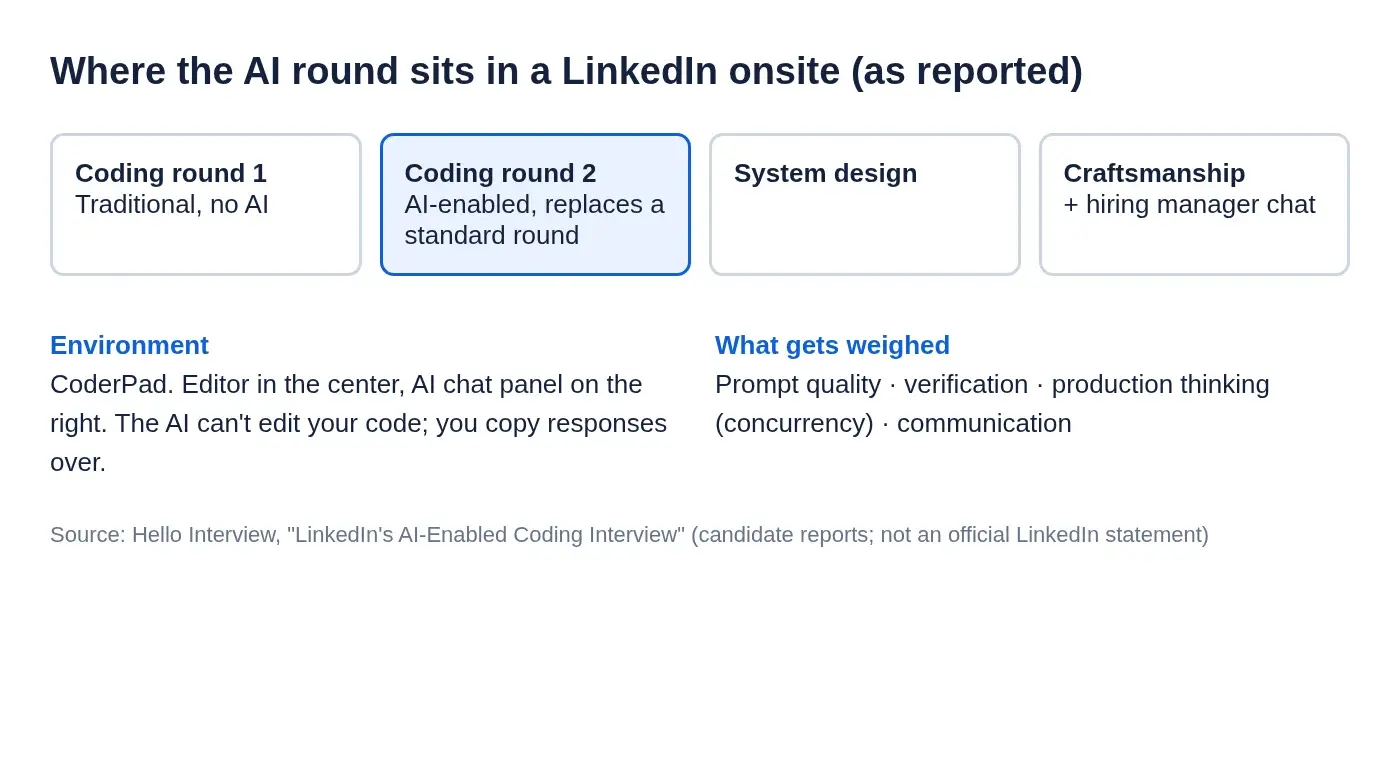
Reportedly the onsite has two coding rounds, and one of them is the AI-enabled one. The rest of the loop varies by level and role. For engineering, expect system design, a craftsmanship round (code quality and engineering practice) and a hiring manager conversation alongside the coding rounds.
So you still need the ordinary skill. One of your two coding rounds is a normal one.
The Environment
- Platform: CoderPad. Our guide on CoderPad interviews and AI covers how the tool itself behaves.
- Layout: editor in the center, AI panel on the right. Some candidates described a file explorer on the left too, which likely depends on the problem.
- Models: candidates report a choice of models. Pick the most capable one rather than the default.
- No auto-apply: the assistant reportedly can't modify your code. You prompt, read, and paste.
That last point matters in practice. One candidate told Hello Interview that even after getting used to the setup, "I wasn't able to prompt the problem properly." Practice in CoderPad before the day, not during.
What the Problems Look Like
The reported problems are not exotic: LRU cache, an LFU-style cache with a rank function, an interval problem built around addInterval() and insertInterval() (Staff level, framed as design), and a structured-data task where you build classes, methods and tests from a JSON-like object with no starter code.
Hello Interview's list of commonly asked LinkedIn AI-enabled questions also includes designing a logging library with severity filtering and rate limiting. The pattern is Blind 75 style material where the code volume is manageable.
Where the Round Is Actually Decided
The follow-ups. Once you have working code, candidates say the interviewer pivots to depth:
- Cache problems: concurrency, synchronization, race conditions, how you'd productionize it.
- Data problems: malformed or missing data, edge cases you skipped, what happens at orders of magnitude more data.
Several candidates reportedly ran out of time because they spent too long on the first implementation. That's the one place the AI helps most: get a runnable baseline fast so you have time left for the conversation that carries the weight.
One candidate lost most of the interview trying to parse JSON in Java before reaching the logic, until the interviewer hinted that hardcoded string values were fine. Practice that specific setup step.
What Candidates Say Gets Evaluated
LinkedIn reportedly grades on a 4-point scale, 3 being a pass, relative to other candidates. None of the following is an official rubric; it's what candidates took away:
- Prompt quality. Specific, context-rich prompts that work first try, rather than five rounds of reprompting.
- Verification. Running the code, checking edge cases, not accepting output blindly. One candidate got an AI answer she didn't fully understand, told the interviewer she'd rather write it herself, and reportedly heard afterward that this was the right call.
- Production thinking. Concurrency and real-traffic behavior, especially at senior and Staff.
- Communication. Talk through your approach before coding and keep narrating, including when the AI's answer confuses you.
Rules also reportedly differ between interviewers. Some say AI only for boilerplate and tests, others leave it open. Ask at the start what's expected instead of guessing.
How to Prepare
- Do a timed run in CoderPad with an AI panel. The adjustment costs real minutes if you meet it for the first time in the interview.
- Practice the baseline sprint. Take a nested JSON object, have the AI scaffold classes, hardcode test data and get it running in minutes.
- Rehearse the second half. After any cache or interval solution, make yourself answer: what breaks under concurrent access, what if the input is malformed, what changes at 1000x scale.
- Say your plan out loud before you type. Reported interviewers want to hear the approach first.
- Decide your AI rule in advance. Logic yourself, boilerplate and tests to the assistant is the safe default candidates describe.
The same shape shows up elsewhere: DoorDash's AI-assisted working session and Ramp's AI-assisted coding round both reward verification and narration over raw speed. For the opposite policy, see OpenAI's and Stripe's approach, where the rules are tighter.
A Note on Tools
When the interviewer invites AI inside the platform, the assistant that matters is the one in the CoderPad panel. Outside the rounds that explicitly allow it, check each round's rules with your recruiter before using any tool, ours included.
Where a tool is most useful is the practice side. A mock interview where you code, narrate and then get pushed with production follow-ups is a cheap way to find out whether you can explain your own solution. For rounds like system design and behavioral conversations, Interview Copilot is built to help you recover a thought mid-answer. Our system design guide pairs with it for the LinkedIn loop's other technical round.
FAQ
Does LinkedIn allow AI in coding interviews?
By candidate reports, one onsite coding round is AI-enabled on CoderPad and replaces a standard coding round. No official policy page turned up, so confirm your format with your recruiter.
What is LinkedIn's AI-enabled coding round?
A normal-feeling coding interview with an assistant panel available. You discuss, implement, then handle follow-ups on concurrency, edge cases and productionizing.
Can the AI write code directly into the editor?
Reportedly not. It answers in a chat panel and you paste what you want.
How is the LinkedIn AI coding round scored?
Reportedly a 4-point scale with 3 as passing, relative to other candidates. Candidates say interviewers watch prompt quality, verification, production thinking and communication.
Do I have to use the AI in that round?
Candidates say you could finish without it and that would be acceptable. A common default is to write core logic yourself and use AI for boilerplate and tests.
Author · Alex Chen. Career consultant and former tech recruiter. Spent 5 years on the hiring side before switching to help candidates instead. Writes about real interview dynamics, not textbook advice.
Related Articles
Meesho SDE-1 Interview Process for Freshers: Three 2025 Accounts Compared
Meesho SDE-1 campus accounts from 2025 disagree on test length, round order and design format. Here is what each reported and how to prep for any of them.
Atlassian Software Engineer Interview: Karat Screen, Craft Round and the Values Interview
How Atlassian's engineering loop works, from the Karat screen to the values round, what is official and what candidates report, including the AI-assisted rounds.
Samsung R&D and Qualcomm India Interviews: What Past Candidates Reported
What 2019-2024 candidate accounts say about Samsung R&D Bangalore and Qualcomm India fresher interviews: test formats, rounds, and where they disagree.