Hireflix Interview: Does It Record Your Screen? Rules & Tips (2026)
No — Hireflix records your camera and mic only, not your screen or prep time. Official 2026 rules on thinking time, retakes, transcripts, and how to pass.
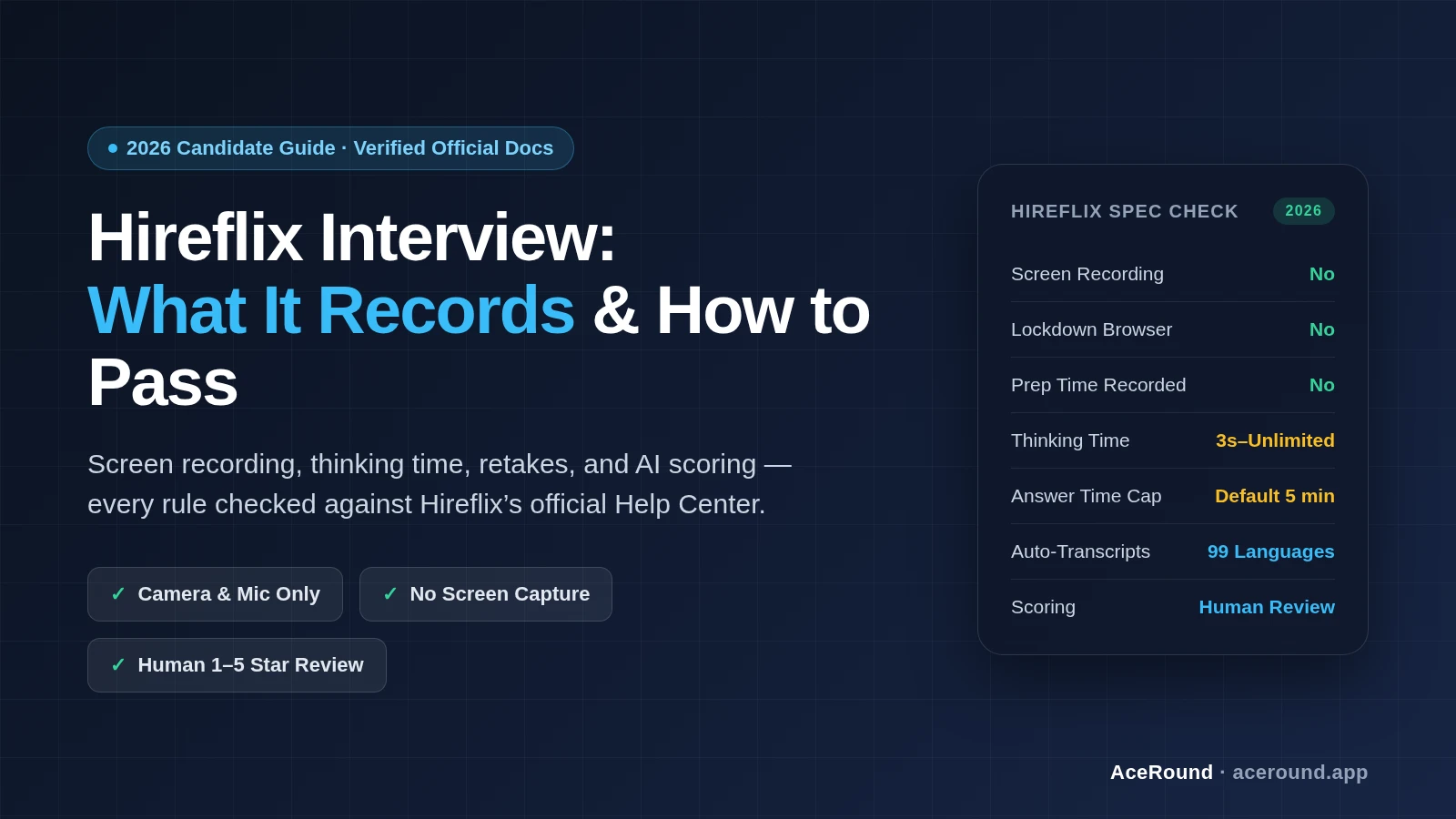
Short answers. Hireflix does not record your screen—it runs in a standard browser tab with no download or signup and captures only your camera and microphone while an answer is actively recording. Every row below was verified against Hireflix's official website FAQ, Help Center documentation, and Privacy Policy on 26 November 2026.
| Question | Short answer |
|---|---|
| Does Hireflix record your screen or see other apps? | No. Camera and microphone only during active answers. No app install, no lockdown browser, and no desktop or background-app visibility. |
| Does Hireflix detect tab switching or AI tools? | No built-in technical proctoring. Hireflix's official Help Center tells employers "the most effective solution is not technical, it's human" and recommends adding an on-camera honesty statement as question #1. |
| Does Hireflix record during thinking time? | No. Thinking time (default 3 seconds, or 15s / 30s / 1 min / unlimited set by the employer) is excluded from the recorded video sent to recruiters. |
| How many retakes and how much time do you get? | Configured per job by the employer. Default answer cap is 5 minutes per question (many teams shorten this to 2–3 minutes); retakes range from 0 to unlimited. |
| Does Hireflix use AI to score or auto-reject you? | No. Hireflix generates automatic transcripts in 99 languages (≤10% WER in English) so human reviewers can watch or read your responses and rate them 1 to 5 stars. |
An invite from a Greenhouse, Ashby, Lever, or SmartRecruiters hiring pipeline lands in your inbox: "Complete your one-way video interview on Hireflix." No Zoom link, no recruiter on the calendar—just a browser URL and a set of pre-recorded questions.
Because most candidates have already heard horror stories about enterprise proctoring platforms, the first two questions are almost always the same: Can Hireflix see my screen? and Will an algorithm reject me before a human watches? Hireflix is deliberately built differently from heavier screening suites like HireVue or Spark Hire, and knowing its exact mechanics changes how you should prepare.
How a Hireflix One-Way Video Interview Actually Works
Hireflix focuses on a single format: asynchronous, one-way video interviews. Companies including Coca-Cola, Chick-fil-A, Sotheby's, IcelandAir, CERN, and thousands of mid-market North American teams use it to replace initial phone screens.
Here is the exact sequence from invite to review:
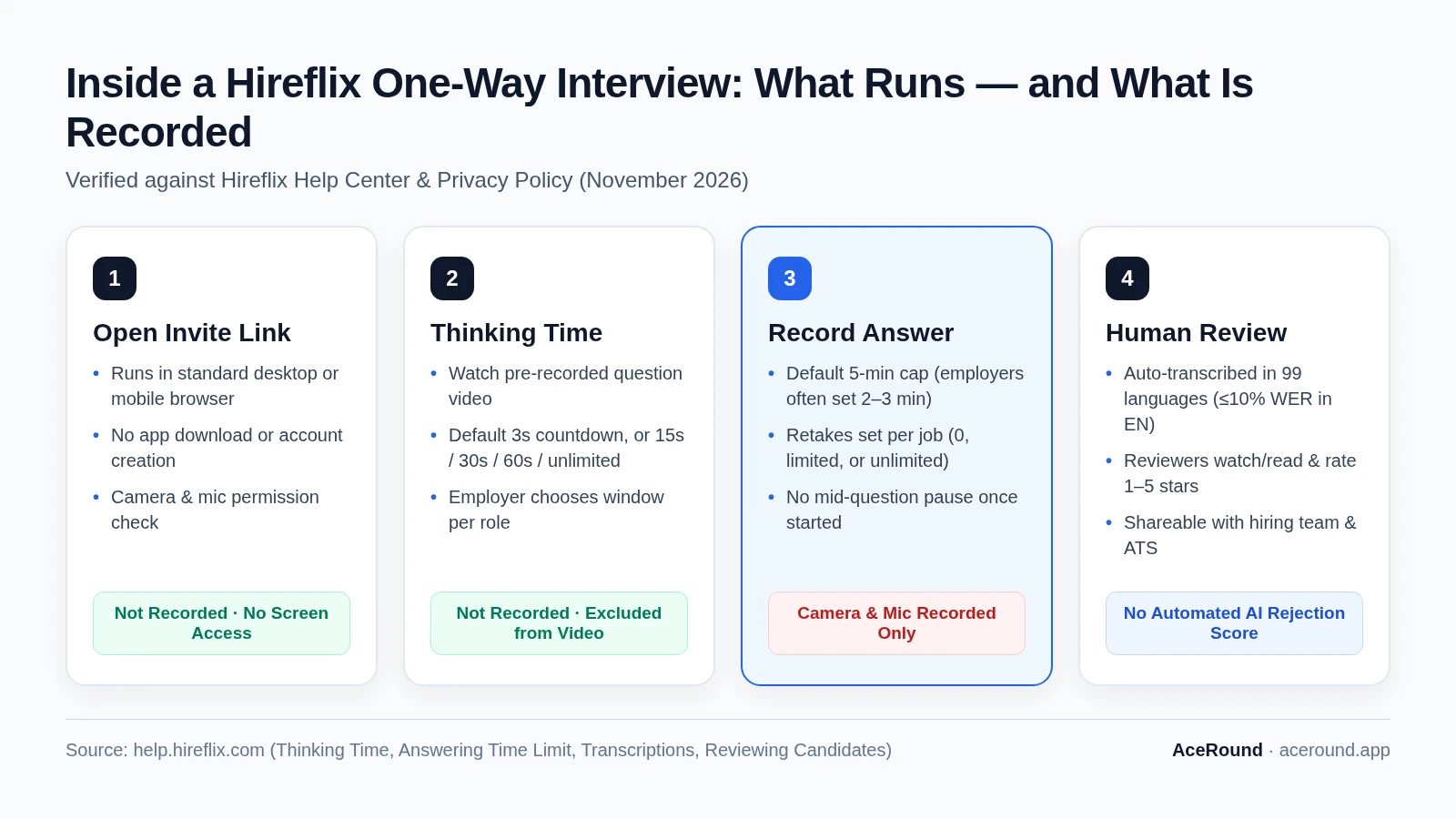
- Open the browser link (no download, no account). Hireflix runs in Chrome, Safari, Edge, or Firefox on desktop, smartphone, or tablet. You do not install a plugin or create a Hireflix login.
- Check camera and microphone permissions. The browser asks for webcam and microphone access only—never screen sharing.
- Watch the pre-recorded question video. The hiring manager or recruiter appears on screen asking the prompt (often 3 to 10 questions total, depending on the role).
- Thinking time runs (not recorded). Per Hireflix's Thinking Time documentation, recording starts 3 seconds after the question video ends by default. Employers can instead configure 15 seconds, 30 seconds, 1 minute, or unlimited thinking time (where you click when ready). Thinking time is never included in the video sent to the hiring team.
- Record your answer within the cap. Per Hireflix's Answering Time Limit guide, the platform default is 5 minutes per question, applied uniformly across every question—though in practice, many North American and technical hiring teams tighten it to 2 or 3 minutes.
- Submit and enter human review. Completed responses appear in the recruiter's dashboard alongside an automatic transcript.
Can Hireflix See Your Screen or Detect Tab Switching?
No—Hireflix does not record your screen, lock your browser, or run background desktop monitoring.
Because Hireflix runs inside a standard web browser tab without a native client or browser extension, it is subject to standard browser sandboxing: it cannot inspect other desktop apps, read your filesystem, or capture your display unless your browser shows an explicit native screen-sharing permission prompt (which Hireflix's one-way video format does not request).
More importantly, Hireflix's own documentation confirms its stance on technical anti-cheat. In its official Help Center article, Avoiding AI-Assisted Answers: Adding an Honesty Statement, Hireflix directly answers employers who ask how to stop candidates from using tools during an interview:
- Hireflix explicitly writes that "the most effective solution is not technical, it's human."
- Instead of selling browser-lockdown software, gaze tracking, or automated cheating flags, Hireflix recommends that employers add a short honesty confirmation as Question #1 asking candidates to confirm on video how they will answer.
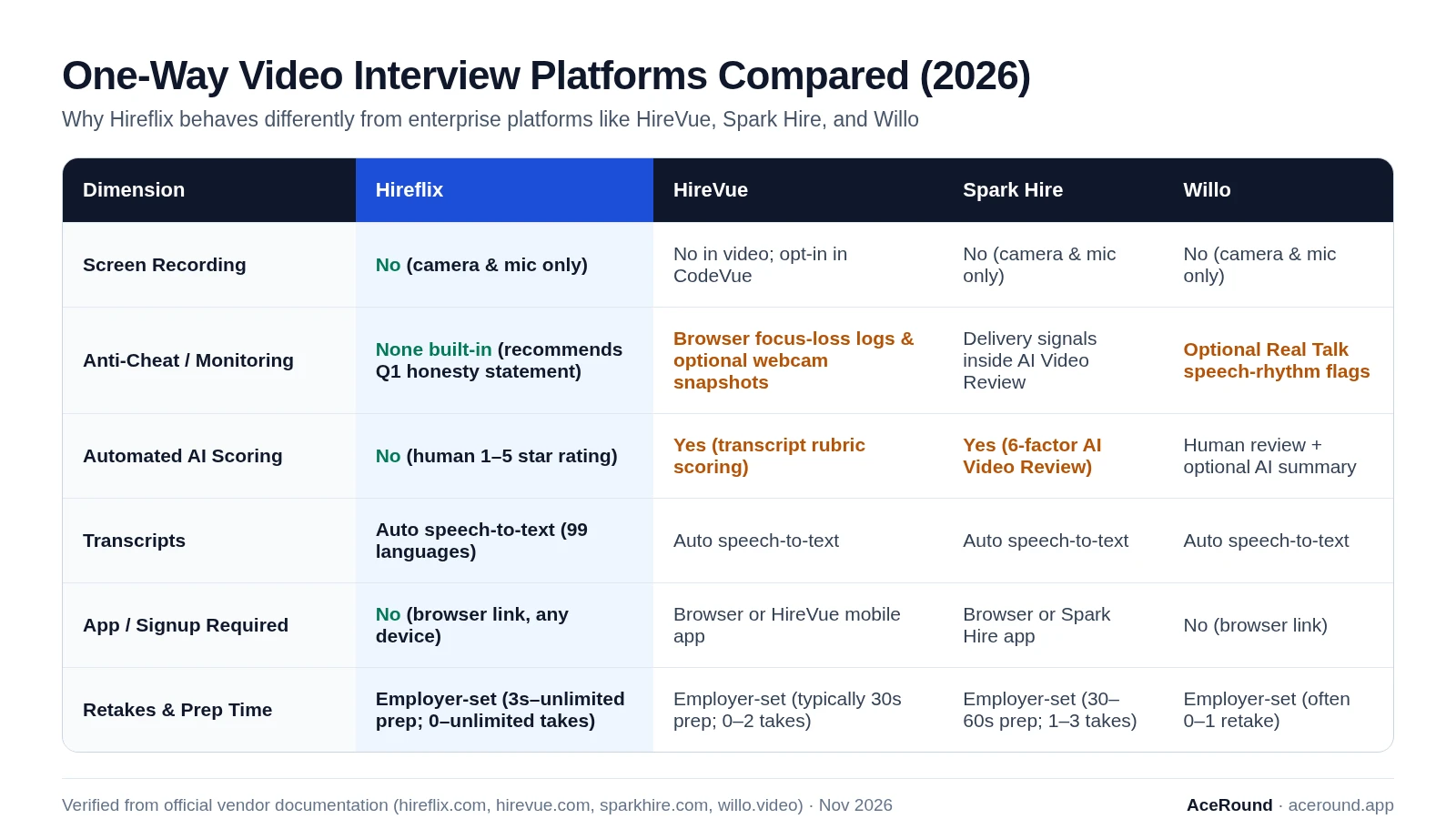
That distinction matters if you have been reading generic "video interview cheating detection" posts online. Those articles usually describe HireVue (which logs browser focus-loss events and optional webcam snapshots) or Willo (which offers an optional speech-rhythm feature called Real Talk). Hireflix does not bundle those monitoring layers.
Does Hireflix Use AI Scoring—or Does a Human Watch?
Hireflix does not run automated AI candidate scoring or automated rejection.
Per Hireflix's Reviewing Candidates guide, once you finish, the recruiter receives an email or Slack notification, watches your answers, leaves private notes for teammates, shares the link internally with hiring managers, and assigns a 1-to-5 star rating.
There is one automated layer you should still design your answers around: automatic transcription.
Per Hireflix's Transcriptions documentation, Hireflix converts every recorded answer into text across 99 languages—with high accuracy (≤10% word error rate, or 90%+ accuracy) for English and 13 other major languages—specifically so recruiters can "easily read answers instead of watching every video in full." Employers can also pull those transcripts into their ATS via Hireflix's API, Zapier, or Make.
What that means in practice: your answer has to work both on camera and on the page. A recruiter skimming 40 submissions in an afternoon will often scan the first two lines of your transcript before deciding whether to play the video at 1.5x speed.
Retakes, Time Limits, and the Traps That Catch Candidates Off Guard
Because Hireflix leaves timing and retake rules up to each hiring team (Tailor the interview), two Hireflix links from different companies can feel completely different:
- Zero-retake setups are common. Candidates interviewing for technical and mid-career roles (for example, staff engineering screens shared on Reddit's
r/CERN) frequently report 30 seconds of thinking time, a 2-minute hard answer cutoff, and zero retakes—even on the opening introduction question. - No mid-question pause. Once recording begins, you cannot pause halfway through an answer and resume later.
- One invite per email address. Hireflix blocks inviting the same email address twice to the same job position unless the recruiter manually deletes your earlier attempt and sends a fresh link. If your Wi-Fi drops or your microphone records silence, you have to email the recruiter to reset it—so always run a quick mic and lighting check before opening the graded link.
- Default 3-second start. If the employer left Thinking Time on the default setting, recording begins 3 seconds after the question video stops playing. Watch the pre-interview instructions screen closely so the countdown does not catch you mid-sip of water.
How to Pass a Hireflix Interview (and the Live Rounds That Follow)
Because a human reviewer is reading your transcript and watching your video—often with a strict 2-minute cutoff—three habits move the needle immediately:
1. Front-load the conclusion in the first 15 seconds. When recruiters skim Hireflix transcripts before hitting play, burying your point under 40 seconds of background context makes your answer look unfocused. State the direct answer or outcome in sentence one, then walk through Situation → Action → Quantified Result.
2. Map 6–8 role-specific examples directly to the job description. Hireflix screens for mid-career and technical roles often skip generic "what is your greatest weakness" questions and go straight to job-description responsibilities ("Walk me through how you handled X using tool Y"). Pull the top 6 requirements from the posting and prepare one concrete project story for each.
3. Rehearse against silence and a visible countdown. Talking to a static webcam with a ticking timer feels nothing like a normal conversation. Running a few timed rehearsals beforehand removes the awkward pause at second zero and trains you to land your closing sentence cleanly before a 2-minute cutoff.
4. Use the right tool for both the screen and the next stage. A Hireflix screen is only step one—passing it moves you into a live hiring-manager call on Zoom, Google Meet, or Microsoft Teams, and for technical roles, often a timed online assessment (OA).
- Before you open the Hireflix link: Run AceRound Question Prediction on your resume and the job description to surface likely role-specific prompts, then practice under a real countdown in AceRound Mock Interview so your pacing holds up without a live human nodding back.
- During the interview and the live rounds that follow: AceRound's desktop Interview Copilot listens in real time and surfaces concise, role-specific STAR talking points in seconds—helping you stay structured on camera during recorded screens and adapt instantly when live interviewers ask unscripted follow-ups. If the next step is a timed coding or quantitative test, the same desktop app includes OA Copilot — online assessments on HackerRank, CodeSignal, Codility, and CoderPad (see how OA Copilot works), drawing from the same minute pool. (And if you are still filling your interview calendar on Greenhouse, Lever, Ashby, SmartRecruiters, or Workable, AceRound Auto Apply handles ATS form-filling directly inside your Chrome browser.)
You can test the full setup free—every new AceRound account includes 30 free live minutes, 1 mock interview, and 2 question predictions with no credit card required. If you need coverage for an upcoming loop, one-time passes with no auto-renewal start at $9.90 for a 60-minute Starter Pack (never expires), $24.90 for a 7-day Weekly Pass, $39.90 for a 30-day Monthly Pass, or $69.90 for a 90-day Season Pass (unused passes are refundable within 7 days per our refund policy).
Privacy, Security, and Data Deletion on Hireflix
Per Hireflix's Privacy Policy, the service is operated by HIREFLIX, S.L. (Barcelona, Spain), has completed a SOC 2 Type II audit with zero exceptions, and operates under GDPR data-processor rules:
- The employer you applied to is the data controller and decides how long recordings are kept or shared internally.
- Hireflix is the data processor and processes recordings strictly on the employer's instructions.
- To request access to or permanent deletion of your interview videos, contact the hiring company directly or email Hireflix's Data Protection Officer at
[email protected].
If you are also comparing how other one-way platforms handle screening and monitoring, see our breakdowns of whether HireVue records your screen, Spark Hire's AI Video Review, VidCruiter's retake and timer rules, and Willo's Real Talk detection.
FAQ
Does Hireflix record your screen or see other apps?
No. Hireflix runs inside a standard web browser tab on your computer, phone, or tablet—with no app download, no account signup, and no lockdown browser. It captures only your webcam video and microphone audio during an active response. It cannot see your desktop, read other tabs, or inspect running applications.
Does Hireflix detect tab switching or AI tools?
Hireflix does not include a built-in proctoring suite, webcam eye-tracking, or automated AI detector. In Hireflix's official Help Center article on AI-assisted answers, the company explicitly advises employers that "the most effective solution is not technical, it's human" and recommends adding an on-camera honesty statement as the first question instead.
Does Hireflix record during thinking time?
No. Hireflix's official Thinking Time documentation states that employers can configure prep time so candidates can organize their thoughts "without having to watch that part of the video." By default, recording starts 3 seconds after the question video ends, though employers can set 15 seconds, 30 seconds, 1 minute, or unlimited thinking time.
How many retakes and how much time do you get on a Hireflix interview?
Both settings are configured by the employer per job position. Hireflix's default answering time limit is 5 minutes per question (applied uniformly across all questions), though many employers shorten it to 2 or 3 minutes. Retakes can be set to zero, a fixed number, or unlimited—check your invite email and pre-interview screen before starting.
Does Hireflix use AI to score or automatically reject candidates?
No. Unlike HireVue or Spark Hire's AI Video Review, Hireflix does not run automated AI candidate scoring. Hireflix automatically transcribes spoken answers across 99 languages (with 90%+ accuracy / ≤10% word error rate in English) so human recruiters and hiring managers can watch videos or skim transcripts and rate candidates from 1 to 5 stars.
Can you pause a Hireflix interview and come back later?
You cannot pause mid-question once recording starts, and Hireflix does not let the same email address be invited twice to the same job without the recruiter deleting the prior submission and re-inviting you. Set aside an uninterrupted 20–30 minute block with stable internet before opening the graded questions.
Who owns my Hireflix video recordings, and can I delete them?
Per Hireflix's Privacy Policy (HIREFLIX, S.L., Barcelona, Spain; SOC 2 Type II audited and GDPR compliant), the hiring company is the data controller and Hireflix acts as the data processor. You can request access to or deletion of your recordings through the employer or by contacting Hireflix's Data Protection Officer at [email protected].
Author · Alex Chen. Career consultant and former tech recruiter. Spent 5 years on the hiring side before switching to help candidates instead. Writes about real interview dynamics, not textbook advice.
Related Articles
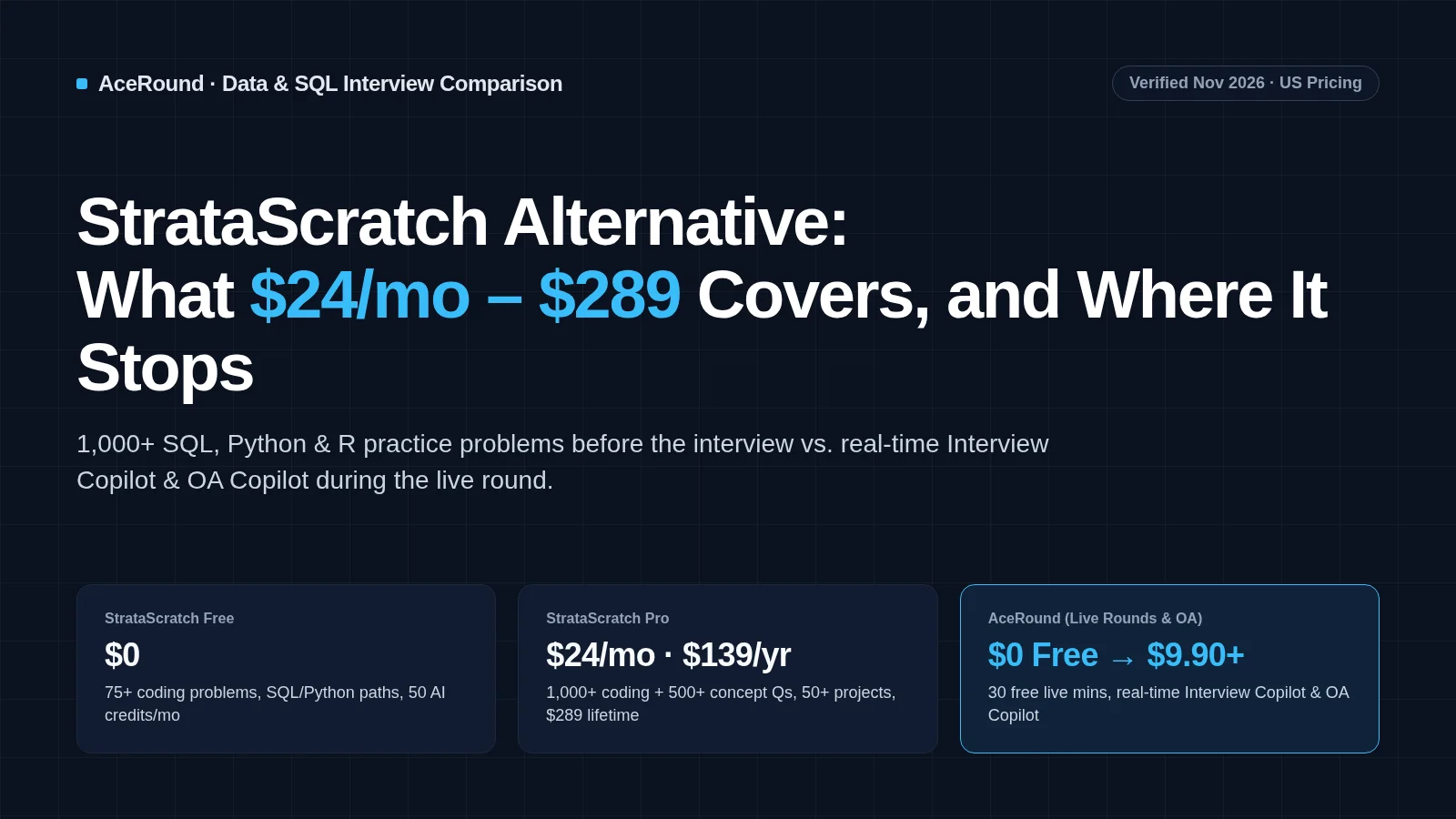
StrataScratch Alternative: What $24/mo–$289 Covers, and Where It Stops
StrataScratch Pro costs $24/mo, $139/year, or $289 lifetime. What the 75+ free SQL and Python problems cover, where Pro stops, and the live OA and interview alternative.
NeetCode Alternative: What $119–$297 Buys, and Where It Stops
NeetCode Pro costs $119/year or $297 lifetime with no monthly plan. What the free Blind 75 and NeetCode 150 already cover, where Pro stops, and the live OA alternative.
Hello Interview Alternative: What $47–$299 Buys, and Where It Stops
Hello Interview charges $47 for a month, $89 for a year, and $299 for life—plus $10–$46 for AI System Design mocks. What it covers, what it leaves out, and the live alternative.