How to Pass Your Spark Hire Interview: What the AI Scoring System Actually Checks
Spark Hire's AI Video Review scores candidates on 6 factors before any human watches. Here's the one-way video interview prep strategy no one else covers.
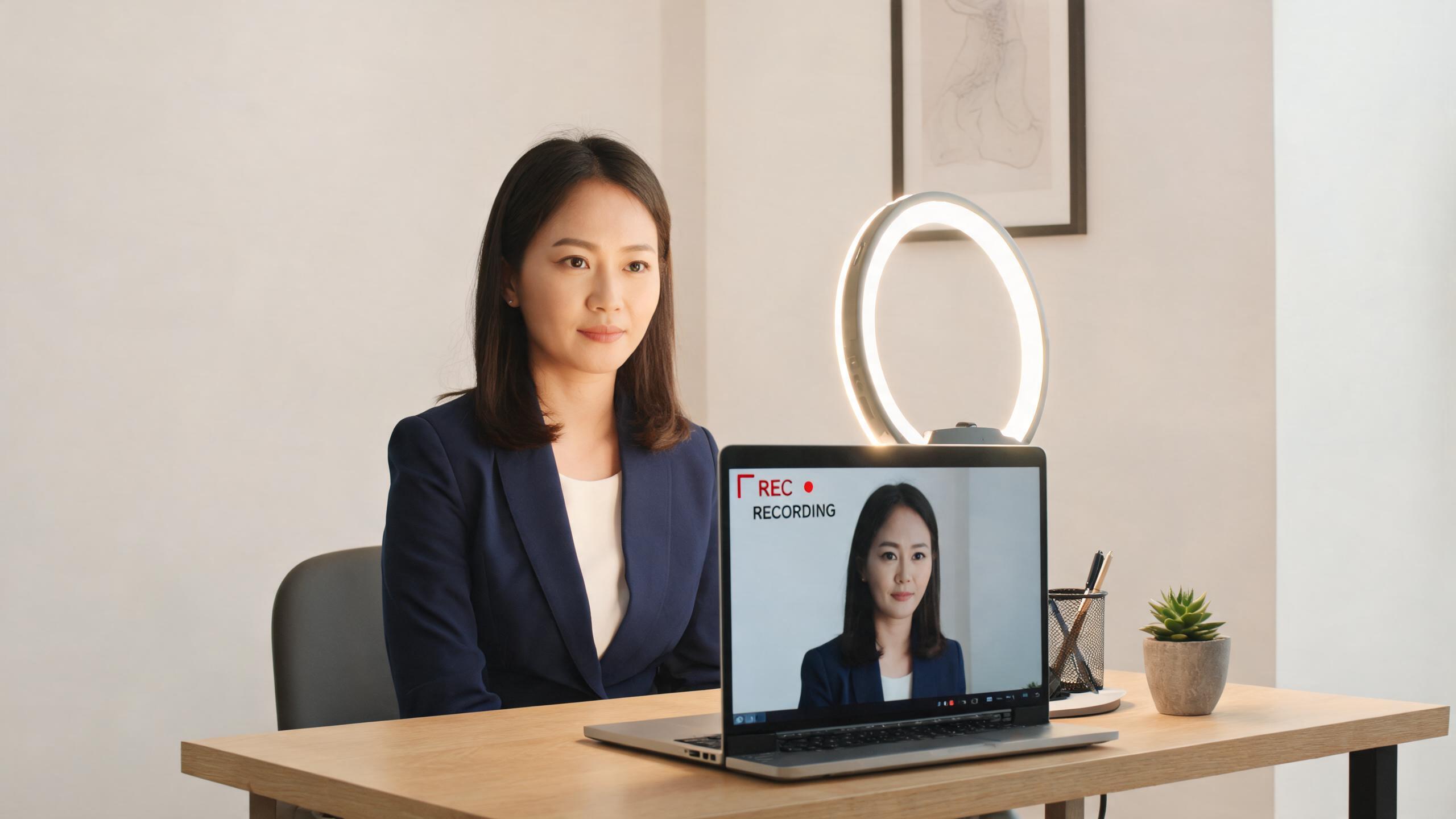
TL;DR: Spark Hire one-way video interviews are now screened by an AI before a human sees them. The system scores you on six dimensions: Communication, Execution, Comprehension, English Fluency, Enthusiasm, and Motivation. Most prep guides ignore this entirely. This one doesn't.
You sent your resume on Monday. By Wednesday there's an email: "You've been invited to complete a video interview. You have 48 hours." There's no Zoom link. No calendar invite. Just a URL to Spark Hire, a set of questions, and a countdown timer.
This is a one-way video interview — you record your answers solo, and someone (or something) watches later. Since August 2025, for many employers, that "something" is an AI system that scores your video before any recruiter ever hits play.
That changes how you should prepare.
What actually happens in a Spark Hire interview
When a company sends you a Spark Hire link, here's the sequence:
- You click the link and reach the platform interface
- Each question appears with a think time (usually 30–60 seconds to read and prepare)
- A recording window opens — typically 1–3 minutes per answer
- You can usually retake answers a limited number of times (1–3 retakes, set by the employer)
- Once submitted, your video enters a review queue
What most candidates don't know: at many companies, your video first goes through Spark Hire's AI Video Review system before a recruiter watches it. Validated on 68,236 candidate submissions and achieving over 90% accuracy against human ratings, the AI scores your responses and surfaces the highlights for the hiring team.
You're not just performing for a camera. You're being evaluated by a trained model first.
The six factors Spark Hire's AI actually scores
According to Spark Hire's official AI Video Review documentation, the AI system scores candidates on six dimensions:
Communication — Are your ideas clear? Do you speak in organized sentences? Rambling, trailing off mid-thought, or heavily fragmented answers score poorly here.
Execution — Did you actually answer the question asked? This dimension catches vague, off-topic responses that sound polished but don't address the specific prompt.
Comprehension — Does your answer show understanding of the role and context? Generic answers that could apply to any job register as low comprehension.
English Fluency — For non-native speakers especially, articulation and vocabulary range matter. Accented speech isn't penalized as long as it's clear, but heavy filler word use and consistent grammatical errors are noted.
Enthusiasm — Monotone delivery, flat affect, and low energy all show up here. The system was calibrated against hundreds of thousands of real candidate responses.
Motivation — Does your answer signal genuine interest in this role and company? Answers that sound recycled from other applications rate low.
These scores are shown to recruiters alongside your video. They don't replace human judgment, but in a stack of 200 applications, the AI-highlighted responses go to the top of the review queue first.
One-way video interview preparation that actually helps
Given what the AI measures, here's what preparation should look like:
Structure every answer explicitly. Don't just think in STAR format — say it with transitions: "The situation was...my approach was...the result was..." The AI scores Communication and Execution. Explicit structure maps directly to both.
Reference the role in every answer. Don't give context-free stories. If the question is "describe a time you worked under pressure," close the loop: "That's why I'm particularly drawn to this team, which operates in similar conditions." Motivation scores improve when your answer feels specifically crafted for this company.
Record practice videos before the real thing. This is the single most impactful thing you can do. Watch them back. You'll immediately notice whether you trail off, look away from the camera, or speak at an energy level that reads as flat on video. Tools like AceRound AI let you practice with a simulated one-way interview format and get structured feedback — which is more useful than rehearsing in front of a mirror.
Calibrate your energy deliberately. Most candidates undershoot enthusiasm on video because visible engagement feels performative when no one's watching. Lean into it anyway. Smile when appropriate. Vary your pacing. Speak to the camera like there's a person behind it, because the AI scores you on whether it reads that way.
For more on AI-assisted practice for pre-recorded interview formats, see our guide to async video interviews.
Preparing for your Spark Hire screen? AceRound AI gives you realistic one-way interview practice with feedback on structure, delivery, and answer relevance — the exact dimensions Spark Hire's AI scores.
The questions you'll actually face
Spark Hire questions come in two varieties:
Behavioral questions (the majority): "Tell me about a time you handled a challenging situation." "Describe a project you're proud of." "How do you prioritize when you have too much on your plate?" These are best answered with STAR format.
Role-specific questions: Depend entirely on the job. For customer service: "How would you handle an upset customer?" For technical roles: "Describe your experience with [technology]." For leadership: "Tell me about a team you led."
What top candidates do differently: they prepare 6–8 strong STAR stories and map them to multiple potential questions, rather than memorizing one answer per question type. A well-told story about handling a product launch crisis can answer questions about pressure, conflict, leadership, failure, and initiative — depending on which part you emphasize.
Technical setup: the quiet differentiator
Technical issues are the second most common reason candidates fail to advance from Spark Hire screens, after weak answers.
- Test the platform before the deadline. Open the link, run the camera check, confirm your microphone is recognized. Don't do this 10 minutes before you record.
- Light from the front, not behind. The most common error: sitting with a window behind you. It turns your face into a silhouette.
- Stable internet. A buffering freeze mid-sentence is hard to recover from. If your home connection is unreliable, use a mobile hotspot or find a quiet location with solid WiFi.
- Clean background. A bookshelf, plain wall, or a tidy neutral virtual background all work. Visually cluttered backgrounds hurt the impression of Communication even if they don't score directly.
- Record in landscape orientation if using mobile.
According to industry data on online interview statistics, 62% of candidates report technical problems during online interviews. Most of those problems are avoidable with a 15-minute test run.
The retake question: when to use it, when to move on
Employers typically allow 1–3 retakes per question. Knowing when to use one matters more than candidates realize.
Use a retake if:
- You genuinely blanked and delivered something incoherent
- There was a technical glitch that interrupted your answer
- You went significantly over or under the time limit
Skip the retake if:
- You stumbled on one word mid-sentence (this barely registers)
- You're chasing perfection — over-rehearsed answers score lower on Enthusiasm and Motivation than authentic ones with minor imperfections
- You already delivered the core substance of a good answer
Spark Hire's AI was trained on hundreds of thousands of real candidate videos, including their natural speech patterns. Slightly imperfect but genuine answers consistently outperform scripted, robotic ones. One retake can be worth it. Three retakes to nail the "perfect" answer usually backfires.
What happens after you submit
After submission, here's the realistic sequence:
- Immediately: Spark Hire's AI processes your video (usually within minutes)
- 24–72 hours: Recruiter review, starting with AI-scored highlights
- Week 1–2: Decision to advance, decline, or follow up
You won't receive an AI score report — that data is for internal recruiter use. What you'll see is either a callback invite or silence. Spark Hire offers no candidate-facing feedback on why you weren't advanced.
The most useful thing to do with that reality: treat your practice recordings as your own post-mortem. Review them honestly against the six dimensions before your next screen. Identify which dimension you're weakest on. That's where to put your preparation time.
For how a similar platform handles the pre-recorded format, see our breakdown of Modern Hire one-way video interviews.
FAQ
Why do companies use one-way video interviews? Mostly scheduling efficiency. A phone screen takes 30 minutes of recruiter time per candidate. A Spark Hire review takes 5–10 minutes (or less if AI pre-scores). For high-volume roles, that difference is the margin between reviewing 20 candidates a week and 200.
Who has access to watch the videos I record? The hiring team at the company you're applying to, and Spark Hire's AI scoring system if the employer has that feature enabled. Spark Hire staff can access recordings only for support and account management purposes — confirmed in their official candidate FAQ.
Is this a replacement for the in-person interview? No. Spark Hire screens sit between application and human interview, not in place of them. Passing a Spark Hire screen typically gets you a recruiter phone call or hiring manager video interview.
How do I look good in a video interview? Front lighting, eye contact with the camera lens (not the preview image of yourself), stable framing with face and upper chest visible, and consistent pacing. Practice out loud so you're not reading from notes — the camera can tell.
Can companies see if I used AI to prepare my answers? Not from the video itself. What AI scoring does register is robotic delivery, low enthusiasm, and answers that sound memorized rather than considered. The better use of AI tools is for practice and structured feedback — not generating scripts to recite.
Does Spark Hire flag AI-generated answers? Spark Hire's AI Video Review scores Enthusiasm and Motivation, which tend to register lower when answers are delivered mechanically. The system isn't an explicit "AI detection" tool, but responses that sound read from a script consistently underperform authentic, conversational ones on both dimensions.
Author · Alex Chen. Career consultant and former tech recruiter. Spent 5 years on the hiring side before switching to help candidates instead. Writes about real interview dynamics, not textbook advice.
Related Articles
Chakra AI Interviewer Tips: What HackerRank's AI Actually Scores
Chakra AI interviewer tips based on how HackerRank's autonomous interviewer actually works — scoring rubric, integrity flags, and honest ways to prepare.
Best LinkJob AI Alternatives in 2026: What the 'Undetectable' Claim Skips
Looking for a LinkJob AI alternative? Compare its OS security warnings, inconsistent pricing, and reliability glitches against AceRound and other options before you switch.
Zoom Interview AI Assistant: Live Setup Guide (2026)
Use a Zoom interview AI assistant without audio or screen-share surprises. Compare browser, desktop, and second-device setups, plus a pre-call checklist.