HackerRank AI-Assisted Interview Explained
A HackerRank AI-assisted interview lets you code with AI tools while the interviewer watches how you use them. Here's what's scored and how to prep.
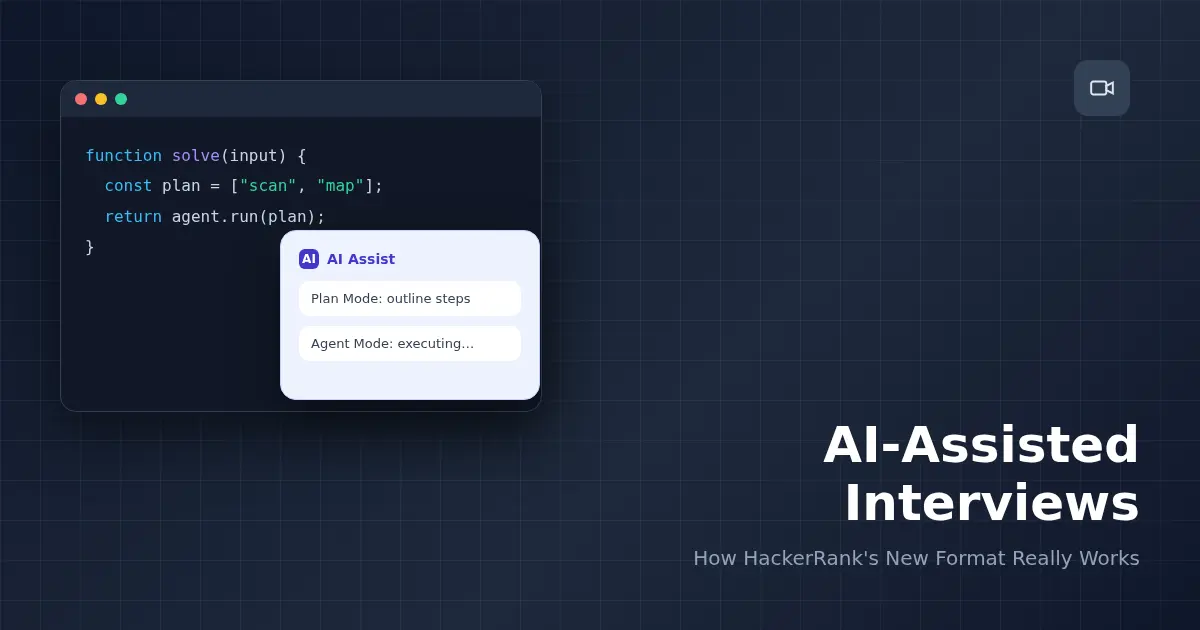
TL;DR: A HackerRank AI-assisted interview is a live coding round where you work inside an AI-enabled IDE — inline completions, a file-aware chat, Plan Mode, and Agent Mode — while the interviewer watches how you use it, not just what you submit. Nothing about the AI panel is hidden from them: they see your prompts, your plan, and a diff of every change. The skill being tested is judgment about when to lean on the AI and when to override it, not typing speed or memorized syntax.
You open the interview link, and instead of a bare code editor, there's a chat panel docked on the side with a blinking cursor waiting for a prompt. Nobody explained the rules beforehand. Do you type the whole solution yourself to look competent? Do you let the AI write it and just narrate? Is there a "wrong" way to use the thing that's sitting right there?
That confusion is the point of this article. HackerRank shipped AI-Assisted Interviews as a distinct format in 2026 — not a proctoring add-on, not a cheating trap, but a new way of running the live coding round itself. Search interest is already climbing and almost nobody has written the candidate-side version of "here's what actually happens and how it's scored." This is that version.
What a HackerRank AI-Assisted Interview Actually Is
It's a live, interviewer-present coding round where the IDE itself has AI capabilities turned on. According to HackerRank's own documentation, the panel can include up to four distinct AI capabilities, and which ones are active is set by the interviewer before the session, not by you:
- Inline completions — ghost-text suggestions as you type, similar to what you'd get in a personal AI-enabled editor.
- File-aware chat — a side panel where you can ask questions about the current problem and get answers grounded in the actual code in front of you.
- Plan Mode — a step where you sketch an approach in plain language before any code gets generated.
- Agent Mode — the AI executes a plan autonomously, writing and editing code across the file.
This is scoped to specific question types — Coding, Projects, and Code Repository formats support it — and it's a company-level decision whether a given interview uses it at all. If your recruiter didn't mention AI-assisted format explicitly, assume you're walking into a standard round instead.
Guarded vs. Unguarded Mode — and Why Interviews Run Unguarded
HackerRank's admin documentation describes two configurations for how much freedom the AI gets: Guarded, where AI behavior is more restricted, and Unguarded, where it has broader capability. Live interviews are set up as Unguarded by default. The logic makes sense once you think about who's on the other end of the call: an unproctored take-home assessment needs guardrails baked into the AI itself, because there's no human watching. A live interview already has that human — the interviewer — so the platform doesn't need to artificially limit what the AI can do. You get the full assistant, and the judgment call about whether you're using it well happens in real time, by a person, not by a rules engine.
What the Interviewer Actually Sees
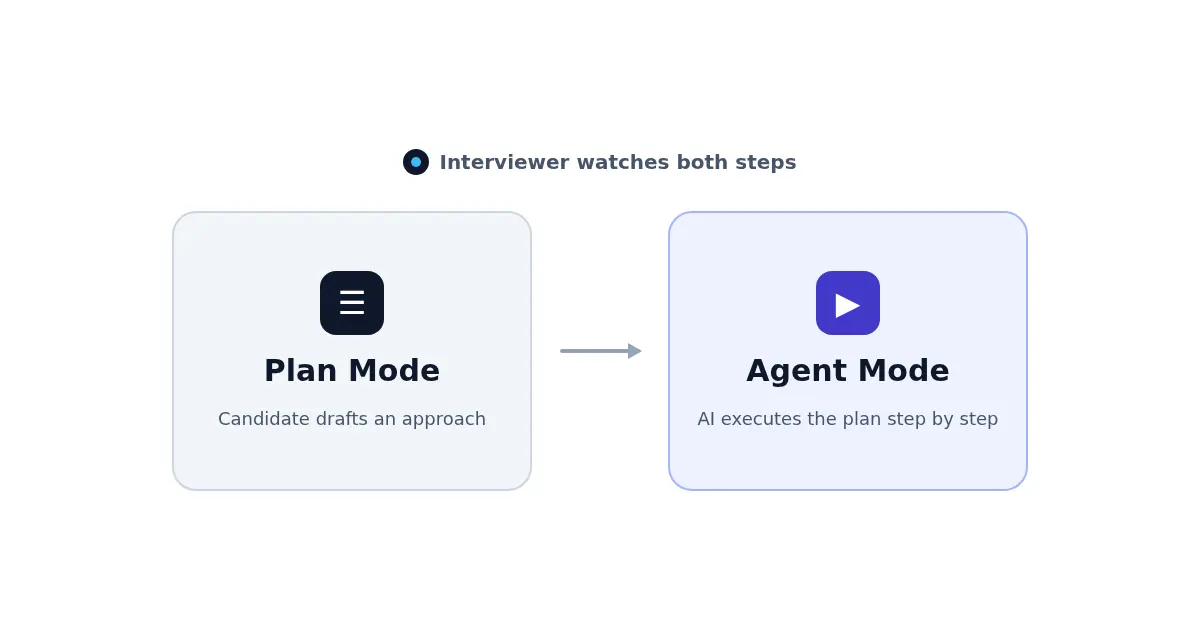
This is the part candidates underestimate. HackerRank doesn't publish a numeric HackerRank AI interview rubric the way a coding-test scorecard works — there's no published point breakdown — but per HackerRank's own explainer on evaluator visibility, the interviewer isn't just watching your screen share and trusting a final score. What they actually see, and what functions as the real evaluation surface, is:
- A live panel view showing your prompts and the AI's responses as they happen, in real time, alongside your code.
- A post-interview transcript of every chat exchange, so nothing said in the moment gets lost if they need to review it later.
- A diff report comparing what the AI generated against what you kept, edited, or deleted — a direct record of how much of the final solution is unmodified AI output versus your own intervention.
None of this is secret monitoring bolted on to catch you. It's the explicit evaluation surface for a format built around how you collaborate, which means every prompt you type is effectively part of your answer.
The Plan Mode → Agent Mode Workflow, Step by Step
Most secondary coverage of this format collapses everything into "chat, inline completions, agent" and skips over Plan Mode as if it's optional. It isn't — it's a distinct, evaluated step, and here's how the sequence actually runs:
- You read the problem and open Plan Mode. Instead of touching code, you write out your intended approach in plain language: what data structure you'll use, what the edge cases are, roughly how you'll validate the result.
- The interviewer sees the plan before any code exists. This is a checkpoint on your reasoning that's independent of whether the AI later writes clean code — a bad plan with perfect execution still reads as a bad plan.
- You switch to Agent Mode to execute. The AI writes and edits code based on the plan you gave it, working across the file rather than one line at a time.
- You review, not just watch. The diff report exists because this step matters: did you catch a place where the agent deviated from your plan? Did you let an unnecessary assumption slide through?
Skipping straight to Agent Mode without a plan is visible in the transcript, and it reads as skipping a step the format is specifically built to test.
A Realistic Sample Session
Say the problem is "return the k most frequent elements in an array." A candidate handling this well might open Plan Mode and write: "I'll build a frequency map with a hash table, then use a heap of size k to avoid a full sort, which gets us to O(n log k) instead of O(n log n). Edge case: k larger than the number of unique elements." That's a plan an interviewer can evaluate on its own merits before a single line of code exists.
Switching to Agent Mode, the AI generates the hash map and heap logic. A strong candidate then does something specific: reads the generated edge-case handling line by line, notices the AI defaulted to returning fewer than k elements silently instead of raising a clear signal, and edits that behavior with a one-line explanation of why. That edit — small, deliberate, justified out loud — is worth more to an interviewer than a candidate who either rewrites everything from scratch to "prove" they could, or accepts the output wholesale without reading it.
What to Do When the AI Gets It Wrong
This is the scenario nobody prepares for, and it's arguably the highest-signal moment in the entire interview. AI-generated code will occasionally be subtly wrong, over-engineered, or based on a misread assumption. Recruiters have said plainly that they'd rather watch a candidate's incremental, sometimes-messy process on a problem the AI couldn't solve than see a flawless AI-generated answer accepted without scrutiny. If a suggestion looks off:
- Say so, out loud, before you act on it. "This edge case looks wrong to me" is a stronger signal than silently fixing it.
- Step away from the assistant if needed. Solving the remaining piece manually, then explaining your reasoning, demonstrates exactly the skill the format is testing.
- Don't perform confidence you don't have. An interviewer watching the transcript afterward can tell the difference between genuine understanding and reading the AI's explanation back verbatim.
How to Prepare for a HackerRank AI-Assisted Interview
- Practice narrating a plan before you code, with or without an AI tool in front of you. The habit of stating your approach in plain language first is what Plan Mode is built to surface.
- Get comfortable reading generated code critically, not just running it. If you've never caught a bug in AI-suggested code, that's the specific muscle this format tests.
- Rehearse the moment the AI is wrong. It's an uncomfortable scenario to practice cold, which is exactly why rehearsing it under realistic pressure — not just reading about it — makes the difference in the actual round. AceRound AI gives you real-time coaching during a live mock session, so you can practice catching and correcting an AI misstep before an interviewer is the one watching you do it for the first time.
- Ask your recruiter directly whether the round is AI-assisted. It's a fair, normal question, and knowing in advance changes how you'd otherwise walk in blind.
If your pipeline also includes a standard proctored HackerRank test before this round, HackerRank's cheating-detection system works on a completely different logic — worth knowing so you don't conflate the two. And if you want the broader "how do I actually perform well" framework for HackerRank rounds beyond just this new format, this HackerRank interview AI guide covers company-specific patterns and collaboration habits that apply whether or not AI-assisted mode is on. For a similar human-led format, the Karat NextGen live coding interview also evaluates how you review and explain AI-generated work under pressure.
FAQ
Can I use AI in a HackerRank interview?
Only if the interviewer's panel is configured as an AI-Assisted Interview — you can't turn the AI panel on yourself. If the session was set up as a standard coding round, there's no AI assistant available, and using outside AI tools would be treated the same as any other unauthorized aid.
Which AI model does HackerRank use in AI-assisted interviews?
You don't get to pick. The interviewing company configures which model powers the panel (commonly a current Claude, Gemini, or GPT-family model), and it can vary by employer. The model choice isn't something candidates see or control before the session starts.
Does HackerRank detect AI usage differently in these interviews than in a regular OA?
Yes. In a standard proctored HackerRank test, AI usage detection is adversarial — the system is trying to catch unauthorized help. In an AI-Assisted Interview, AI use isn't hidden or penalized; it's the explicit point of the round, and the interviewer watches your prompts and edits openly rather than hunting for them.
What happens if the AI gives me a wrong answer or can't help?
This is arguably the most-watched moment in the whole interview. Interviewers consistently say they'd rather see a candidate notice a bad AI suggestion, push back, and reason through the problem manually than accept a broken answer at face value. Stepping away from the assistant to debug yourself is a strong signal, not a failure.
Do I choose Guarded or Unguarded mode?
No — the interviewer's panel sets it, and live interviews are configured as Unguarded by default (broader AI capabilities, since a human is watching in real time to catch misuse). Guarded mode, with more restricted AI behavior, is typically reserved for unproctored take-home-style tests, not live interviews.
Is Plan Mode actually scored, or is it just a suggestion?
It's evaluated. Plan Mode is a distinct step in HackerRank's workflow — you draft an approach before switching to Agent Mode to execute it — and interviewers can see both the plan and how faithfully (or how well) you adapted it once the AI started generating code. Skipping straight to Agent Mode without a plan is visible too.
Author · Alex Chen. Career consultant and former tech recruiter. Spent 5 years on the hiring side before switching to help candidates instead. Writes about real interview dynamics, not textbook advice.
Related Articles
The SQL Technical Screen: What Interviewers Actually Watch You Do Live
The SQL technical screen is a live, shared-editor round, not a take-home. Here's the format, what interviewers watch for beyond correct output, and how to prep.

The Palantir Forward Deployed Engineer Interview: What Decomposition Tests
Palantir's FDE interview has a round most candidates never expect: decomposition. Here's what it actually tests, and why AI tools are banned in the room.

The Byteboard Interview at Google, Waymo & Dropbox: What CoreEval Tests
Byteboard swaps algorithm trivia for a two-part take-home assessment. Here's what CoreEval measures, who uses it, and where AI tools actually fit.