JobLander Alternative: What a Free AI Interview Copilot Doesn't Tell You
Looking for a JobLander alternative? The free Chrome extension is real, but reviewers flag a visible overlay on full-screen share and a free-tier model ceiling.
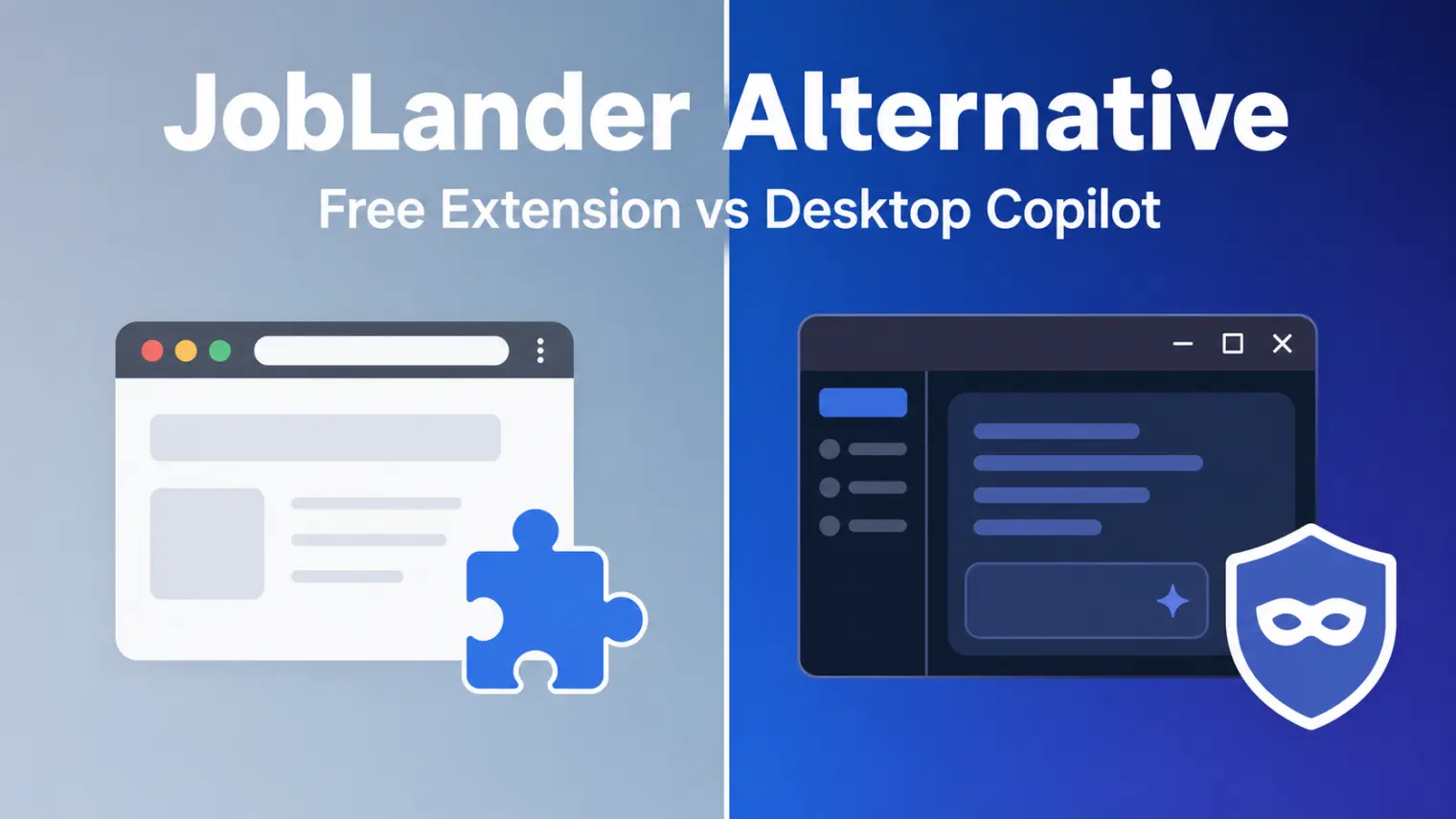
TL;DR: JobLander is a genuinely free Chrome extension that overlays AI hints during Google Meet, Zoom, and Teams calls — no credit card, no trial cliff. The catch reviewers keep flagging: it's a browser-tab overlay, not a desktop app, so it's visible the moment an interviewer asks for a full-screen share, and its Groq free-tier models (Llama 3.3 70B, Qwen-class) hit a reasoning ceiling on harder follow-ups. A JobLander alternative is worth considering when the interview in front of you is one you can't afford to gamble on those two limits.
You install JobLander, it works exactly as advertised on a practice call, and then the real interviewer asks you to share your entire screen instead of just the meeting tab. That's the moment a lot of people start searching for a JobLander alternative — not because the tool is a scam, but because a $0 browser extension has structural limits that only show up under real conditions. JobLander deserves credit for being one of the few AI interview tools that's actually free forever, not "free trial" free. The question is whether that trade-off still works for the interview you're walking into next.
What JobLander Actually Offers
JobLander is a Chrome extension — not a downloadable desktop app — that overlays real-time AI-generated talking points inside your browser during a live video call. You upload your résumé once for personalization, pick from a handful of AI models served through Groq (Llama 3.3 70B is the default, Llama 4 Scout is offered for lower latency), and the extension listens to the call audio to detect questions and surface suggested answers. It also includes a mock-interview coaching mode and post-interview analytics so you can review what came up and how you responded. It's compatible with Google Meet, Zoom, and Microsoft Teams, and more broadly with any browser tab carrying audio.
Pricing is the headline feature: it's free, permanently, funded by a Google Cloud for Startups grant — no card on file, no metered credits, no upgrade prompt waiting at session three. On the Chrome Web Store it currently sits around a 4.0-star rating from roughly 30 reviews, with a "Featured" badge and active recent updates.
Where the Free Model Runs Into Trouble
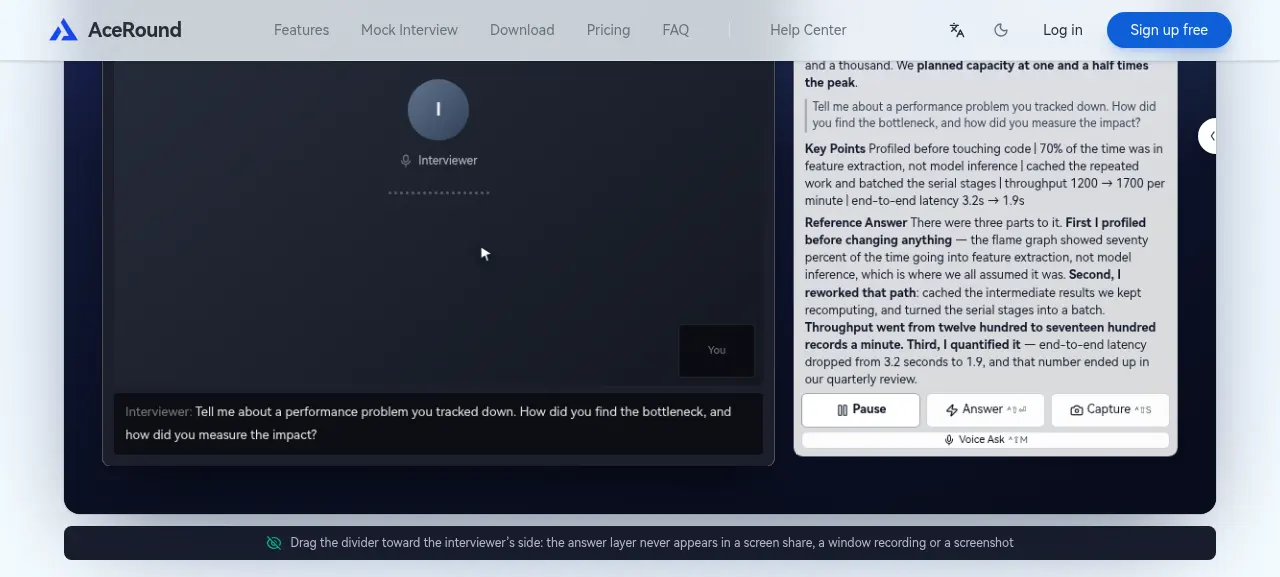
Independent reviews are consistent about where JobLander's zero-cost design shows its seams:
- No stealth mode on a full-screen share. Because it's a browser-tab overlay rather than a native desktop client, the extension is visible the instant an interviewer asks for a full-screen share rather than a single-window or tab share. One dedicated review of the tool flags this explicitly as a "skip if" condition for interviews that require full-screen sharing, which includes a lot of FAANG-style technical loops.
- A reasoning ceiling on hard follow-ups. Every response runs on Groq's free-tier open models — fast, but not GPT-4o- or Claude-class. That's a fine trade for a quick behavioral warm-up question, and a noticeably weaker one when an interviewer pushes into a tricky system-design tangent or an adversarial follow-up that needs deeper reasoning, not just a pattern-matched first answer.
- Single surface, single browser. There's no Mac or Windows desktop app, no Firefox or Safari support, and no dual-device workflow — everything happens inside one Chrome tab with a fixed-layout assistance window.
- One person behind it. JobLander's own developer has been publicly upfront that he isn't sure yet whether the tool actually helps people get hired. That candor is worth respecting, but it also means there's no support team, no SLA, and no roadmap commitment if something breaks the day before your interview.
None of this makes JobLander a bad tool for what it is. It makes it a specific tool, with specific edges, that a lot of "best free AI copilot" roundups gloss over because they're comparing feature lists, not real interview conditions.
What Actual Users Report
Real reviews on the Chrome Web Store give a more grounded picture than any marketing page:
- One user described a live-interview breakdown directly: "It did not perform well. I was unable to receive answers within the timeframe expected by the client, which negatively impacted my interview outcome. Furthermore, managing the meeting page while the Assistance Window was open was challenging due to the lack of flexibility in the fixed layout."
- Others ask practical setup questions the product page doesn't answer up front — "Does it work on screen record?" and "How to use it during Google Meet" both show up as real reviewer questions, not hypotheticals.
That's a small sample, but it lines up with the structural gaps above: latency under real conditions, and a fixed layout that competes for screen space with the call itself.
JobLander vs AceRound AI
| JobLander | AceRound AI | |
|---|---|---|
| Platform | Chrome extension only | Native Mac + Windows desktop app |
| Cost | Free forever | Paid (credit-based plans) |
| Visible on full-screen share | Yes — overlay sits in the browser tab | No — designed to stay invisible even on full-screen share |
| Underlying model | Groq free-tier open models (Llama 3.3 70B, etc.) | GPT-4o- and Claude-class reasoning |
| Coding / technical interviews | Not a primary use case | Built to cover live coding and technical rounds |
| Support | Solo developer, no formal SLA | Dedicated support |
When JobLander Is Actually the Right Call
Give credit where it's due: if you have a low-stakes screening call tomorrow, a single-tab share is all that's ever asked of you, and you have zero budget, JobLander is a legitimately reasonable choice — it's one of very few tools in this category that's free without an asterisk. For a first-round recruiter chat that's mostly small talk and a resume walkthrough, the model-quality gap rarely matters.
How AceRound Compares as a JobLander Alternative
AceRound AI is built as a native desktop client for Mac and Windows rather than a browser extension, which is the direct answer to the full-screen-share problem — the overlay is designed to stay invisible whether the interviewer asks for a tab share or your entire screen. It runs on GPT-4o- and Claude-class models rather than free-tier open weights, which matters most on the exact adversarial follow-ups and technical deep-dives where JobLander's ceiling shows. We're not going to pretend a paid tool is the right call for every interview — if tomorrow's call is genuinely low-stakes, JobLander's zero-cost model is hard to argue with. But for the interview that actually decides whether you get the offer, the trade-offs are worth knowing in advance rather than discovering them live. For a broader look at what's safe to run during a shared screen at all, see our breakdown of AI interview assistant screen share safety, and for a wider field comparison, our best AI interview copilot 2026 roundup lines up several tools side by side, including a look at free AI interview copilot options if budget is the deciding factor.
FAQ
Is JobLander really free with no hidden cost?
As far as we could verify, yes. JobLander has exactly one tier, priced at zero, funded by a Google Cloud for Startups grant, with no credit card required and no stated usage cap. That makes it genuinely unusual in a category where most "free" tools convert to paid after a trial window.
Can an interviewer see JobLander if I share my screen?
If you share your entire screen instead of a single tab, yes. JobLander runs as a Chrome extension overlay inside the browser tab, not a native desktop app, so the moment a full-screen share is requested the overlay becomes visible. This is the single most-repeated caveat across independent reviews.
What AI model does JobLander use?
JobLander runs on Groq's free-tier open models, primarily Llama 3.3 70B by default with Llama 4 Scout available for lower latency, plus several other open models to pick from. That's meaningfully different from GPT-4o- or Claude-class reasoning, and reviewers note it shows on harder system-design or adversarial follow-up questions.
Does JobLander work on Zoom and Microsoft Teams, or just Google Meet?
JobLander is built to work across Google Meet, Zoom, and Microsoft Teams, plus any browser tab where audio is present, since it listens through the tab rather than integrating with a specific platform's API.
Who builds and maintains JobLander?
JobLander is run by a single independent developer who has been publicly candid that he isn't yet certain the tool actually helps people land jobs. That transparency is refreshing, but it also means there's no formal support team or SLA behind it — just an email address if something breaks mid-search.
What should I check before picking a JobLander alternative?
Three things reviewers keep coming back to: whether the tool stays invisible on a full-screen share (not just a shared tab), whether the model behind it can handle a hard technical or behavioral follow-up rather than a generic first-pass answer, and whether it runs on more than a single browser and platform.
Author · Alex Chen. Career consultant and former tech recruiter. Spent 5 years on the hiring side before switching to help candidates instead. Writes about real interview dynamics, not textbook advice.
Related Articles
OpenAI's AI Interview Policy: Banned, Required, or Team-Dependent
OpenAI sells AI coding agents, then bans most candidates from using one. Here's the round-by-round policy, including the new agentic round that flips it.
Does Harver Detect Cheating? What Its Proctoring Actually Checks
Does Harver detect cheating on its pre-employment assessments? A candidate look at Harver's Proctoring add-on, what gets logged after a flag, and what happens next.

Micro1's Zara AI Interview: What It Actually Tests (And Why Timing Gets Flagged)
Micro1's AI interviewer Zara has run 300,000+ interviews for remote roles. Here's why it flags response latency as a cheating signal, and what that means for AI prep.