CoPilot Interview Alternative: The Real Pricing Ladder
Looking for a CoPilot Interview alternative? Here's the actual 5-tier pricing ladder, what model access is gated behind the top plan, and what to compare instead.

TL;DR: A CoPilot Interview alternative search usually starts with the pricing page: CoPilot Interview's free tier caps out at 10-minute sessions (2 per day), and the AI models most people actually want — Claude, Gemini, Grok-class reasoning — are locked behind the $49.99/mo Pro+ tier, not the cheaper plans below it. Before switching tools, check exactly which model each price point actually unlocks, and whether the free tier is long enough to test a real interview round rather than a demo.
You open CoPilot Interview's pricing page expecting a simple "free vs. paid" choice, and instead find six tiers, a separate pay-as-you-go hour-pack system, and a note that the strongest reasoning models only show up two tiers up. That's not a dealbreaker — the product genuinely works as advertised for a lot of people — but it's also exactly the kind of pricing structure that sends people searching for a CoPilot Interview alternative before they've even finished reading the page.
What CoPilot Interview Actually Does Well
CoPilot Interview is a native desktop app for Windows 10+ and macOS 12+, not a browser extension, which means it runs in its own window alongside whatever video call software you're using — Zoom, Google Meet, Microsoft Teams, Webex, Amazon Chime, Discord — plus coding-round platforms like HackerRank, CodeSignal, and CoderPad. It uses Whisper-based real-time speech-to-text, has a "Ghost Mode" with adjustable overlay opacity, a coding mode covering 15+ languages, an "Interviewer Mode" for practicing the other side of the table, a resume builder, and post-session summaries. Paid plans come with a 30-day money-back guarantee, and the free tier genuinely requires no credit card. None of that is marketing fluff — it's a real, functioning product.
CoPilot Interview Pricing: Free to $199.99/Year
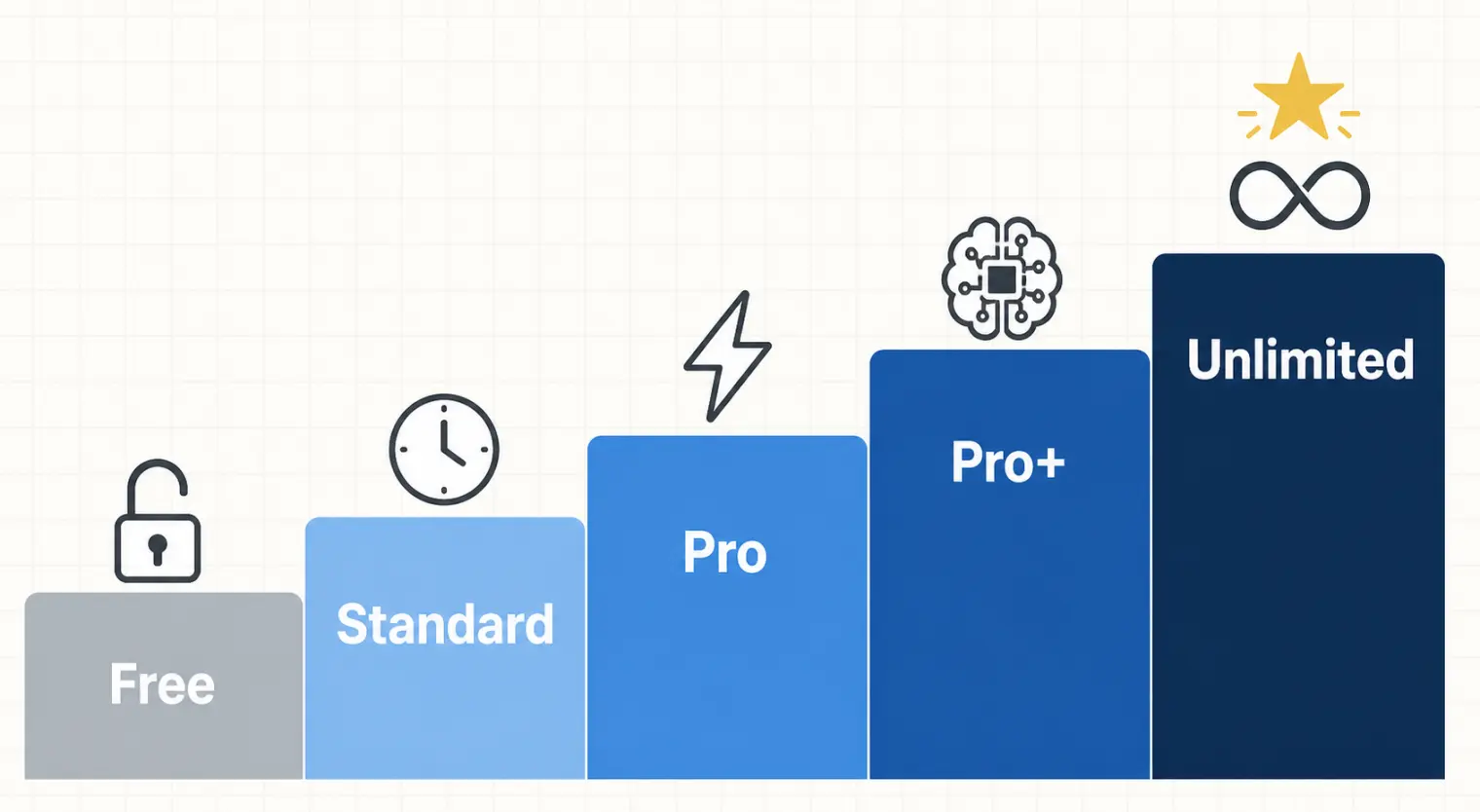
Here's the actual ladder, tier by tier:
| Plan | Cost | Session length | Sessions | Models |
|---|---|---|---|---|
| Free | $0 | 10 min | 2/day | Free models only |
| Standard | $14.99/mo | 60 min | 10/mo | "Dual AI Mode" |
| Pro | $29.99/mo | 70 min | Unlimited | Fast premium models |
| Pro+ | $49.99/mo | 70 min | Unlimited | Claude/Gemini/Grok-class reasoning |
| Unlimited Pro | $199.99/yr | Unlimited | 30/mo | All Pro-tier models |
| Enterprise | Custom | Custom | Custom | Custom |
On top of the subscriptions, there are pay-as-you-go hour packs ($5.99–$34.99) that never expire — a real alternative if you only interview occasionally and don't want a recurring charge.
Where the Friction Shows Up: Model Access and the Free Tier
Two things are worth knowing before you pay for anything:
- The models people usually want are gated two tiers up. Free and Standard run on entry-level or "free" models. The faster premium models arrive at Pro ($29.99/mo). But the stronger reasoning-class models — the ones built on Claude, Gemini, and Grok — only unlock at Pro+ ($49.99/mo). If you're prepping for a technical round that benefits from stronger multi-step reasoning, the plan that fits your budget may not be the plan with the model you actually wanted.
- The free tier is built for a quick look, not a real rehearsal. Ten-minute sessions, capped at two a day, is enough to check the interface and get a feel for the overlay — it's not enough to run a full mock interview at the length a real final round actually takes (45–70 minutes is typical). That's a deliberate product decision, not a flaw, but it does mean "try before you buy" doesn't really let you buy-test the thing you're paying for until you're already on a paid tier.
- Six pricing tiers plus separate hour packs is a lot to compare. It's not dishonest — every number on the page is disclosed — but working out your actual monthly cost against how many interviews you have coming up takes more math than most tools require.
- No Linux build. If that's your OS, it's off the table entirely regardless of tier.
None of this makes CoPilot Interview a bad product — it's a real, working desktop app with a genuine free option. It does mean the "alternative" search is usually about matching pricing structure to how you actually interview, not about the tool being broken.
What to Look for in a CoPilot Interview Alternative
- Is the model you'll actually use gated behind the top tier, or available lower down? Ask this before comparing sticker prices — a cheap plan with a weak model isn't actually cheaper if it can't handle the round you're prepping for.
- Can you test a full-length session before paying, not just a demo? A free tier that caps under 15 minutes tells you about the UI, not about whether the tool holds up in a real 45-minute interview.
- Does it run natively on your OS? Confirm Mac, Windows, or (if you need it) Linux support explicitly — don't assume.
- Subscription, hour packs, or both — which matches your actual interview volume this month? A flat monthly plan and a pay-as-you-go pack behave very differently once you're interviewing at more than one company in the same stretch.
How AceRound Compares as a CoPilot Interview Alternative
AceRound AI is a real-time interview copilot with desktop clients for Mac and Windows, built to give you consistent model access without tiering the stronger models behind your top-priced plan. We're not going to pretend every plan comparison reduces to "we're simpler" — pricing structures exist for a reason, and CoPilot Interview's isn't dishonest, just more layered than some. What we'd actually suggest is testing the two things that matter most from this review: can you run a session at the length your real interview will take, and does the model tier you're paying for match the reasoning your interview actually needs. For a broader look at where the current field stands, see our best AI interview copilot 2026 roundup, and if you're deciding between a desktop client and a browser-based tool, our breakdown of screen-share visibility covers exactly what's and isn't visible on a shared screen either way.
FAQ
What does CoPilot Interview actually cost?
It runs on a six-tier ladder: a permanent Free plan (10-minute sessions, 2 per day, free models only), Standard at $14.99/mo (60-minute sessions, 10 per month), Pro at $29.99/mo (70-minute sessions, unlimited count), Pro+ at $49.99/mo (70-minute sessions, unlimited, plus Claude/Gemini/Grok-class reasoning models), Unlimited Pro at $199.99/year (unlimited session length, 30 per month), and custom Enterprise. There are also pay-as-you-go hour packs from $5.99 to $34.99 that don't expire, as an alternative to subscribing.
Is the CoPilot Interview free tier enough to actually test it?
It's enough to see the interface, not enough to rehearse a real round. Ten minutes and two sessions a day covers a quick look, but most real interviews — especially final rounds — run 45 to 70 minutes, so you'd hit the cap mid-conversation if you tried to use the free tier as your actual interview tool rather than a demo.
Do all CoPilot Interview plans get the same AI model?
No. Free and Standard use what the pricing page calls free/entry-level models; Pro upgrades to faster premium models; the stronger reasoning models — the Claude, Gemini, and Grok tier — are only unlocked on Pro+ at $49.99/mo or above. If model quality matters to you (it does for technical rounds with multi-step reasoning), the plan you can afford may not be the plan with the model you want.
Does CoPilot Interview work on Mac and Windows?
Yes, it's a native desktop app for Windows 10+ and macOS 12+ that runs alongside your video call software rather than as a browser extension, and it lists support across Zoom, Google Meet, Microsoft Teams, Webex, Amazon Chime, Discord, plus coding platforms like HackerRank, CodeSignal, and CoderPad. There's no Linux build, so that's worth checking before you buy if that's your OS.
Is using an AI interview copilot considered cheating?
It depends entirely on the employer, and most haven't published a clear policy either way. A growing number of interviewers are trained to watch for the tells — a slight delay before answering, eyes that drift toward a second screen, answers that sound a little too polished for a live conversation. Treat any real-time copilot as a way to steady your delivery on answers you already know, not as a substitute for actually knowing the material.
What should I compare before picking a CoPilot Interview alternative?
Four things: whether the AI model you actually get access to is gated behind the top pricing tier, whether the free tier is long enough to test in a real-length session (not just a demo), whether the app runs natively on your OS, and whether the total pricing structure (subscription vs. hour packs vs. both) matches how often you'll actually use it in a given month.
Author · Alex Chen. Career consultant and former tech recruiter. Spent 5 years on the hiring side before switching to help candidates instead. Writes about real interview dynamics, not textbook advice.
Related Articles
OpenAI's AI Interview Policy: Banned, Required, or Team-Dependent
OpenAI sells AI coding agents, then bans most candidates from using one. Here's the round-by-round policy, including the new agentic round that flips it.
Does Harver Detect Cheating? What Its Proctoring Actually Checks
Does Harver detect cheating on its pre-employment assessments? A candidate look at Harver's Proctoring add-on, what gets logged after a flag, and what happens next.

Micro1's Zara AI Interview: What It Actually Tests (And Why Timing Gets Flagged)
Micro1's AI interviewer Zara has run 300,000+ interviews for remote roles. Here's why it flags response latency as a cheating signal, and what that means for AI prep.