Coderbyte Interview Preparation: Formats, Detection & How AI Helps
A factual guide to Coderbyte interview preparation: what each assessment format actually monitors, what triggers a plagiarism flag, and how to prep honestly with AI mock practice.
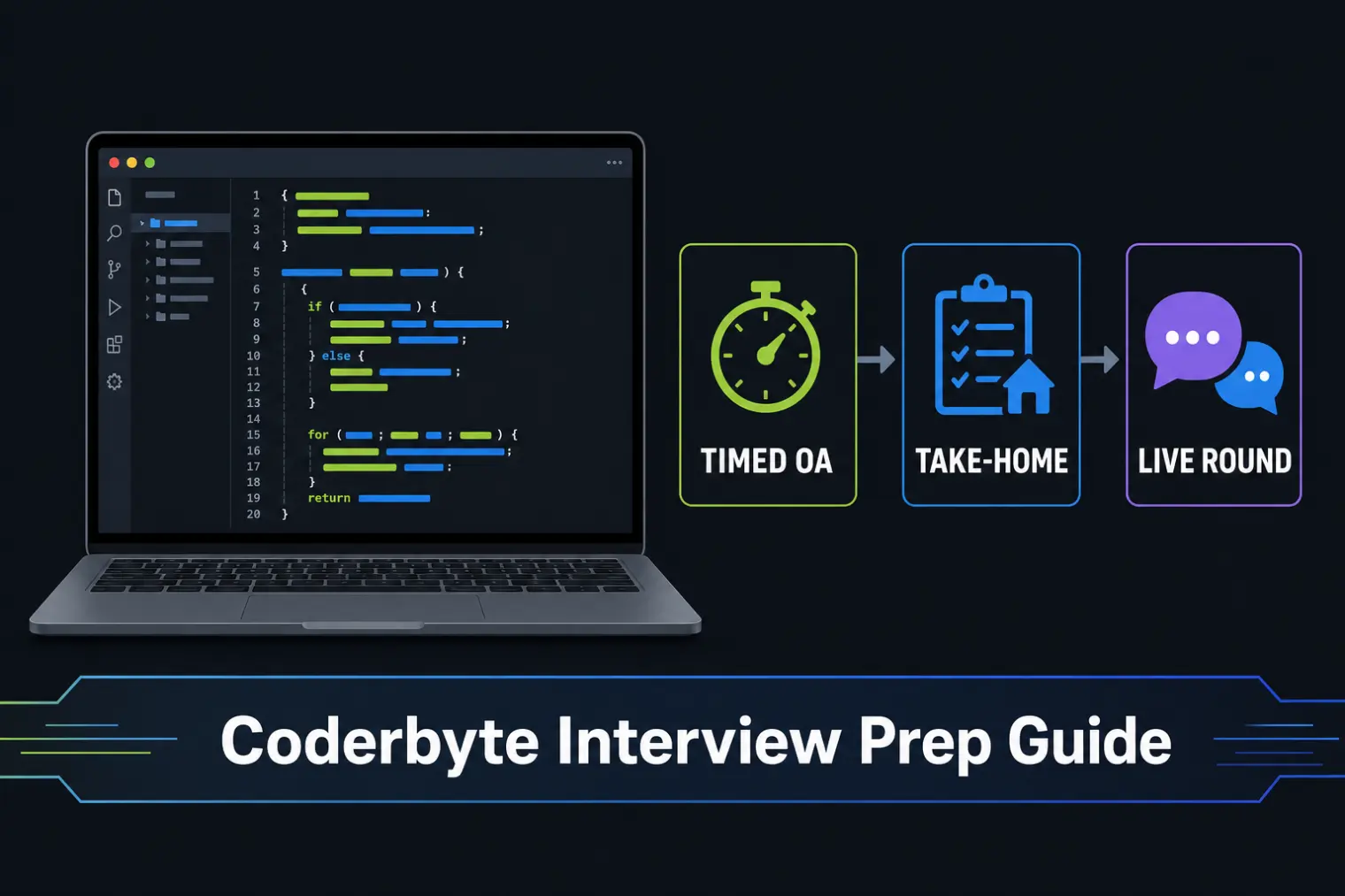
TL;DR: Coderbyte interview preparation starts with knowing which format you're actually facing — a timed OA, a 24-hour take-home, or a live CoderPad-style round — because Coderbyte's plagiarism and AI-detection features are paid add-ons the employer chooses to enable, not a platform default. Detection intensity varies more by company than by test type. The honest prep move is AI-assisted mock practice before the real thing, not a live overlay during a monitored round.
One Glassdoor review for a machine-learning role lists a pipeline that starts with "2-hour (easy) coding task," moves straight into a live "online interview about my experience," then circles back to a second Coderbyte round — this time a 24-hour take-home covering machine learning specifically — before a final interview. Four stages, two different Coderbyte formats, two completely different sets of rules about what's being watched. If you walked into any one of those rounds assuming it worked like the last Coderbyte test you took, you'd have prepared for the wrong thing.
That inconsistency is the actual problem with most "Coderbyte interview tips" content — it treats Coderbyte like a single fixed format, when the real variable that matters is which monitoring features the hiring company switched on for this specific assessment. Here's what each format actually looks like, what Coderbyte's detection genuinely can and can't see, and how to prepare for the live round with AI help the honest way.
What a Coderbyte Interview or Assessment Actually Looks Like
Coderbyte doesn't run one fixed test — companies configure their own pipeline from a set of building blocks, which is why candidate reports vary so much:
- Timed online assessment (OA). Usually 60-120 minutes, a mix of multiple-choice and coding problems, taken solo and asynchronously.
- Take-home project. Anywhere from a few hours to 24+ hours, often a small real-world feature build (a React component, a SQL schema, a small ML pipeline) rather than a leetcode-style puzzle.
- Live CoderPad-style round. A shared, real-time coding editor where an interviewer watches you work and asks follow-up questions as you go — functionally a human-proctored round regardless of what happens on the async side.
The Quantinuum pipeline above stacked a timed task, a live interview, another take-home, and a final interview — which is common for roles where the company wants both a fast async filter and a slower, harder-to-fake signal. Ask your recruiter directly which of these you're facing and how long you'll have; "a Coderbyte test" tells you almost nothing on its own.
Does Coderbyte Detect Cheating or AI Use? What's Actually Monitored
Coderbyte AI cheating detection and Coderbyte plagiarism detection are real, documented features — but they're not switched on by default for every test. Per Coderbyte's own plagiarism-detection documentation, a completed test can be flagged as "Not Detected," "Likely," or "Detected" based on signals including:
- Copy-paste events into the editor
- Tab-switching or leaving the assessment window for extended periods
- Multi-person detection via webcam, if webcam proctoring is enabled
- Code that closely matches prior candidate submissions
Separately, Coderbyte's AI/ChatGPT-detection guidance confirms the system checks submitted solutions against known AI-generated output patterns — but this scope is explicitly narrower for take-home projects, where candidates get full IDE access and there's no session-level monitoring to catch how the code was produced, only whether the final output resembles known AI-generated solutions.
The gating detail most "how to beat Coderbyte" content skips entirely: plagiarism and AI detection are bundled into paid feature tiers, which means a lot of Coderbyte's core customer base — mid-size companies and startups, not deep-pocketed enterprises — may not have them enabled at all. Detection intensity is a company-configuration question, not a Coderbyte-wide fact.
Take-Home vs. Proctored OA vs. Live CoderPad: Where Monitoring Actually Differs
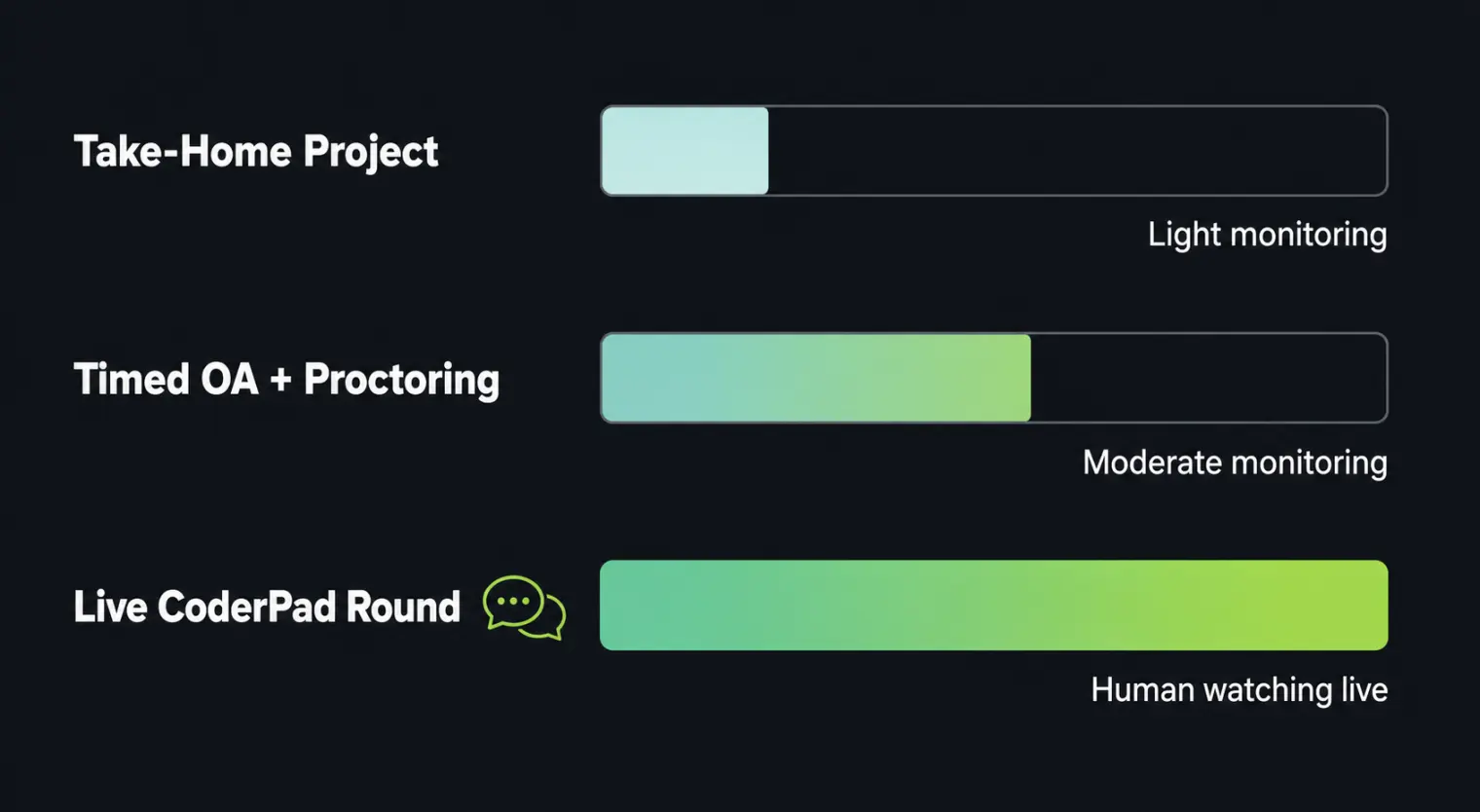
| Format | Typical monitoring | What it can't reliably catch |
|---|---|---|
| Take-home project | AI-pattern matching on the final submission only (if enabled); no session recording | How you actually worked — full IDE, full internet access, no live observer |
| Timed OA (no proctoring add-on) | Tab-switch and paste-event logging (if enabled) | Anything outside the browser tab; a second device or monitor |
| Timed OA + webcam/screen proctoring | Webcam snapshots or continuous screen/session recording | Off-screen notes or a person out of camera frame, depending on framing |
| Live CoderPad-style round | A human interviewer watching in real time and asking follow-up questions | This is the format hardest to fake — a live conversation about your own code is a different test than a static submission |
An independent test by software engineer Andrew Wegner found ChatGPT scored a perfect 10/10 on Coderbyte's React, SQL, and "hard" difficulty algorithm challenges — each in under five minutes. That result is exactly why the live CoderPad round exists as a separate stage in pipelines like Quantinuum's: a static take-home or timed OA, even with detection enabled, is a weaker signal on its own than it used to be, so companies increasingly pair it with the one format that's hard to fake — a real conversation about your reasoning.
How to Prepare for a Coderbyte Interview the Honest Way
The most useful prep isn't finding a way to run AI during a monitored round — it's making sure you don't need to.
- Practice explaining your solution out loud, not just writing it. The live CoderPad round tests reasoning-in-conversation, a skill that's genuinely different from solving a problem silently. AceRound AI runs structured mock coding interviews where you talk through your approach the same way you would with a real interviewer, so the live round doesn't feel like the first time you've had to narrate your thinking.
- Confirm open-book vs. closed-book before you start. Coderbyte supports both, configured per test — check the assessment instructions, don't assume.
- Treat a take-home project like a real deliverable, not a puzzle. Since take-homes get comparatively light session monitoring, the actual differentiator between candidates is code quality and README clarity, not speed.
- Don't paste code you didn't type during a monitored OA, including your own earlier work — a paste event is what gets logged, not the underlying reason for it.
- If your pipeline includes a live round after a take-home, prepare for both stages separately. A take-home you outsourced entirely will be obvious the moment someone asks you to modify your own code live.
If you're weighing whether any of this differs across platforms, CodeSignal's GCA runs on a stricter, more uniform structure than Coderbyte's opt-in monitoring, and HackerRank's detection system works differently again — worth knowing if your pipeline mixes more than one.
Quick Checklist Before Your Coderbyte Test
- Confirm the exact format (timed OA, take-home, live CoderPad) and time limit with your recruiter
- Check whether the test is open-book or closed-book in the assessment instructions
- Close unrelated tabs before a timed round, not because one switch is dangerous, but to keep your session clean
- Practice narrating your reasoning out loud before any round that includes a live component
- If it's a take-home, budget time to write a clear README — it's part of what's being evaluated, not an afterthought
For the broader question of what's technically possible across proctoring vendors generally, this breakdown of how online interviews detect cheating compares HireVue, Zoom, and OA tools side by side.
FAQ
What should I expect in a Coderbyte interview or assessment? It varies more than most platforms — Coderbyte hosts everything from a 60-90 minute timed multiple-choice-plus-coding screen to a 24-hour take-home project, to a live CoderPad-style round where an interviewer watches you code in real time. Candidates on Glassdoor report pipelines mixing a 2-hour timed task with a separate 24-hour take-home covering different topics (algorithms one round, machine learning the next) at the same company, so always confirm the exact format and time limit with your recruiter before you start.
Does Coderbyte detect cheating or AI use? It depends entirely on which features the hiring company has enabled, since Coderbyte gates its plagiarism and AI-detection tools behind paid add-ons. When active, Coderbyte's own documentation confirms it flags copy-paste events, tab-abandonment, multi-person webcam detection, and code that matches known AI-generated solution patterns. What it does not reliably catch: a take-home project with no proctoring enabled and full IDE access, since there's no session monitoring at all in that format.
Is Coderbyte open book? Only if the specific test says so — Coderbyte supports both open-book and closed-book configurations, and it's set per assessment by the hiring company, not by Coderbyte as a platform default. Read the instructions on the assessment landing page before you start; assuming either way and being wrong is a bad way to spend your first five minutes.
Can AI actually solve Coderbyte's coding challenges? Yes, and that's a known limitation of code-only assessment tools, not a secret. An independent test by a software engineer found ChatGPT scored 10/10 on Coderbyte's React, SQL, and "hard" algorithm challenges in under five minutes each. That's a big part of why companies increasingly pair a Coderbyte OA with a live technical round where a human watches you reason through the problem — the OA alone isn't designed to be the final signal anymore.
How is Coderbyte different from HackerRank or CodeSignal? The core algorithm-question format is similar across all three. The practical differences show up in company adoption (Coderbyte skews toward mid-size companies and startups, HackerRank and CodeSignal have deeper enterprise penetration) and in monitoring depth — CodeSignal's GCA and HackerRank's proctoring are more uniformly applied, while Coderbyte's detection features are opt-in add-ons, so the actual monitoring intensity you'll face varies more by employer than by platform quirk.
Can I use AI to prepare for a Coderbyte interview without it counting as cheating? Yes — the line is timing, not tool. Practicing with an AI mock interviewer before the real assessment, reviewing algorithm patterns, and rehearsing how you'd explain your reasoning out loud are all standard prep, same as studying with a tutor. Running a live AI overlay during a proctored assessment your employer is actively monitoring is a different, much riskier bet — and increasingly one that's technically detectable regardless of the tool.
Author · Alex Chen. Career consultant and former tech recruiter. Spent 5 years on the hiring side before switching to help candidates instead. Writes about real interview dynamics, not textbook advice.
Related Articles
The SQL Technical Screen: What Interviewers Actually Watch You Do Live
The SQL technical screen is a live, shared-editor round, not a take-home. Here's the format, what interviewers watch for beyond correct output, and how to prep.

The Palantir Forward Deployed Engineer Interview: What Decomposition Tests
Palantir's FDE interview has a round most candidates never expect: decomposition. Here's what it actually tests, and why AI tools are banned in the room.
The Byteboard Interview at Google, Waymo & Dropbox: What CoreEval Tests
Byteboard swaps algorithm trivia for a two-part take-home assessment. Here's what CoreEval measures, who uses it, and where AI tools actually fit.