Teal InterviewAI Alternative & What It Covers
Teal InterviewAI alternative guide: what the 2-scenario free cap means, what Teal+ costs, and what to use once the real interview starts.
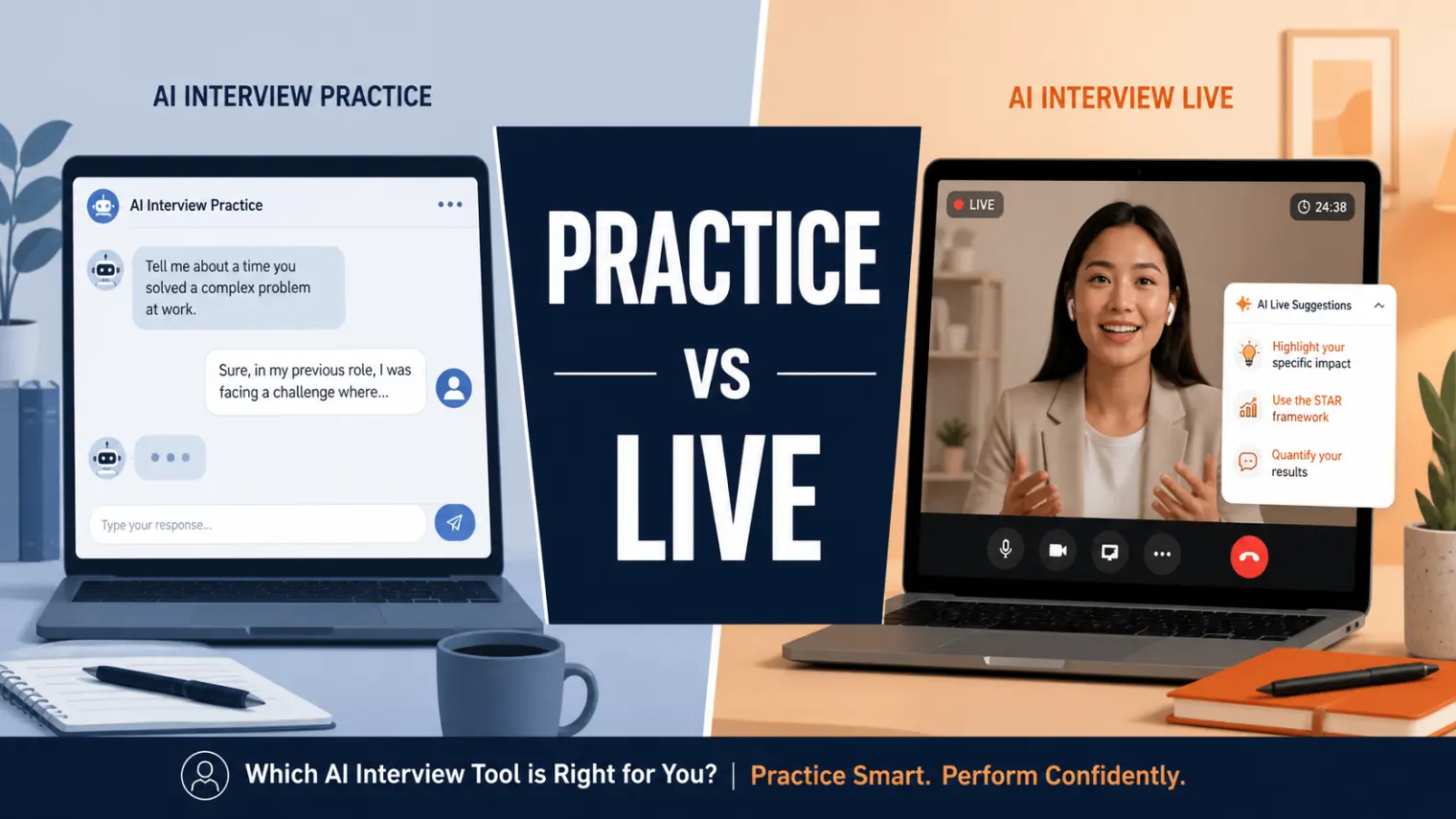
TL;DR — Teal InterviewAI's free tier gives you two mock interview scenarios, ever, not two per week. After that it's Teal+ at $29/month (or $13/week, $79/quarter, no annual option). It's a solid rehearsal tool bolted onto a resume-builder app — but it stops the moment the real interview starts. If you're searching for a Teal InterviewAI alternative because you want help during the actual call, you need a different category of tool entirely.
You ran your first mock interview on Teal, got decent feedback, ran a second one — and then the app told you that's it. No more free practice. Not this week. Ever, on the free plan.
That's usually the moment people start searching for a Teal InterviewAI alternative. But the more useful question isn't "what else is free" — it's "what am I actually trying to fix." Teal was built as an add-on to a job tracker and resume builder, and its interview feature reflects that: good for rehearsal, absent everywhere else.
What Teal InterviewAI actually is
Teal InterviewAI lives inside Teal HQ (tealhq.com), the resume-builder and job-application tracker. The interview tool is a conversational mock-interview agent with two modes:
- Mock mode — you answer a set of questions pulled from a job description you've saved, then get feedback at the end
- Coach mode — feedback arrives during the session instead of after
The free tier caps out at two practice scenarios, total. Not two per week, not a monthly refresh — two, ever, unless you upgrade. A few older "is Teal InterviewAI free" roundups still describe it as unlimited; that's not accurate anymore, and Teal's own help docs confirm the cap.
Teal+ pricing: $29/month, $13/week, or $79/quarter — there's no annual plan, which is unusual for this category. Teal+ also unlocks the rest of the platform (resume bullet suggestions, cover letter drafts, keyword matching), so you're paying for the whole suite, not just extra interview reps.
Where it holds up, and where it doesn't
What it does reasonably well:
- Generates questions from your actual saved job description, not a generic bank
- Coach mode's in-session feedback is a genuinely useful format for early rehearsal
- Records video + transcript so you can review your own answers later
Where it stops:
- Two free scenarios, period — everything past that requires the subscription
- Feedback trends generic. A recurring complaint on the Final Round AI community forum, from a user reviewing their Teal sessions: "the feedback skews soft... the praise was closer to 'you communicated clearly' every single time."
- No code editor, no whiteboard, nothing runs — a second reviewer on the same thread put it bluntly: "There is no code editor, no whiteboard, nothing runs." Not built for technical rounds.
- No live interview mode at all. It's a browser-tab rehearsal tool. Once your actual interview call starts, Teal has nothing left to offer.
- Billing friction shows up repeatedly in reviews: weekly and quarterly plans described as non-refundable once started, with some users reporting they were charged again shortly after trying to cancel.
One user on that same Final Round AI thread summed up the core issue better than most marketing copy could: "Teal is a job search organizer that added an interview feature... What people keep buying it for and being disappointed by is the interview half."
The real question: rehearsal or live help?
Here's the split that most "Teal InterviewAI alternative" searches are actually circling around, whether people realize it or not:
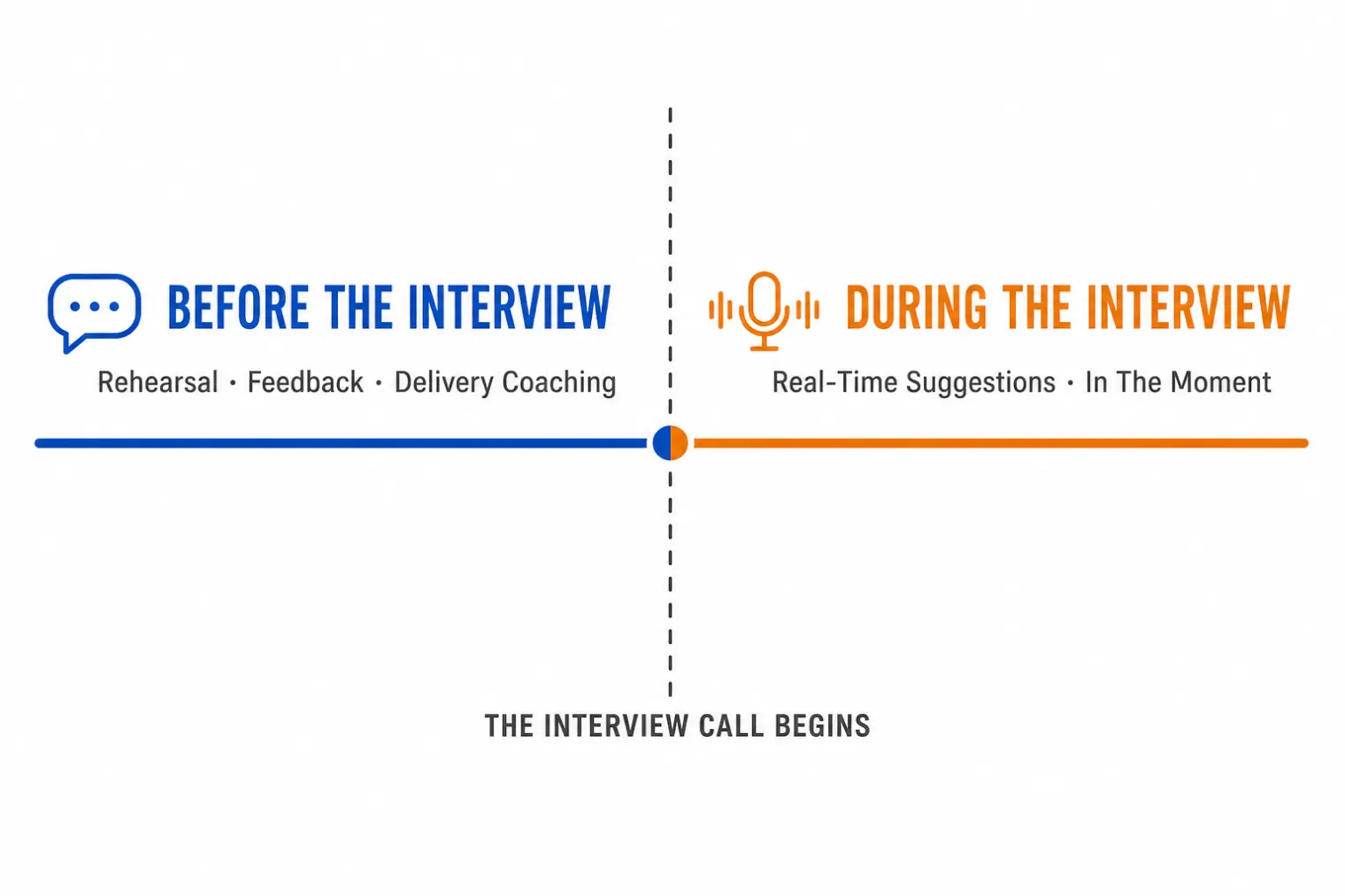
If your problem is that you haven't rehearsed enough — you freeze up structuring answers, you don't know what to expect — a practice tool is the right category. Teal fits, so does Yoodli, Huru, or Interview Sidekick, depending on what specifically needs work.
If your problem shows up in the actual interview — you know your material cold in practice, but blank out the second a real interviewer follows up with something you didn't rehearse — no amount of additional mock sessions fixes that. That's a different failure mode, and it needs a different tool.
A 2026 study on AI-driven mock technical interviews found that rehearsal measurably reduces anxiety and builds candidate confidence going in (arXiv:2506.16542). That's real and worth doing. But confidence going in and performance once the interviewer starts improvising are two different things — practice tools are built to solve the first, not the second.
Want something that helps once the real call has started? AceRound AI listens to the live interview conversation and surfaces structured answer suggestions in real time, as the interviewer is talking — not a transcript review afterward.
AceRound AI: built for the moment Teal stops
AceRound isn't trying to be a better Teal — it operates at a different stage entirely. Where Teal ends when your rehearsal session closes, AceRound is built for the live call itself:
- Picks up the interviewer's question from your audio feed in real time
- Cross-references your resume and the job description
- Surfaces a structured suggestion — often STAR-formatted — on your screen as the conversation happens
- Adjusts as the interviewer follows up with something you didn't expect
Honestly, where it's strong and where it isn't:
- Real-time suggestions work best for behavioral and mixed-format interviews — situations where structured, resume-aware talking points matter
- Live coding rounds where you're sharing your screen to write code get less value from answer suggestions than conversational rounds do
- It works best as a safety net on top of preparation you've already done, not a replacement for knowing your own material
You can look at it directly at aceround.app.
Other Teal InterviewAI alternatives worth a look
If your gap is still on the practice side, here's an honest rundown:
Yoodli — strongest at delivery mechanics (filler words, pacing, tone), weaker on content feedback. See our Yoodli alternative guide for the full breakdown of where it stops.
Huru — mock interview practice with feedback that goes further into answer content, not just delivery — closer to what Teal's free tier lacks once you've used your two runs.
Interview Sidekick — question-bank plus feedback model, good for drilling a specific question type repeatedly. No live-interview component, same limitation as Teal.
Final Round AI — offers real-time assistance closer to AceRound's category, though with a different pricing and reliability profile. Our Final Round AI alternative comparison covers the details.
For a wider view of the category, our best AI interview tools 2025 guide rounds up tools across every stage of prep.
A practical combination: use both, in order
The two free Teal scenarios are enough to get a read on your delivery and rough answer structure. Use them early — 3 to 4 weeks out, if you have that runway — then decide where the actual gap is.
If delivery is fine but you're worried about freezing on unscripted follow-ups, that's the moment to set up a live interview copilot for the real call, not to buy more mock-session credits. The two tools aren't competing for the same job; they're built for two different moments in the same interview.
Author · Alex Chen. Career consultant and former tech recruiter. Spent 5 years on the hiring side before switching to help candidates instead. Writes about real interview dynamics, not textbook advice.
Related Articles
OpenAI's AI Interview Policy: Banned, Required, or Team-Dependent
OpenAI sells AI coding agents, then bans most candidates from using one. Here's the round-by-round policy, including the new agentic round that flips it.
Does Harver Detect Cheating? What Its Proctoring Actually Checks
Does Harver detect cheating on its pre-employment assessments? A candidate look at Harver's Proctoring add-on, what gets logged after a flag, and what happens next.

Micro1's Zara AI Interview: What It Actually Tests (And Why Timing Gets Flagged)
Micro1's AI interviewer Zara has run 300,000+ interviews for remote roles. Here's why it flags response latency as a cheating signal, and what that means for AI prep.