Sensei AI Alternative: Feature, Pricing, and Reliability Comparison
Looking for a Sensei AI alternative? Compare features, pricing, and reported reliability issues before picking an AI interview copilot for your next call.

TL;DR: If you're searching for a Sensei AI alternative, the two things worth checking before you pay for anything are the actual pricing (Sensei's free tier caps at 15 minutes, Pro runs about $89/month) and reported reliability — a public forum thread has users describing crashes and bugs mid-interview. Compare features side by side rather than trusting marketing copy on any tool in this category, including ours.
Someone posted this in a forum thread about Sensei AI and it's stuck with reviewers ever since: "It crashed during the interview, had a lot of bugs, and did not work properly as they claimed." That's not a reason to panic — every tool in the live-AI-copilot category has failure reports somewhere — but it's exactly the kind of detail that gets buried under polished landing pages when you're deciding what to trust for a call that actually matters.
What Is Sensei AI (Quick Recap Before You Compare)
Sensei AI is a real-time interview copilot that listens during video calls and surfaces suggested talking points. Per its official site, it supports over 30 languages, integrates with Zoom/Teams/Meet, and includes a "Coding Copilot" mode for technical rounds plus a "Story Studio" feature for prepping behavioral answers in advance. It's a legitimate, feature-dense product — the category it competes in ("undetectable AI interview assistant") is real and growing, which is exactly why comparison shopping matters here.
AI Interview Copilot Comparison: What to Actually Check
Most "alternative" roundups in this space either lean into fear ("you'll get caught, here's a safer practice-only tool") or one-up each other on stealth claims without addressing whether the base product works reliably. Neither is that useful when you're deciding what to trust for a live call. A fair AI interview copilot comparison should look at the same handful of things for every tool:
| What to check | Why it matters | |
|---|---|---|
| Platform coverage | Zoom, Teams, Meet, native desktop apps | Determines whether it works on the platform your interview actually uses |
| Language support | Number of languages, quality per language | Matters most for non-native speakers |
| Coding support | Dedicated mode vs generic text suggestions | Live-coding rounds need low latency and code-aware formatting |
| Session limits | Free tier caps, per-session time limits | A 15-minute cap is a problem if your interview runs long |
| Reported reliability | Forum threads, review sites, not just the vendor's own testimonials | Crashes mid-interview are worse than no tool at all |
Live Interview Assistant Pricing: What You Actually Pay
Sensei's pricing, confirmed via a third-party aggregator (SaasWorthy's pricing page), breaks down to a free plan capped at 15 minutes per session and a Pro plan around $89/month billed monthly (roughly $24/month if you commit annually). That gap between monthly and annual pricing is common across this category — worth checking on any tool before you assume the advertised price is what you'll actually pay for a month-to-month commitment, which is what most job seekers actually want given interviews don't run on annual schedules.
When you're comparing live interview assistant pricing, the free-tier cap matters more than the sticker price. A 15-minute limit is fine for a phone screen, tight for a 45-minute technical round, and useless for a 90-minute onsite loop. Check the cap, not just the number on the pricing page.
AI Interview Copilot Features That Actually Matter
Not every feature on a landing page changes your experience during an actual interview. Based on what reviewers flag most, these are the AI interview copilot features worth weighing:
- Latency — a suggestion that arrives three seconds after you needed it doesn't help. This is the single biggest differentiator between tools in this category and the hardest one to judge from a demo video.
- Screen-share visibility — several reviewers have flagged that some copilots, Sensei included, can become visible during screen sharing depending on OS and platform combination. If your interview requires screen share, test this yourself before relying on it.
- Coding-mode formatting — generic text suggestions are much less useful in a live-coding round than a mode built to handle code blocks and syntax.
- Language depth vs language breadth — supporting 30+ languages sounds impressive, but quality varies a lot by language. If you're interviewing in a less common language, ask specifically about that language's support rather than trusting the aggregate count.
This is roughly the point where we'll say plainly what AceRound does differently: we built for low-latency real-time suggestions and honest language-quality claims rather than the widest possible language count, because a copilot that's slow or wrong in your specific language is worse than no copilot. We don't claim to be undetectable under every screen-share configuration — nobody honestly can — so test any tool's behavior on your actual platform before an interview that matters.
Known Issues With Sensei AI
Worth stating plainly since most comparison content skips this: a public complaint thread on forum.legiit.com includes multiple users reporting crashes, bugs, and the product "not working properly as claimed" during actual interviews. That's one thread, not a comprehensive audit, and every tool in this category has some failure reports — but it's the kind of thing worth checking for whatever tool you're about to trust mid-interview, not just the one we're discussing here.
Best AI Interview Tools 2026: Where This Category Stands
Sensei AI isn't the only option, and it's worth knowing the shape of the category before picking anything. We've written dedicated comparisons for Cluely, LockedIn AI, and a broader best AI interview copilot 2026 roundup if you want the wider field rather than a single head-to-head. The category as a whole splits roughly into stealth-first tools competing on invisibility claims, and reliability-first tools competing on latency and honest language support — decide which tradeoff matters more for your specific interview before you pick.
Real-Time Interview Assistant Review: A Quick Checklist
Before trusting any real-time interview assistant review (including this one), run your own five-minute check:
- Test it on the exact platform (Zoom/Teams/Meet) you'll actually use, not a generic demo.
- Confirm the free-tier time limit covers your interview length, or budget for the paid tier.
- Search the tool's name plus "reddit" or "forum" for unfiltered user reports, not just testimonials on the vendor's site.
- If screen sharing is required, test visibility behavior yourself beforehand.
- Check language support for your specific language, not the aggregate count.
FAQ
Is Sensei AI worth it? Depends on your interview format and language. It's a feature-rich product with real language breadth, but the free tier's 15-minute cap and reported crash issues mean it's worth testing on your actual platform before relying on it for a high-stakes interview.
Does Sensei AI work well in 2026? Reviewers are mixed — some report reliable use, others describe crashes and bugs mid-session on a public forum thread. Test it yourself in a low-stakes practice call before your real interview.
Is Sensei Copilot reliable, or are there scam complaints? There's at least one public complaint thread describing reliability issues, not scam allegations in the fraud sense. Treat it as a signal to test the tool yourself rather than a verdict either way.
Is using an AI interview copilot cheating? It depends on the interview format and employer policy — some companies explicitly prohibit any AI assistance during live interviews, others don't address it. We don't make absolute claims about detectability for any tool, including ours; understand your specific interview's policy before deciding.
What's the cheapest Sensei AI alternative? Pricing shifts often across this category, so compare current free-tier limits and monthly (not just annual) pricing directly on each vendor's site rather than trusting a fixed "cheapest" ranking.
Does AceRound work like Sensei AI? Both are real-time interview copilots in the same category. The differences that matter for your decision are latency, per-language quality, and screen-share behavior on your specific platform — test both on a practice call rather than picking from feature lists alone.
Author · Alex Chen. Career consultant and former tech recruiter. Spent 5 years on the hiring side before switching to help candidates instead. Writes about real interview dynamics, not textbook advice.
Related Articles
OpenAI's AI Interview Policy: Banned, Required, or Team-Dependent
OpenAI sells AI coding agents, then bans most candidates from using one. Here's the round-by-round policy, including the new agentic round that flips it.
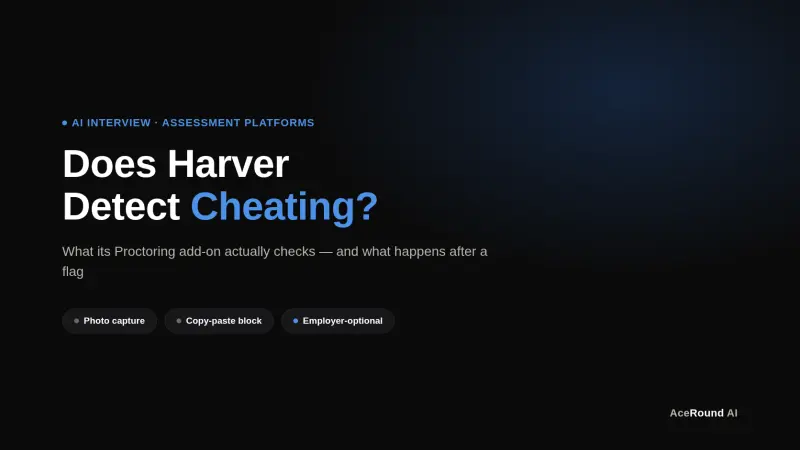
Does Harver Detect Cheating? What Its Proctoring Actually Checks
Does Harver detect cheating on its pre-employment assessments? A candidate look at Harver's Proctoring add-on, what gets logged after a flag, and what happens next.

Micro1's Zara AI Interview: What It Actually Tests (And Why Timing Gets Flagged)
Micro1's AI interviewer Zara has run 300,000+ interviews for remote roles. Here's why it flags response latency as a cheating signal, and what that means for AI prep.