Natively AI Review 2026: Free Setup, $60 Pro, and Whether It's Worth It
Natively AI (heynatively.com) review, read November 9, 2026: free with your own key, Pro at $30 a year or $60 once, hosted plans at $8–$35 a month, and the refund rules.

TL;DR: Natively is one of the few interview copilots you can run for $0. The desktop app is free with your own API key or a local model through Ollama, and its overlay is included at every level. The catch is in the second half of that sentence: "free" means the app, not the AI. You either pay a model provider per use, run a model your laptop can handle, or buy Natively's hosted plans at $8–$35 a month. Pro adds resume and job-description context, custom modes and negotiation coaching for $30 a year or $60 once. It is a good deal for a tinkerer interviewing on macOS or Windows. It is a poor deal if you want something that works out of the box, need Linux or mobile, or want a refund after activation.
The short answer. Natively AI at heynatively.com is a desktop interview and meeting copilot for macOS and Windows. The app is free when you bring an API key or run a local Ollama model; the Pro license is $30 a year or $60 once; hosted plans run $8–$35 a month; and two one-off packs cost $5 and $10. There is no Linux build and no mock-interview mode, and nothing in the product handles an online assessment.
| What you pay for | Price, read on November 9, 2026 | What it includes |
|---|---|---|
| App with your own API key or Ollama | $0 | Live transcript, screen OCR, answers, the overlay, notes and diagrams; you pay the model provider, or nothing at all for a local model |
| Pro license, yearly | $30 a year (listed at $39) | Resume and job-description context, nine built-in modes, live negotiation coaching |
| Pro license, lifetime | $60 once (listed at $79) | The same features, updates included, no renewal |
| Natively API Standard | $8 a month or $80 a year | Hosted AI, transcription and search; the Pro license is not included |
| Natively API Pro / Max / Ultra | $15 / $25 / $35 a month, or $150 / $250 / $350 a year | Hosted usage plus the Pro license for as long as you subscribe |
| Pro pack Light / Heavy | $5 once / $10 once | Pro plus the hosted API for 2 hours within 7 days / 5 hours within 14 days; nothing renews |
These are Natively's own figures, read from its pricing and Pro pages on November 9, 2026. The two packs are the cheapest way to get Pro and hosted usage for a single interview, and neither is a subscription.
Two other products share the name. This review covers Natively AI at heynatively.com, the desktop copilot whose code sits in the Natively-AI-assistant repository on GitHub. Two unrelated companies also use Natively: getnatively.ai is an AI product studio behind Natively Outbound and Tully, a desktop call coach for sales calls, and buildnatively.com converts a website into a native iOS or Android app. Neither is an interview tool. If you searched "Natively AI" and landed on an app builder, that was the other one.
Natively publishes a lot of comparison content itself, which makes the vendor's framing hard to avoid when you search for a review. The useful questions are narrower. What do you actually get for $0? What does the $60 license add? What happens if it does not work on your machine? And is it the right tool for a live interview rather than a meeting?
This review answers those, using Natively's homepage, pricing page, Pro page, FAQ, stealth documentation, refund policy and terms, plus its public GitHub repository and the v3.1.0 release assets, all read on November 6, 2026, with the prices re-read from the pricing and Pro pages on November 9. I did not benchmark the app for this review, so claims about answer quality and speed are labeled as the vendor's rather than measurements.
What Natively is in November 2026
Natively is a desktop assistant for meetings, interviews and lectures. It captures system audio and your microphone as two channels, transcribes them locally with a Whisper implementation, reads your screen with OCR, and streams answers into an overlay that is excluded from normal screen sharing. Nothing joins the call as a bot, and transcripts are stored in a local SQLite database you can export or delete.
The project is source-available, not open source. Its license, the Natively Personal Use Source License v1.0, lets you read and modify the code for personal use but restricts commercial use and redistribution. The company is Natively AI Private Limited, and its refund policy describes the product as built and maintained by a single developer. That is not a reason to avoid it, but it sets expectations for support and for how quickly edge cases get fixed.
The current release is v3.1.0, published on November 4, 2026. When I checked on November 6, the GitHub repository showed 3,194 stars, 673 forks and 73 open issues. Supported systems are macOS 12 or later on Apple Silicon and Intel, Windows 10 build 19041 or later, and Windows 11. The FAQ is explicit that there is no Linux build and no mobile app.
The three ways to run it, and what each costs
Natively's pricing is easier to understand once you separate the app from the AI behind it. There are three ways to supply the AI, and a separate license for Pro features.
| Path | What you pay | What you get | What you still need |
|---|---|---|---|
| Local through Ollama | $0 to Natively, $0 in API fees | The full app, local transcription, offline operation | A machine that can run a 7B-class model at conversational speed |
| Your own API key | $0 to Natively, provider usage at your key's rates | The full app with a hosted frontier model, prompt text sent to your provider | An OpenAI, Anthropic, OpenRouter or compatible key |
| Natively API | $8–$35 a month | Hosted AI, speech-to-text and search; no key management | A subscription; the Pro license is included from $15 up |
| Natively Pro license | $30 a year or $60 once | Resume and job-description context, custom modes, negotiation coaching | AI access from one of the three paths above |
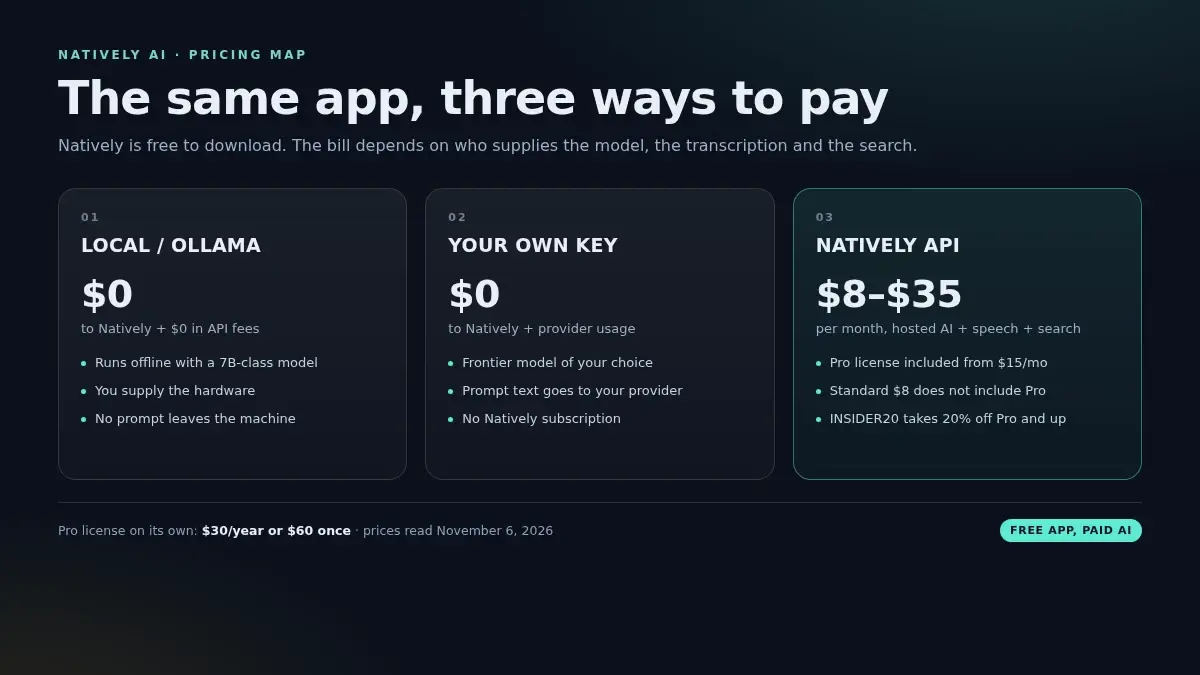
The $0 path is not a trial. With your own key or a local model, the core app is free for personal use, and the overlay is not held back for a higher tier. Natively's own comparison table says "hidden from screen share" is included on every plan, including free. That is the opposite of Cluely, where the hidden overlay starts at $149.99 a month.
The trial is a separate thing. Natively's pricing FAQ says it includes 10 AI requests, 30 minutes of speech-to-text and 2 web searches, with no card. That is enough to see whether the app launches, captures your audio and renders an answer on your machine. It is not enough to evaluate a full interview, and it is not a 30-day Pro trial.
The Pro license is the part most reviews skip. It does not include AI usage. If you buy the $60 lifetime license and use your own API key, you still pay the provider. If you buy the $15-a-month API Pro plan, the license is included for as long as you subscribe. The $8 Standard plan does not include the Pro license, which makes it a way to get hosted AI for the free app rather than a way to get the full product.
The packs are the part the pricing page buries. Light is $5 for two hours of Pro and the hosted API inside seven days; Heavy is $10 for five hours inside fourteen days. Both are one-off, both count only the hours you spend in a live meeting, and both stop when the hours or the days run out. For a single interview week, that is cheaper than any subscription, and it is the only way to use Pro and the hosted API together without committing to a month.
What the free version actually includes
The free app is not a demo with the useful parts removed. It includes the live transcript, screen capture and OCR, automatic answers, the overlay, meeting notes, diagrams and local storage. For a live interview where you want the interviewer's question transcribed and an answer on screen, that is the core loop.
What free does not include is context. Natively's Pro page puts it plainly: free answers "well, in general terms", while Pro reads your resume and the job description so the answer draws on your own experience and the role. Pro adds three things:
- Profile Intelligence. It reads your resume and the job description, researches the company, and uses that context in answers.
- Modes Manager. Nine built-in modes, from technical interview to sales to lecture, plus custom modes with their own files.
- Negotiation Assistance. Live salary coaching with anchors and counters based on market bands.
Everything else, including diagrams, stays free according to the same page. So the honest split is: free gives you a live assistant with a blank memory; Pro gives it your resume, the role and a mode. For a behavioral interview where the follow-up is "tell me about a time you did that", the difference matters. For a coding round where the question is on screen, it matters much less.
The cost of the free path depends on which model you point it at. Natively's own guide says a BYOK session costs cents rather than dollars, because it sends the question rather than a continuous audio stream. That is plausible for text, but screen OCR and long transcripts add tokens, and frontier models are priced differently. Treat "cents per interview" as the vendor's estimate, not a bill you can budget from. The local path is the only one with a hard $0 marginal cost, and it trades model quality and speed for that.
Is the $60 Pro license worth it?
It depends on how long you are interviewing and whether you already pay for a model.
If you already have an API key and interview for more than about four months, the lifetime license is the cheapest way to add Pro features. $60 once, no renewal, updates included, and your only ongoing cost is the provider usage you were already paying. The yearly license at $30 is the lower-risk version if you want to see one search cycle before committing.
If you do not have a key and do not want to manage one, the hosted Pro plan at $15 a month is simpler. It includes the Pro license and the AI usage. Natively's public INSIDER20 code takes 20% off Pro, Max and Ultra at checkout, which brings Pro to $12 a month, but promo-code purchases are final sale under the refund policy. That is a real trade: you save $3 a month and give up the 24-hour refund window.
For a three-month search, the rough math looks like this:
| Setup | Three-month cost | What you get |
|---|---|---|
| Free app + Ollama | $0 plus hardware | Local answers, no provider bill, model quality limited by your machine |
| Free app + your key | Provider usage; depends on the model and how much screen context you send | Better answers, no Natively fee |
| Pro lifetime + your key | $60 plus provider usage | The same, plus resume, job and mode context |
| Hosted Pro | $45 ($36 with INSIDER20) | Pro license, hosted AI, no key management |
| Hosted Standard | $24 | Hosted AI for the free app, no Pro features |
| Pro pack, one interview | $5 | Pro and hosted AI for 2 hours, inside 7 days, nothing renews |
Two conclusions follow. First, the lifetime license only beats hosted Pro on cost after about four months; with your own key it is a $60 purchase for the context features, not a saving over the free app. Second, the hosted Standard plan is the one easiest to misread: it is the cheapest way to get hosted AI, but it does not include the Pro features the pricing page is selling, so do not compare it with the Pro plan as if they were the same product.
Setup, and the risk you take the night before
The download is not small. The Windows installer for v3.1.0 is about 806 MB, and the macOS disk images are roughly 675–680 MB. After installation you grant screen-recording and microphone permissions, choose a model, and on Windows check that system audio is being captured rather than only your microphone.
The local path adds another layer: install Ollama, pull a model, and make sure it responds fast enough to be useful. A 7B-class model is the realistic free option, and its answers will be shorter and less reliable than a frontier model's. Natively's site claims sub-second responses with hardware acceleration; that is the vendor's claim, and it depends on the model and the machine. On a laptop without a discrete GPU, expect the local path to feel slower.
There is no mock-interview mode in the product. The preparation content on the site is a guide, not a scored rehearsal. That matters more than it sounds: the first time you run the app under pressure should not be the real interview. A practice call with a friend, or a separate mock tool, covers the gap.
The repository also shows the ordinary rough edges of a fast-moving desktop app. On November 6, the open issue and pull-request list included a Windows echo-cancellation fix for microphone lines that pick up meeting audio, and a request for adjustable text size in the interview window. Neither is unusual. Both are the kind of thing you want to discover before the interview, not during it.
In an interview: where it fits, and where it does not
For a live video interview on a laptop you control, Natively is built for the job. It hears the question through system audio, reads a coding problem from the screen, and puts an answer in an overlay. The workflow is automatic: no button press between the question and the answer, which is the main thing that separates an interview copilot from a chat window.
For coding rounds, it reads the problem and generates an approach and code. The product pages describe no test runner or submission step. For behavioral rounds, it produces a STAR scaffold; with Pro, it can pull from your resume. For system design, it produces a structured breakdown of components, scaling and trade-offs. The quality of all three tracks is the quality of the model you connect. The app is the delivery mechanism, not the intelligence.
Two limits are worth stating before you buy:
- No OA workflow. Natively is not an online-assessment tool. It reads the screen like any other window, but nothing in its feature list handles test cases, submission checks or the lockdown browsers used by HackerRank, CodeSignal or Codility. If your next round is a timed OA, a dedicated OA copilot is the better fit.
- No practice mode. There is no scored mock interview inside the app. You can use it in a practice call, but the product does not give you feedback afterwards.
So is it suitable for a formal interview? For a live video round, yes, with two conditions: the machine is yours and you have tested the exact meeting app and screen-share mode; and the model you connect is strong enough for the round. For a proctored assessment, it is the wrong category of tool, and Natively's own documentation says software that lists running processes can see it.
What "undetectable" covers here
Natively's marketing calls the product an "undetectable AI interview assistant". The documentation is more precise, and the precision is useful.
What it hides: under normal window-based screen sharing in Zoom, Google Meet and Microsoft Teams, the overlay is excluded from the shared screen and from recordings. It is hidden from the Dock and taskbar, and no bot joins the call. In local mode, no transcript, screenshot or prompt leaves your machine during the session; the only traffic is usage events and update checks, which carry no content and can be turned off in Settings.
What it does not hide: anything a person or a webcam can see on your physical screen, such as your eyes moving or your typing. Software that lists running processes can see the app. Apps outside the supported list may capture the overlay. And in BYOK mode, the prompt text goes to your model provider, so the network boundary is the provider rather than Natively.
The documented exception is Zoom's hardware-accelerated screen sharing, which can capture overlays that normal window sharing leaves out. Natively has a page about it. The practical lesson is the same for any tool in this category: test the exact meeting app, the exact share mode and the exact machine before the interview. A vendor's "undetectable" claim is a statement about its overlay, not a guarantee about every capture path.
Who is behind it, and what support looks like
Natively is built by a single developer, according to its own refund policy. The company is Natively AI Private Limited, and support runs 24–72 hours on weekdays, with no weekend or Indian public holiday coverage. There is no service-level agreement.
That is not automatically a problem. The release history is active: v2.9.2 on October 5, v3.0.0 on November 1, v3.1.0 on November 4. The GitHub issue tracker is public, and fixes ship in point releases. But if you need a support line on a Sunday before a Monday interview, this is not the product for that. The same applies to a license server problem: the Pro license activates against Natively's server, and support is the only escalation path.
The refund rules, in full
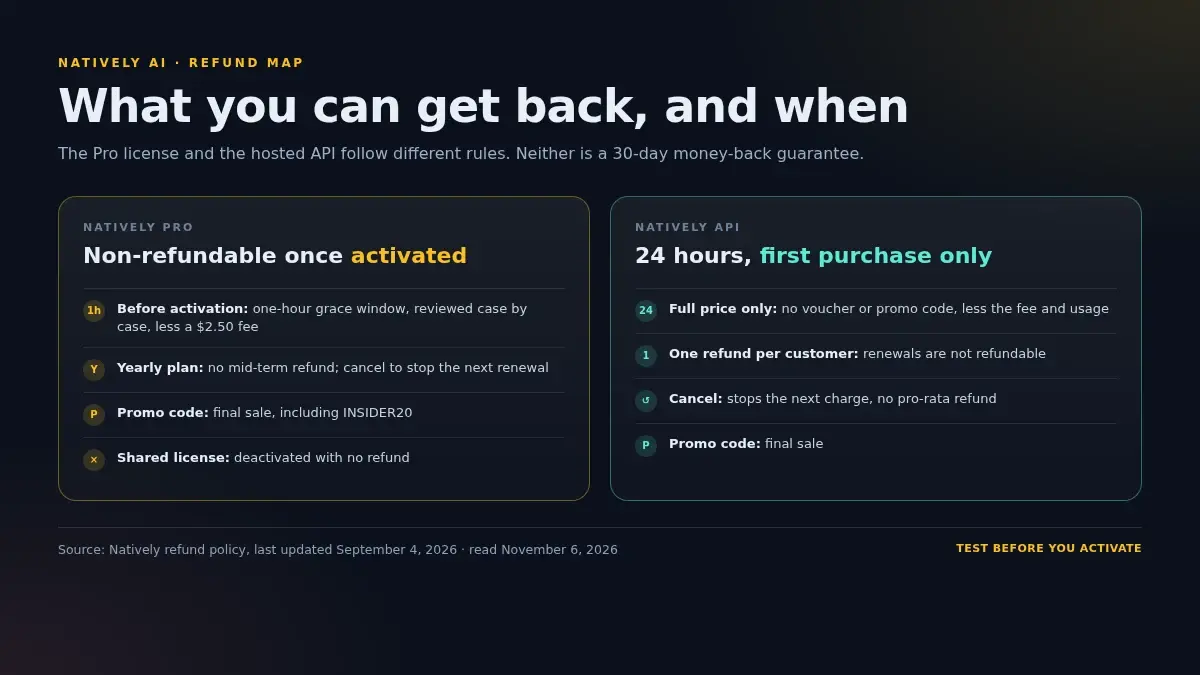
This is the part to read before you pay, because the rules are stricter than the pricing page suggests.
Natively Pro
- Generally non-refundable once activated. Activation happens when the license key is validated in Settings, not when you pay.
- One-hour grace window. If you email within one hour of the order and before activation, Natively reviews the request case by case. Honest mistakes can be refunded, less a $2.50 processing fee.
- Wrong product can be swapped. If you bought Pro when you meant the API, or lifetime when you meant yearly, they will refund or swap it within the same window.
- Yearly plans are not refundable mid-term. You can cancel to stop the next renewal and keep access until the end of the period.
- Promo-code purchases are final sale. That includes INSIDER20.
- One license per person. Sharing or reselling it can get the license deactivated with no refund.
Natively API
- 24-hour refund window on the first purchase only. It applies at full price, with no voucher or promo code, and is reduced by the $2.50 fee and any usage.
- One refund per customer. Renewals are not refundable.
- Cancelling stops the next charge, not the current one. There is no pro-rata refund for the unused part of a cycle.
- Promo-code purchases are final sale.
The practical sequence is therefore: use the 30-minute trial first, then buy the smallest thing that answers your question, and do not activate a Pro license until you have tested the app on your machine. If you use INSIDER20 to save 20%, you have traded away the refund window. That can still be the right call, but it should be a decision rather than a surprise.
Verdict
Natively is worth it if:
- You want a local-first assistant and are comfortable running Ollama or managing an API key.
- You interview on macOS or Windows, on a machine you control, and you will test the setup before the real round.
- You want resume and job-description context and are willing to pay $60 once rather than a monthly subscription.
- You value source-available code and local transcripts more than polish and support.
Natively is probably not worth it if:
- You use Linux or interview primarily on a phone. There is no build for either.
- You want something that works on first launch without choosing a model or granting permissions.
- You need a scored mock interview, an OA-specific workflow or test-case handling.
- You need a refundable purchase or a support line with an SLA.
- You are buying the $8 Standard plan expecting Pro features. It does not include them.
For one high-stakes interview, the math is less obvious than it looks. The lifetime license is $60, the API usage is extra, and the setup risk lands on the day you can least afford it. A turnkey pass is the alternative: AceRound AI includes the hidden overlay on every pass, OA Copilot for HackerRank, CodeSignal and Codility rounds, mock interviews with feedback, and twelve interview languages. In the US it costs $39.90 for 30 days or $69.90 for 90 days, paid once, with 30 free minutes and one mock interview on a new account. If you want the interview part without the model management, that is the shorter path. If you want local control and do not mind the setup, Natively's free tier is genuinely usable, and the $60 license is a fair price for what it adds.
For the full comparison against the other tools in this category, see the Natively AI alternative guide, the Cluely review, the LockedIn AI review and the Final Round AI review. For the free-tier picture across the category, the free AI interview copilot comparison is the place to start.
FAQ
Is Natively AI free?
The desktop app is free to download and use with your own API key or a local model through Ollama. You still pay the model provider for what you use, or nothing at all if you run a local model. Natively Pro is a separate license: $30 a year or $60 once, adding resume and job-description context, custom modes and negotiation coaching.
How much does Natively Pro cost?
On November 6, 2026, the Pro license was $30 a year (listed as down from $39) or $60 for a lifetime license (down from $79). That covers the app's Pro features only, not AI usage. If you want Natively to host the AI, transcription and search, the API plans were $8, $15, $25 and $35 a month, with the Pro license included from the $15 plan up.
What does the free trial include?
Natively's pricing FAQ says the free trial includes 10 AI requests, 30 minutes of speech-to-text and 2 web searches, with no card required. It is a usage allowance for trying the app, not a 30-day run of Pro.
Is Natively AI open source?
No. Natively is source-available under the Natively Personal Use Source License v1.0. You can read the code, but the license restricts commercial redistribution and is not an OSI-approved open-source license.
Does Natively work on Linux?
No. Its FAQ on November 6, 2026 lists macOS 12 or later, Windows 10 build 19041 or later, and Windows 11, and says there is no Linux build and no mobile app.
Can Natively be detected in an interview?
The overlay is excluded from normal window-based screen sharing in Zoom, Google Meet and Microsoft Teams, and no bot joins the call. Its documentation names Zoom's hardware-accelerated screen sharing as a common exception, and says software that lists running processes can see the app. A webcam or a person watching your screen is outside what any overlay can hide.
Is Natively good for coding interviews?
It reads the problem from your screen, transcribes the interviewer and generates an answer or explanation. It is not an online-assessment tool: nothing in its feature list handles test cases, submissions or the lockdown browsers used by HackerRank, CodeSignal or Codility. For a live coding conversation it fits; for a timed OA, a dedicated OA copilot is the better match.
What is Natively's refund policy?
The Pro license is generally non-refundable once activated. There is a one-hour grace window before activation for honest mistakes, reviewed case by case and reduced by a $2.50 processing fee. The managed API plans have a 24-hour refund window on the first purchase only, less the fee and any usage. Promo-code purchases are final sale, and renewals are not refundable.
Natively vs Cluely: which is cheaper?
For the hidden overlay, Natively is cheaper: the app is free with your own keys, and the Pro license is $60 once. Cluely's screen-share invisibility starts on its $149.99-a-month Pro + Undetectability plan. Cluely is the more polished meeting assistant; Natively is the local-first tool for people who will manage a model and a setup.
Is Natively AI the same as the app builder called Natively?
No. Natively AI at heynatively.com is the desktop interview and meeting copilot reviewed here, and its code sits in the Natively-AI-assistant repository on GitHub. Two unrelated companies also trade as Natively: getnatively.ai runs an AI product studio, and buildnatively.com converts websites into native iOS and Android apps. Neither is an interview tool.
What does Natively cost in November 2026?
The app is free with your own API key or a local Ollama model. The Pro license is $30 a year or $60 once. Hosted plans are $8, $15, $25 and $35 a month ($80, $150, $250 and $350 a year), with the Pro license included from the $15 plan up. Two one-off packs, $5 for 2 hours within 7 days and $10 for 5 hours within 14 days, include Pro and the hosted API and do not renew.
Author · Alex Chen. Career consultant and former tech recruiter. Spent 5 years on the hiring side before switching to help candidates instead. Writes about real interview dynamics, not textbook advice.
Related Articles
Natively AI Alternative: Free but DIY Setup
Natively AI is a free, source-available interview copilot with BYOK setup — no Linux, no mock mode. Here's the honest trade-off vs a turnkey tool.
Cluely Review 2026: Price, the $149.99 Stealth Tier, and Whether It's Worth It
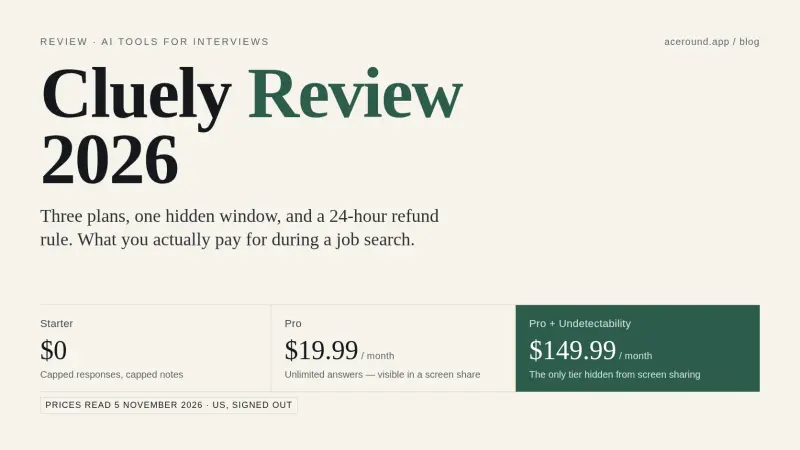
Cluely review with the plan list read on 5 November 2026: free Starter, $19.99 Pro, $149.99 Pro + Undetectability, a 24-hour refund rule, and who it suits.
Final Round AI Review 2026: Price, Refunds, Is It Worth It?
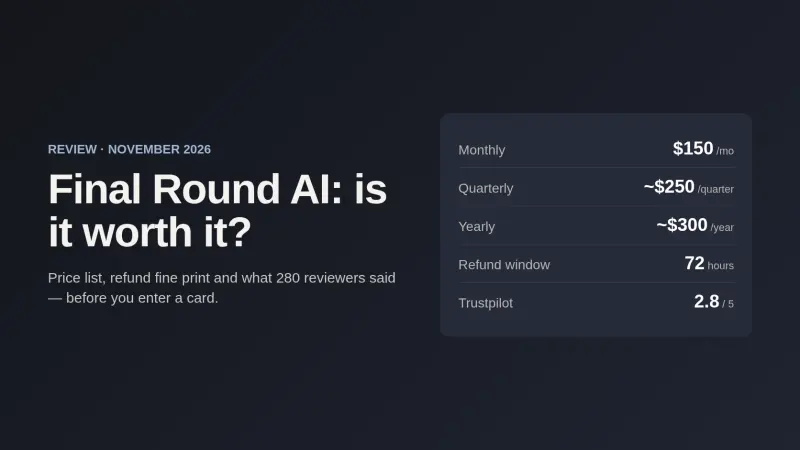
Final Round AI review: the $150/$83.33/$25 plan list on 2 Nov 2026, the 72-hour refund fine print, a 2.8 Trustpilot score, and who it suits.