Natively AI Alternative: Free but DIY Setup
Natively AI is a free, source-available interview copilot with BYOK setup — no Linux, no mock mode. Here's the honest trade-off vs a turnkey tool.
TL;DR: A Natively AI alternative search usually means one of two things: you don't want to manage a model and an API key the night before an interview, or you're on Linux, which Natively doesn't support. Natively AI is a genuinely free, source-available, BYOK interview copilot — local-first, no subscription, real privacy control — but "free" means the app, not the AI: you pay a provider per use or run a model your laptop can handle, and the Pro features are a separate license. AceRound trades that setup for a maintained desktop client that works out of the box, with AI usage included and dedicated practice sessions built in. For the plan-by-plan verdict, see our Natively AI review.
Natively AI shows up in almost every 2026 "Cluely alternative" roundup for a good reason: it's the rare option in this category that's actually free to run, with your data staying on your own machine instead of a vendor's servers. That pitch is real. But between "free" and "running smoothly during your interview" sits a setup process most white-collar job seekers have never touched — choosing a model, connecting a key or installing Ollama, and checking that system audio is captured. Here's what that setup actually looks like, and where it's worth it.
What Natively AI Actually Is
Natively is a source-available interview copilot and meeting assistant that positions itself as a free replacement for Cluely, Final Round AI's Interview Copilot, and Interview Coder. It offers screenshot OCR for reading coding problems off your screen, real-time transcription, a local RAG (retrieval-augmented generation) memory that recalls earlier parts of the conversation, an invisible stealth overlay, and support for behavioral, system-design, and live-coding interview formats.
The core design choice is BYOK: instead of a subscription that bundles AI usage into the price, Natively expects you to bring your own API key from OpenAI, Anthropic, or a compatible provider — or run a local model through Ollama for a setup that costs nothing at all, provider fees included. Transcripts, embeddings and keys stay on your machine; in BYOK mode the prompt text goes to your provider, and with Ollama nothing leaves the device. There is no central server holding your interview data. One detail worth flagging honestly: Natively's own GitHub repository lists its license as a "Personal-Use Source License," which permits personal, educational, and non-commercial use — that's meaningfully different from a standard open-source license like MIT or AGPL, and worth reading before you assume "open source" means "free for any use."
Is Natively AI Really Free? The BYOK Math
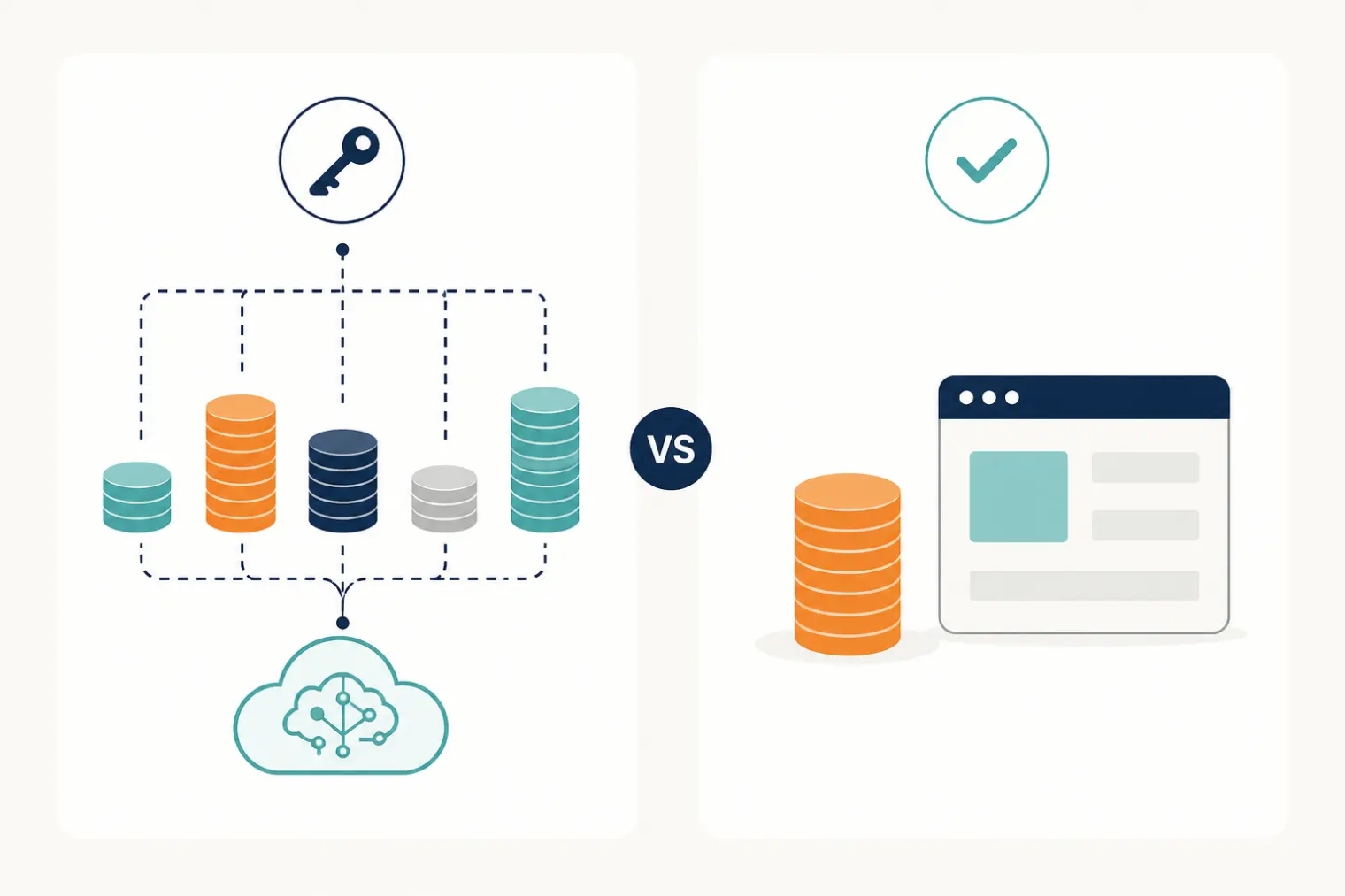
The software license costs $0 either way. What you pay depends on which path you take:
- Bring a hosted API key (OpenAI, Anthropic, Google): the app is free, but every transcription and every suggested answer draws down your own account, billed by that provider at their usage rates — separate from anything Natively charges, because Natively charges nothing directly.
- Run a local model via Ollama: genuinely $0 end to end, but you need hardware capable of running a local LLM at usable speed, and answer quality depends on which local model you pick versus a hosted GPT- or Claude-class model.
Compare that to a flat-priced tool: AceRound's structure is a free tier to try it, a $9.90 one-time Starter Pack for a single high-stakes round, or unlimited access at $39.90/month or $69.90 for a 90-day Season Pass — each a one-time payment with no auto-renewal, so the AI usage itself is already included in that number. With Natively, your real cost is the sum of your own API bill plus the time spent managing it — which can land higher or lower than a flat fee depending on how much you use it, but is much harder to predict in advance.
The Setup: What Running Natively AI Actually Takes
This is the part most roundup articles skim past. Getting Natively running no longer means building from source: it ships signed installers for Windows and macOS. The v3.1.0 Windows installer is about 806 MB, and the macOS disk images are roughly 675–680 MB. You install, grant screen-recording and microphone permissions, choose a model, and on Windows confirm that system audio is captured rather than only the microphone. Building from source is still possible for developers, but it is no longer the normal path.
Platform support is narrower than a typical commercial tool: macOS 12 or later and Windows 10 build 19041 or later, with no Linux build and no mobile app, according to Natively's November 2026 FAQ. If your interview is tomorrow and your laptop runs Linux, there is no build to fall back on. The local path also needs a model that responds fast enough to be useful; a 7B-class model is the realistic free option, and its answers are shorter than a frontier model's.
Where Natively AI Falls Short
- No structured mock-interview mode. Natively is built for live-session assistance, not for rehearsing answers ahead of time with feedback on delivery or content.
- Unverified detection claims. Natively markets its stealth overlay as undetectable, and its documentation is more precise than the marketing: the overlay is excluded from normal window sharing, but Zoom's hardware-accelerated sharing is a named exception, and software that lists running processes can see the app. We found no independent testing confirming a detection rate on real platforms — treat that as a vendor claim for Natively or any competitor making the same promise.
- Single-developer support, no SLA. The app is built by one developer, with public GitHub issues and fixes in point releases. Support runs 24–72 hours on weekdays and does not cover weekends or Indian public holidays.
- License terms are stricter than "open source" implies. The Personal-Use Source License restricts commercial use — worth reading in full if your use case is anything beyond personal job search.
The alternatives people actually switch to
If the setup, the missing practice mode, or the lack of a support line is what sent you looking, these are the six tools worth comparing. Each price is the one we last verified on that vendor's own pricing page — the dates differ because this category re-prices constantly.
| Tool | What you get | Price we verified | Best if | What you give up vs Natively |
|---|---|---|---|---|
| AceRound AI | Desktop live copilot plus mock practice, twelve languages, screenshot-based help in online assessments | 30 free minutes, then $39.90 / 30 days or $69.90 / 90 days, one-time (29 Oct 2026) | You want it running on the first launch, and want to rehearse as well as perform | Your interview data goes to a vendor instead of staying on your machine |
| Cluely | Real-time overlay, strongest on aggressive live assist | Pro $19.99/mo billed monthly, $11.99/mo billed annually; undetectability sits in a higher tier (1 Nov 2026) | You want a polished live overlay and can live with a capped free Starter plan | No local or self-hosted mode at any price |
| Final Round AI | The widest preparation suite in the category; live sessions come on top of it | $150/month billed monthly; $25/month only as a ~$300 annual payment (2 Nov 2026) | You want one vendor for prep content and live help | The highest list price here, and every plan renews until cancelled |
| Parakeet AI | Live sessions plus mock interviews, resume and headshot tools | $149.90/month, $49.99/month billed yearly ($599.90), $78/week, or credits from $38 (18 Oct 2026) | You interview across languages and want everything bundled | Credits burn fast on long rounds, and it is named in proctoring vendors' detection docs |
| LockedIn AI | Unlimited live sessions on the paid plans | $109.98/month list, $54.99/month discounted, $39.99/month on the three-month plan (20 Oct 2026) | You are running several interviews a week | A recurring subscription, plus the cancellation friction people report |
| Interview Coder | Coding-round specialist: reads the problem off your screen and works it | $299 and $799 tiers | Every round you face is a live coding screen | Coding only — nothing for behavioral, system design, or non-engineering rounds |
Two things are worth noticing in that table. First, Natively is the only row where your transcript never reaches a vendor's server; if that is the reason you went looking, nothing on this list fully replaces it, and the honest trade is setup time in exchange for control. Second, "free" among the alternatives is mostly a tier rather than a product: Cluely's free plan caps AI responses per day, Parakeet's free offer is a single mock interview, Final Round's free plan is preparation material without live sessions, and LockedIn's free plan exists but its usage limit is not published.
If you want the shortest path to something working, the trade is money for time: AceRound AI gives you thirty free minutes with no card and then a one-time pass rather than a subscription, which is the shape most people want when the interview is days away. If you want to stay local-first, the realistic upgrade is not a different tool — it is keeping Natively and pointing it at a hosted model instead of a local one, so your data stays local while the answer quality stops being limited by what your laptop can run.
Feature by Feature
| AceRound AI | Natively AI | |
|---|---|---|
| Platform support | Mac + Windows desktop client | Mac + Windows only (no Linux build, no mobile app) |
| Setup required | Download, sign in, done | Download the installer, grant permissions, connect a key or Ollama |
| AI usage cost | Included in AceRound's price | Billed separately by your chosen provider, or free via local Ollama model |
| Live interview support | Behavioral + technical + case/PM, screen-share-safe overlay | Live transcription, screenshot OCR, local RAG memory, invisible overlay |
| Mock interview / practice mode | Yes, with delivery + keyword scoring | Not part of the documented feature set |
| Data handling | Cloud-based service | Local-first by default; BYOK sends prompt text to your provider |
| Support | Maintained product with support channels | Single developer, public GitHub issues, no SLA |
| License | Commercial product | Personal-Use Source License (not standard open source, no commercial use) |
Who Should Actually Use Natively AI
Natively AI makes sense if: you're comfortable managing an API key or a local model, you want your interview data to stay on your machine, you already have (or don't mind paying for) your own AI provider API key, and you're on Mac or Windows. The app is free; Pro features are $30 a year or $60 once.
AceRound makes sense if: you want something that works the first time you open it, you'd rather pay one flat price than manage a variable API bill, you want a dedicated mock-interview mode to rehearse before the real thing, or your interview is soon enough that debugging a model setup isn't something you want to risk.
For more honest competitor breakdowns, see our Cluely alternative comparison and the full AceRound AI review covering pricing and where our own product's limits are.
FAQ
Is Natively AI really free?
The app itself is $0 with your own API key or a local Ollama model, and there's a 30-minute trial (10 AI requests, 30 minutes of speech-to-text, 2 web searches) with no card. But "free" means the app, not the AI: with a hosted key you pay the provider for usage, and with Ollama you supply the hardware. Natively Pro, which adds resume and job-description context, custom modes and negotiation coaching, is a separate $30-a-year or $60-once license. The hosted API plans are $8–$35 a month.
What does BYOK mean and why does it matter?
BYOK stands for bring your own key — instead of a vendor billing you a flat subscription that includes AI usage, you supply your own API key from an AI provider and pay that provider directly for what you use. It matters because your total cost becomes variable and depends on your usage and provider pricing, and you're responsible for managing rate limits, billing alerts, and key security yourself.
Does Natively AI work on Windows and Mac?
Yes, on macOS 12 or later and Windows 10 build 19041 or later. There is no Linux build and no mobile app: Natively's own FAQ says so as of November 2026. If you're on Linux today, Natively AI isn't an option regardless of your comfort with the setup process.
Can Natively AI be detected during a screen-shared interview?
Natively markets its overlay as undetectable, and its documentation is more precise than the marketing: the overlay is excluded from normal window sharing, but Zoom's hardware-accelerated sharing is a named exception, and software that lists running processes can see the app. We found no independent testing that verifies a detection rate on real interview platforms. Treat any "undetectable" claim from any AI interview tool, including Natively's own, as the vendor's description rather than a guarantee — screen-sharing behavior varies by platform, OS version, and how the interviewer's software captures the screen.
What's the real difference between AceRound and Natively AI?
Natively is a free, source-available, local-first tool: you install the desktop app and bring your own AI provider key or a local Ollama model — real control, but real setup work, and no built-in mock-interview practice mode. AceRound is a maintained, cross-platform desktop client you download and sign into, with AI usage included in the price and a dedicated practice mode with delivery and keyword scoring, trading DIY control for zero setup risk on interview day.
What is the best Natively AI alternative if I don't want to set it up myself?
AceRound AI is the closest like-for-like swap: a desktop live copilot with mock practice and AI usage included, 30 free minutes with no card, then a $39.90 one-time 30-day pass or $69.90 for 90 days (checked 6 November 2026). If every round you face is a live coding screen, Interview Coder is the specialist pick at $299–$799. If you want the cheapest general-purpose live overlay, Cluely's Pro plan is $19.99/month billed monthly ($11.99/mo only on annual billing), with undetectability in a higher tier.
Does any Natively AI alternative have a real free tier, not a trial?
None of them is unlimited, and that is the point of the comparison. AceRound gives 30 minutes of live-assistant credit with no card, which covers a short round but not a long one. Cluely's free plan caps AI responses per day, Parakeet's free offer is a single mock interview, Final Round's free tier is preparation material without live sessions, and LockedIn's free plan exists but its usage limit is not published. Natively is the only tool in this comparison whose app is free forever, because you pay the model provider separately or run a local model. Its Pro features are a separate $30-a-year or $60-once license.
For the paid tools in this category, the free AI interview copilot comparison lists every free allowance with the date it was checked.
Author · Alex Chen. Career consultant and former tech recruiter. Spent 5 years on the hiring side before switching to help candidates instead. Writes about real interview dynamics, not textbook advice.
Related Articles

Natively AI Review 2026: Free Setup, $60 Pro, and Whether It's Worth It
Natively AI (heynatively.com) review, read November 9, 2026: free with your own key, Pro at $30 a year or $60 once, hosted plans at $8–$35 a month, and the refund rules.
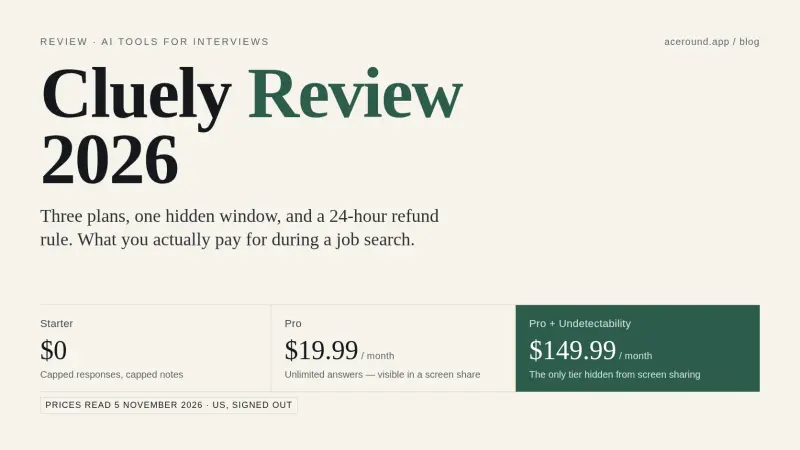
Cluely Review 2026: Price, the $149.99 Stealth Tier, and Whether It's Worth It
Cluely review with the plan list read on 5 November 2026: free Starter, $19.99 Pro, $149.99 Pro + Undetectability, a 24-hour refund rule, and who it suits.
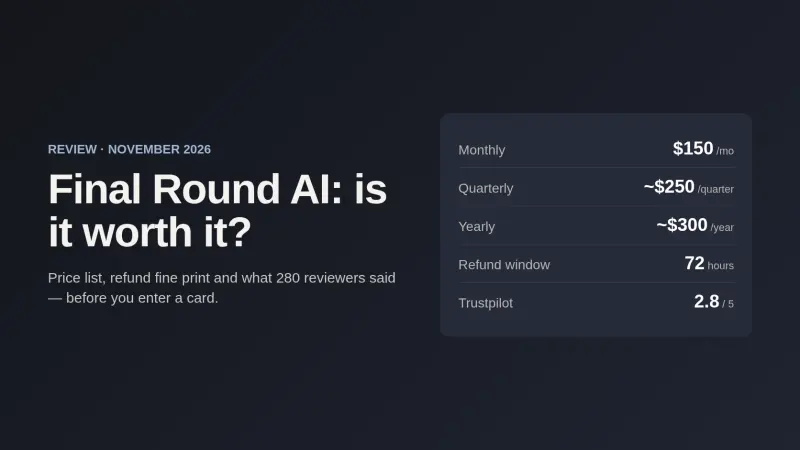
Final Round AI Review 2026: Price, Refunds, Is It Worth It?
Final Round AI review: the $150/$83.33/$25 plan list on 2 Nov 2026, the 72-hour refund fine print, a 2.8 Trustpilot score, and who it suits.