Does CoderPad Detect AI Cheating? What Actually Gets Flagged (2026)
Does CoderPad detect AI cheating? A factual breakdown of paste and IDE-exit alerts, session playback, Screen's plagiarism checks, and what it can't see.
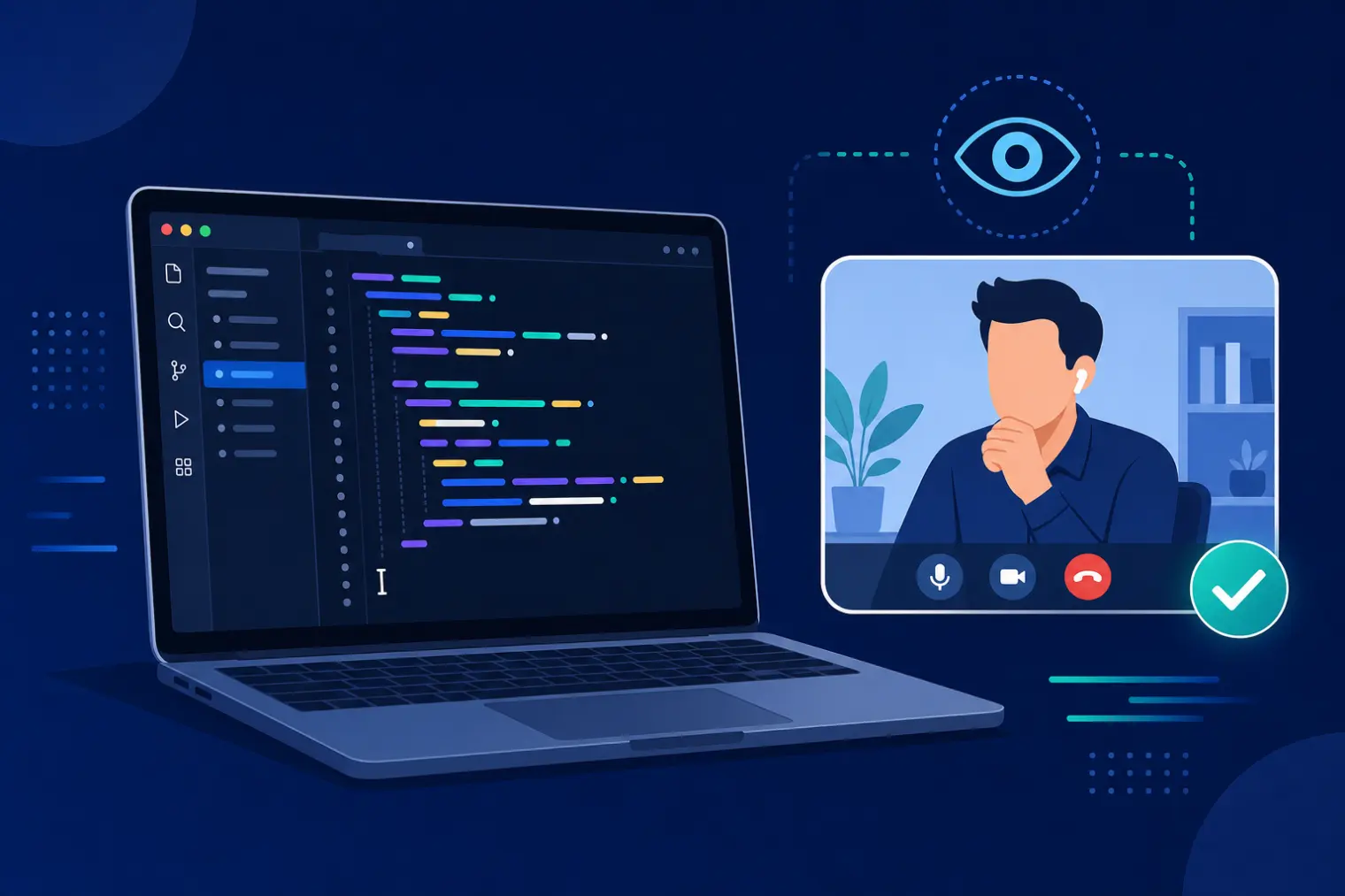
TL;DR: Does CoderPad detect AI cheating? Partially — and what gets detected depends on which CoderPad product the employer put you in. In a live CoderPad Interview pad, the platform alerts the interviewer the moment you paste code from an external source or leave the IDE (tab-switching counts), and every session keeps a full timeline — edits, runs, cursor movements, paste events, IDE exits — for playback afterward. Video and audio are options the interviewer switches on, not a proctoring layer. The separate async product, CoderPad Screen, is where plagiarism matching, geolocation checks, full-screen enforcement and optional AI-analyzed webcam snapshots live. What no CoderPad product does is scan your machine or read your other tab: it logs that you left, not what you looked at. And in a live round the interviewer is still the detection layer that matters most — what reliably sinks a candidate is going quiet, typing a finished block, and not being able to explain the line they just wrote.
You're 15 minutes into a CoderPad round. The interviewer is on video, watching your cursor move through a shared editor. You paste in a helper function you'd already written for practice, and your stomach drops — is that logged? Does it look like cheating? Then the interviewer asks you to talk through your approach for the next part, and you realize the real test was never the code changes at all. It was whether you can explain your own thinking in front of someone, live.
That gap — between "what CoderPad's software logs" and "what actually gets a candidate rejected" — is where most search results on this topic go wrong. A cluster of SEO content built around "undetectable AI helper" browser extensions treats CoderPad like an automated proctoring exam with a pass/fail algorithm. It isn't one — but it also isn't a single product, and that's the detail that decides your actual answer. Here's what a live CoderPad pad tracks, what its separate asynchronous assessment product adds on top, and where the real limits are.
CoderPad Interview Is a Live Platform, Not an Automated Proctoring Exam
This is the detail that most "does CoderPad detect cheating" content skips entirely, and it changes the whole answer. Tools like HackerRank, Codility, and Coderbyte are primarily asynchronous online assessments — you complete them alone, and an algorithm plus a later human review decides what happened. CoderPad's flagship product, CoderPad Interview, is a live, shared code editor used during a real-time interview, where an interviewer is present the entire time, watching your cursor and hearing your reasoning as you type. Karat's live technical interview format is similarly human-led, but uses a professional Interview Engineer and a standardized scoring rubric rather than an interviewer from the hiring team.
That means the primary "detection mechanism" isn't a background algorithm — it's a person, live, asking follow-up questions. A candidate who silently pastes a fully-formed solution into a live pair-programming session doesn't need an anomaly-detection system to get flagged; the interviewer just watched it happen and will ask why they didn't build it up incrementally.
CoderPad does layer software signals on top of that live format, and its official cheating-prevention documentation for Interview is specific about which ones:
- Paste-event alerts. CoderPad alerts the interviewer when you paste code from an external source — not just afterward, but while the session is running. The event is also timestamped in the session timeline.
- IDE-exit alerts. The same alerting covers leaving the IDE, and the documentation names tab-switching explicitly. This is what most "CoderPad can't see your other tabs" content gets wrong: the platform does know when your focus left the pad. What it doesn't know is where your focus went.
- Full playback and history. Every pad records a complete timeline of the session — code edits, runs, cursor movements, copy/paste events, and IDE-exit notifications — replayable after the interview. That's closer to a recording of your typing than a simple activity log.
- Video and audio, if the interviewer enables them. They're toggled in the pad settings when the session is launched, and CoderPad frames them as a way to confirm the candidate is the one coding. A video call is a human watching you, not webcam proctoring and not screen recording.
- Multi-file projects and template controls. CoderPad explicitly recommends multi-file project templates over single-file pads, on the reasoning that language models do worse when they have to reason across interdependent files.
- An optional in-pad AI Assist tab. Some interviewers enable sanctioned AI inside the pad so usage is visible and can be evaluated instead of hidden. Expectations vary by company, so ask rather than assume.
What is not in CoderPad's Interview documentation: plagiarism comparison against known solutions, webcam proctoring, or any scan of your machine. Those belong to a different product.
Interview vs Screen: One Brand, Two Very Different Detection Stacks
Almost every confused answer online comes from mixing up CoderPad's two products. CoderPad Interview is the live pad above. CoderPad Screen is the asynchronous assessment you take alone before a human ever talks to you — CoderPad's own equivalent of a HackerRank or Codility OA — and its cheating prevention and detection documentation lists a much wider stack, most of it switched on or off by the employer during test creation:
- Plagiarism detection. Screen flags a submission that matches the exact code a previous candidate submitted. That's an exact-match check against prior submissions, not a general verdict on whether AI wrote something.
- Leaving the IDE and copy/paste tracking, surfaced both in the candidate report and in Code playback, which shows when you left the environment and what you pasted.
- Abnormal performance patterns — for example, a difficult question completed in a fraction of the usual time.
- Geolocation via IP. Logins from different locations or devices during a test, aimed at catching someone else sitting the test for you.
- Full-screen mode (optional). If enabled, exiting full screen or switching to another monitor triggers an alert after a 10-second grace period.
- Paste-blocking (optional), randomized question blocks, and an optional AI-generated follow-up question that asks you to explain a piece of your own code.
- Webcam proctoring (optional, enterprise plans on request). Periodic snapshots analyzed by AI, with alerts for no face detected, multiple faces detected, and a different face detected. Snapshot retention is capped at 90 days.
So "does CoderPad detect X" has no single answer. A live pad with an interviewer on the call gives paste and IDE-exit alerts plus playback. An async Screen test can give all of the above — but only the parts that particular employer enabled.
Why "Cheating Rate" Statistics Matter Here
The anxiety behind this search is real and backed by data, not just candidate paranoia. A 2026 analysis of over 19,000 technical interviews found that 38.5% were flagged for some form of AI-assisted cheating, with the rate reaching 48% for software engineering roles specifically — and 83% of candidates surveyed said they'd use AI assistance if they were confident it wouldn't be caught. The same dataset found that 61% of flagged candidates still scored above the passing bar, meaning the code itself often looked fine; what gave them away was everything around the code.
That last point is the honest core of this topic. Live-format platforms like CoderPad aren't primarily catching bad code — they're catching a mismatch between what's typed and what the candidate can explain, live, under a follow-up question.
What No CoderPad Product Can See
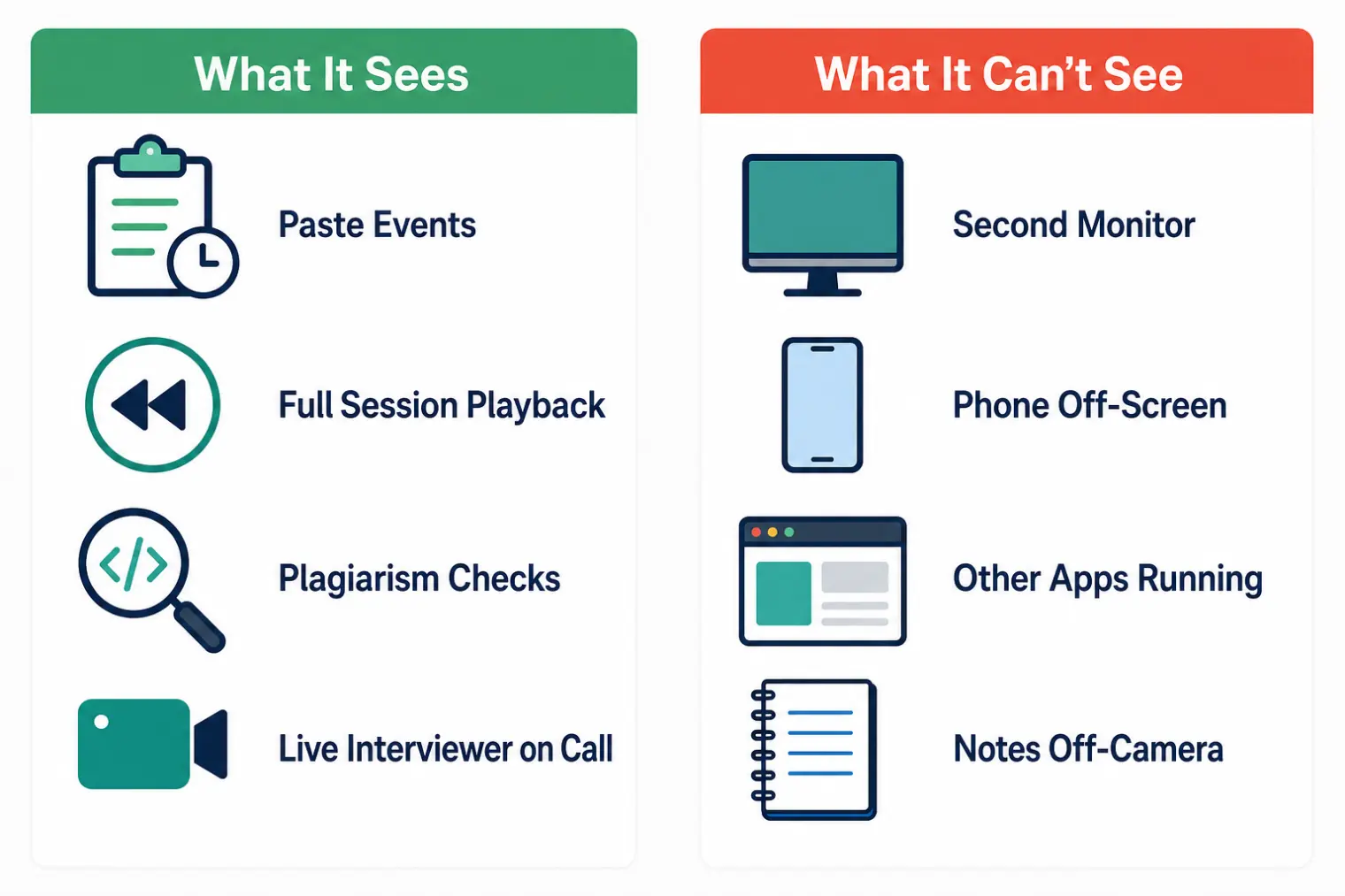
The honest limits — which the "beat the detection" content and the "it can't see anything outside the tab" content get wrong in opposite directions:
- No device-level lockdown. Neither product scans your computer for other running applications or inventories your processes.
- It logs that you left, not where you went. IDE-exit alerts and full-screen alerts record the moment your focus left the test environment. Nothing reads the contents of the tab you switched to, your notes app, or a chat window.
- A second monitor or a phone isn't directly detectable. Screen's full-screen mode fires when you move to another monitor, but that's focus leaving a window, not a hardware scan — and a phone next to your keyboard is invisible unless webcam proctoring is enabled and it lands in the frame.
- There's no reliable AI-authorship detector. The signals are paste events, timing anomalies, and exact-match plagiarism. AI-suggested code you retype by hand looks like ordinary typing in playback — which is exactly why the interviewer asking you to explain it is the part that actually decides the round.
- Nothing is on unless the employer turned it on. Video, audio, paste-blocking, full-screen enforcement, and webcam proctoring are all configuration. Two candidates interviewing at two companies through CoderPad can face very different monitoring, which is why blanket claims about "CoderPad's proctoring" are usually wrong in one direction or the other.
None of this is a loophole worth exploiting. In a live interview, the interviewer is the detection layer that matters most, and no software gap changes that.
If the real anxiety here is about being ready, not about evasion, that's solvable directly. AceRound AI runs structured mock live-coding interviews so you walk into the actual CoderPad round already comfortable narrating your thinking out loud — which is the skill that live-format platforms are actually testing. For the format itself, our AI coding interview assistant guide covers how real-time support tools fit into live technical rounds specifically.
Does a Flag Mean You're Rejected?
No — and CoderPad says so itself. Its documentation tells employers outright that suspicious behavior does not always indicate cheating and that flagged activity should be investigated rather than treated as instant disqualification; interviewers are advised to ask why you pasted code or left the IDE and to treat alerts as prompts for clarification. In a live pad, that conversation happens in the moment: explaining "I pasted a helper function I'd written earlier for a different part of the problem, here's why" resolves most flags before they ever become a hiring-decision factor. In an async Screen test, the flag lands in the candidate report next to the code playback, where a reviewer — who can also manually override the automatic scoring — decides what it meant.
What draws real scrutiny is the same pattern the 19,000-interview dataset points to: code that appears fully-formed with no visible reasoning, paired with a candidate who can't walk back through their own logic when asked.
Before Your CoderPad Interview
A practical checklist based on the live format, not the anxiety-driven version:
- Practice narrating your thinking out loud, since that's the primary signal being evaluated — not just whether your code compiles.
- If you paste something, say so. "I'm pasting a helper I wrote earlier, let me walk you through it" turns a potential flag into a normal moment.
- If you need to leave the pad, narrate that too. Leaving the IDE fires an alert either way, so "let me check the docs for that API signature" costs you nothing — the same gap in silence is what looks bad.
- Expect follow-up questions on anything you type, and prepare to justify design decisions, not just recite syntax.
- Don't rely on a hidden AI overlay during a live call — the interviewer watching your screen and hearing your voice is a fundamentally different challenge than an unmonitored async test, and most "stealth" tools are built for the wrong format.
- Rehearse with a live mock interview, not just solo problem-solving, since the actual test includes explaining yourself under real-time pressure.
For the asynchronous round that often comes before a live interview — which may well be CoderPad Screen itself — see how Codility's proctoring and LeetCode-style detection work differently; the two formats test very different things.
FAQ
Does CoderPad detect AI-generated code? Not directly — there is no AI-authorship detector. What CoderPad catches is the trail around the code: in a live Interview pad it alerts the interviewer when you paste from an external source or leave the IDE, and the separate async product, CoderPad Screen, adds plagiarism matching against code previous candidates submitted plus timing anomalies. AI output pasted from another window shows up in the paste log; AI-suggested code you retype by hand looks like ordinary typing in the playback.
Can CoderPad see my second monitor or other tabs? It sees that you left, not what you looked at. CoderPad Interview alerts the interviewer in real time when you leave the IDE — tab-switching included — and the session timeline keeps IDE-exit notifications for playback. Screen's optional full-screen mode also alerts if you exit full screen or switch to another monitor, after a 10-second grace period. Neither product reads the contents of your other tab, scans the applications on your machine, or sees a phone next to your keyboard, unless webcam proctoring is enabled and it lands in the frame.
Does CoderPad record webcam or screen during interviews? In a live CoderPad Interview, video and audio are options the interviewer toggles in the pad settings — that is a video call with a human watching, not a separate proctoring or screen-recording layer. Automated webcam snapshots analyzed by AI belong to CoderPad Screen, the asynchronous assessment product, and are an optional feature on enterprise plans. What both products always record is the coding session itself, replayable afterward.
What happens if my code gets flagged for a paste event? It does not trigger an automatic rejection. CoderPad's own documentation tells employers that flagged behavior does not always indicate cheating and should be investigated rather than treated as disqualifying, and in a live pad the interviewer usually just asks in the moment what you pasted and why. In an async Screen test the flag lands in the candidate report next to the code playback, and a human reviewer decides what it meant.
Is it legitimate to use AI to prepare for a CoderPad interview? Yes — preparing with AI beforehand (practicing the problem types, rehearsing how you'd narrate your reasoning, running mock live-coding sessions) is universally treated as normal prep, no different from studying past problems. What CoderPad and interviewers object to is undisclosed real-time AI assistance during the live session itself, not the practice that gets you ready for it.
Author · Alex Chen. Career consultant and former tech recruiter. Spent 5 years on the hiring side before switching to help candidates instead. Writes about real interview dynamics, not textbook advice.
Related Articles
Sonar's AI Interview Rules: Required in One Round, Banned in the Rest
Sonar published a candidate guide that splits AI use by stage: coding tests banned, the technical interview built around it. Here's what each round allows.
Dell and HPE Fresher Interview Process in India: HirePro Tests and Project-Heavy Rounds
Dell and HPE campus drives as candidates describe them: HirePro tests, CGPA cut-offs, funnel sizes, technical and HR rounds, and where posts disagree.
Zapier's AI Interview Policy: Use AI to Prep, Not Live (and the AI Recruiter Screen)
Zapier publishes what AI use is OK at each hiring stage, bans it in live interviews, and may put you in a 15-20 minute screen run by an AI recruiter. Here's how both fit together.