AI Coding Interview Assistant: What Actually Helps in a Live Round
AI coding interview assistant tools promise live LeetCode help. See what works in CoderPad or HackerRank, where they fail, and what interviewers can see.
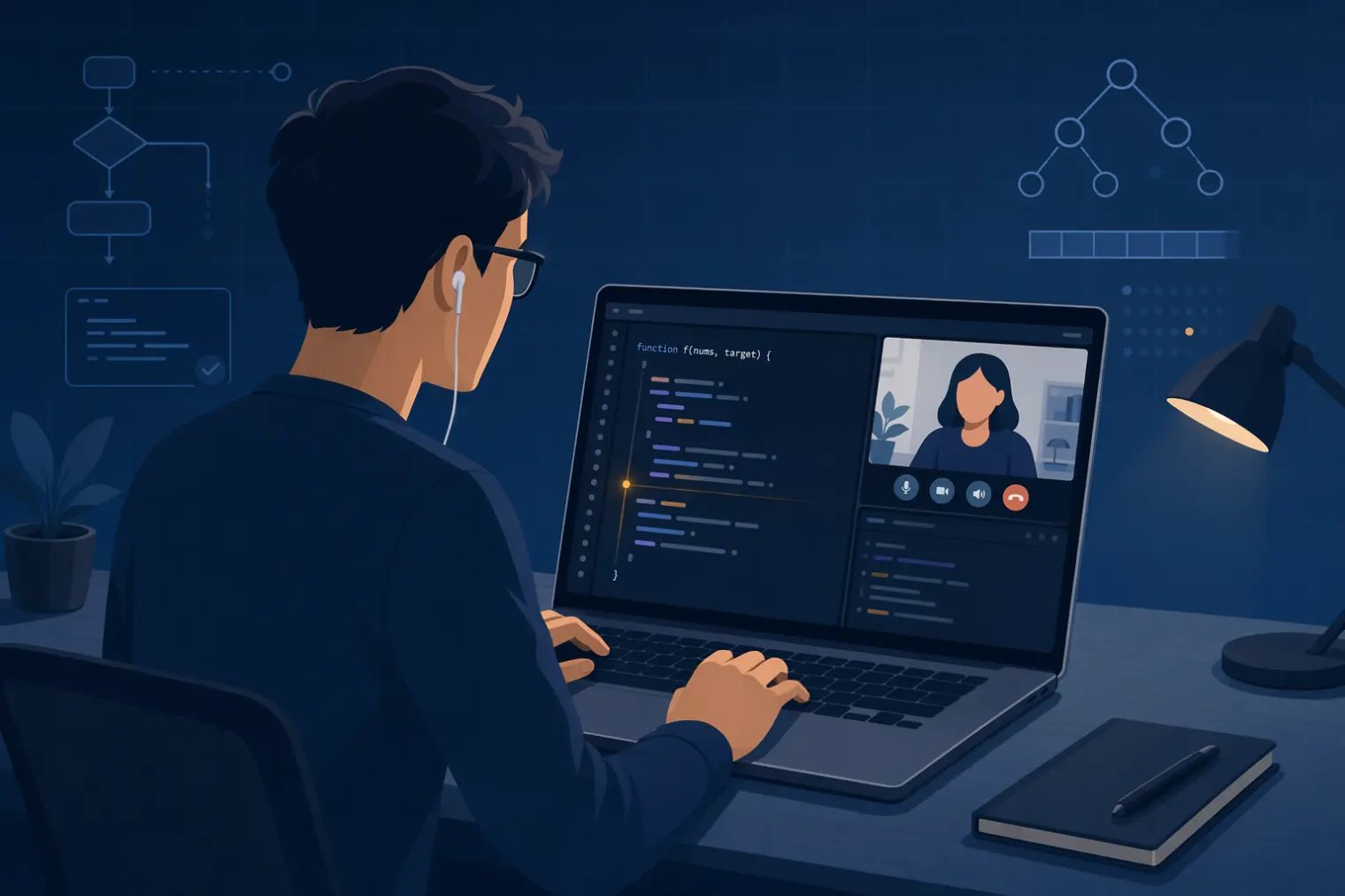
TL;DR: An AI coding interview assistant is built for one narrow, high-stakes moment — a live, shared-screen coding round on CoderPad, HackerRank Live, or a Zoom-shared IDE — and it's a different category from behavioral copilots or take-home OA cheat tools, even though vendors blur the three together. It helps most with DSA-style problems under time pressure and helps least with system design, where the interviewer is grading your reasoning, not your output. Detection risk depends entirely on the platform and how you share your screen, not on some universal "undetectable" claim.
A candidate on r/InterviewCoderPro described running a coding assistant during a live HackerRank round: it didn't pop up during the Zoom screen share, and the assistant helped clear an Amazon OA. A few threads down, on r/csMajors, someone else reported the opposite: flagged mid-interview, on the same category of tool. Same category of assistant, same platform family, opposite outcome — which is exactly the problem with how this category gets discussed. Most advice treats "AI coding interview assistant" as one thing with one universal answer on whether it works or gets caught. It isn't, and there isn't.
What an AI Coding Interview Assistant Actually Does (and What It Doesn't)
The core function is narrow: it listens to the audio of the coding problem being described, reads what's on your shared screen, and surfaces a suggested approach or solution in a window only you can see. That's real-time coding interview assistant behavior — it exists for the specific moment of a live, synchronous coding round, not for asynchronous or take-home formats.
What it's good at: standard data-structures-and-algorithms problems with a defined correct answer and a known pattern (two-pointer, sliding window, graph traversal). What it consistently struggles with, per real user reports rather than vendor copy: open-ended system design questions, and any senior-level round where the interviewer is grading how you reason through ambiguity rather than whether you reach a specific output. One Reddit user summarized it bluntly: for any senior software engineering role, the tool is "literally useless for any sort of design problem."
There's also a cognitive cost vendors rarely mention. Reading a suggested solution off a hidden overlay while simultaneously typing working code, live, on camera, is a genuinely different task from reading a solution at your own pace beforehand. The split attention between "parse what the assistant just suggested" and "type syntactically correct code the interviewer can see in real time" is its own failure mode — one that shows up as unnatural pauses, typos, or a mismatch between what you say and what you type.
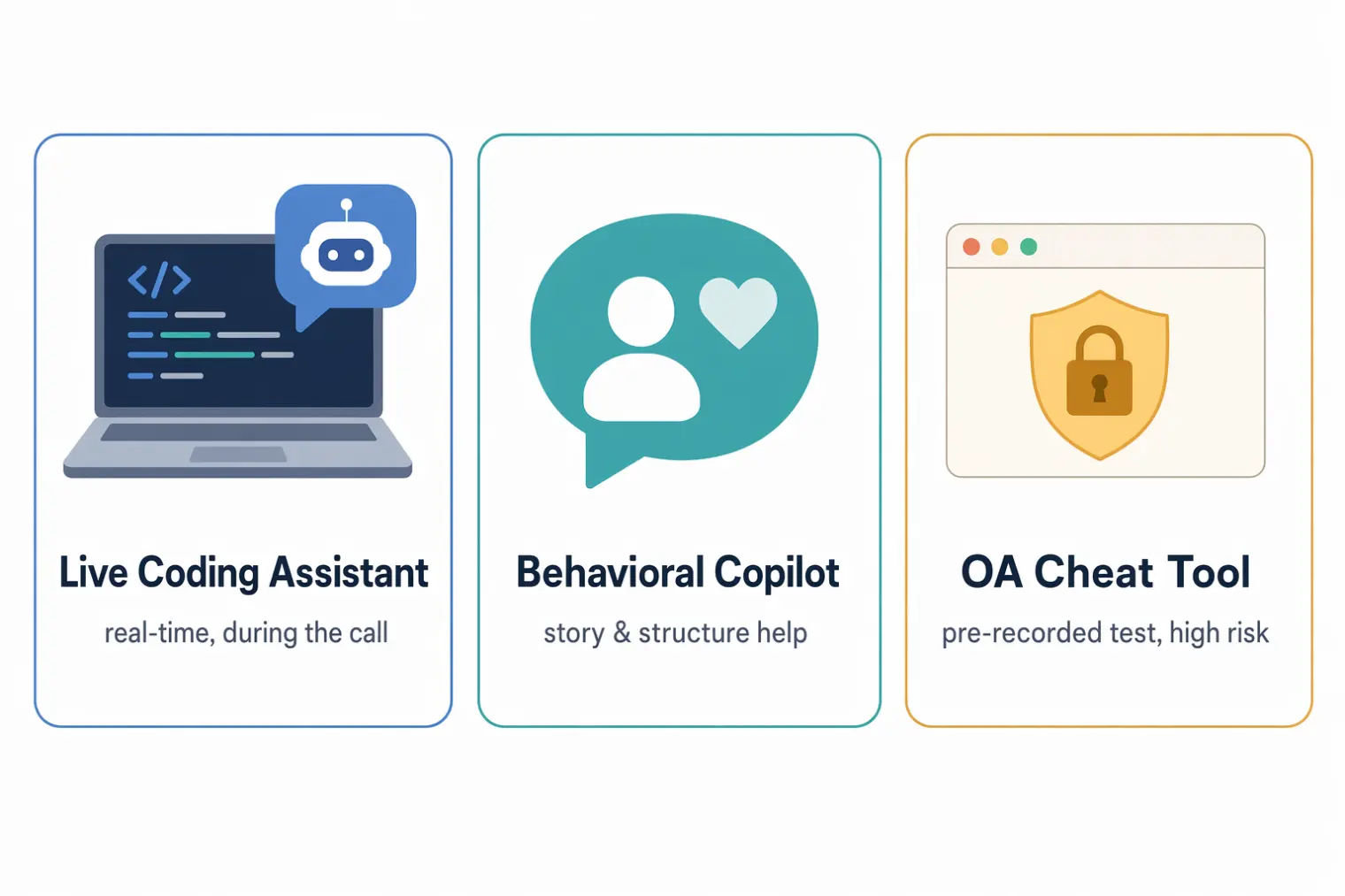
Live Coding Interview Assistant vs. Behavioral Copilot vs. OA Cheat Tool
This is the distinction most comparison content skips, and it matters because the risk profile, the platform, and the legitimate use case are different for each:
- Live coding interview assistant — operates during a real-time video call with a human interviewer, on a shared screen or shared IDE. The interviewer is present and reacting live.
- Behavioral / general interview copilot — same real-time context, but for spoken, unstructured answers (tell-me-about-a-time questions) rather than code that has to compile and run.
- OA cheat tool — built for unproctored or lightly-proctored take-home assessments, where there's no live interviewer watching, just a browser lockdown and after-the-fact log review.
Vendors routinely sell all three under one "AI interview assistant" umbrella, which is exactly how people end up choosing the wrong tool for their actual round — bringing an OA-style tool's assumptions into a live, human-observed coding interview, where the detection surface and the social stakes are completely different.
CoderPad, HackerRank Live, CodeSignal Live: How Detection Actually Differs
Live coding rounds run on a handful of platforms. The important distinction is between a collaborative live interview and a separately configured, proctored assessment:
| Platform | What the interviewer can observe in a live round |
|---|---|
| CoderPad | Your edits, code runs, and explanation in the shared pad |
| HackerRank Interview | Your work in the shared editor and how you respond to live follow-up questions |
| CodeSignal Interview | Your work in the collaborative IDE and the reasoning you explain to the interviewer |
| Karat Interview | Your code, spoken reasoning, and judgment when using the built-in AI assistant |
| Zoom / Meet + shared IDE | Whatever appears in the window or display you choose to share, plus what the interviewer notices |
Proctoring and integrity features vary by product, employer settings, and candidate consent. A feature documented for a take-home assessment does not automatically apply to the vendor's live-interview product. Screen sharing is a separate surface: a full-display share reveals more than a single-window share, but neither option makes an undisclosed tool safe or permitted.
The Legitimate Shift: When Companies Actually Allow AI Help
The category isn't purely adversarial anymore. In October 2025, Meta announced a pilot for AI-enabled coding interviews in CoderPad, with candidates using the tools openly as part of the official process. CoderPad's own writeup of the rationale frames it plainly: this setup is more representative of how engineers actually build software day to day, and makes traditional LeetCode-memorization strategies less predictive of real job performance.
That's a sanctioned, disclosed version of "AI help in a coding interview" — worth knowing about specifically because it's the opposite of a stealth overlay. If you're told in advance that AI tools are allowed, that changes the entire risk calculation; if you're not told, assume the default is that they aren't.
What Happens When You Get Caught: Real Cases
The most widely reported case is Interview Coder, a tool built by a Columbia University student who used it during Amazon's technical screen. CNBC reported that Amazon and other companies rescinded the resulting offers, and Columbia opened disciplinary proceedings.
Real forum accounts show the range: one candidate reported using a similar tool on a live HackerRank round without issue and later clearing an Amazon OA; another reported getting flagged on the same category of platform. A recurring Reddit warning captures the actual mechanism most people miss — it's rarely a "the AI detected AI" moment. It's a UI element, a pop-up, or a border becoming visible during full-screen sharing, or an interviewer noticing a mismatch between spoken explanation and typed code.
How to Actually Prepare for a Live Coding Round
If the goal is performing well in the room rather than gambling on an overlay staying invisible, the higher-leverage prep looks different:
- Rehearse out loud, on a timer, verbalizing your approach before you write a line of code — this is the skill an overlay can't substitute for, because the interviewer is grading your reasoning process live, not just your final function.
- Practice on the actual platform format you'll face if you can — CoderPad's shared-cursor environment feels different from a private LeetCode session, and that difference alone throws people off more than the difficulty of the problem itself.
- Separate your coding-round prep from your behavioral-round prep. They're different skills and, per the framing above, different tool categories.
AceRound AI is built around that second track — real-time, structured help during behavioral, system-design, and verbal-explanation portions of an interview, plus mock-interview practice ahead of time, rather than a hidden solution generator for a live DSA round. For candidates who freeze on the "explain your reasoning out loud" part more than the "know the algorithm" part, that's the gap worth closing before the interview, not during it. The AI interview assistant guide covers how to set that up for different interview formats, and the Interview Coder alternatives breakdown goes deeper into how these tool categories compare side by side.
FAQ
Is an AI coding interview assistant the same thing as an OA cheat tool like the ones people use on HackerRank take-home tests?
No, and mixing them up is where most of the risk comes from. A live coding interview assistant works during a real-time, shared-screen conversation with an interviewer — a fundamentally different environment from a browser-locked, unproctored take-home OA. Tools built for one context behave very differently, and very differently detectably, in the other.
Can a live coding interview assistant actually help with system design or senior-level questions?
Not reliably. Real user reports consistently describe these tools failing on open-ended design problems — the kind with no single correct answer, where the interviewer is grading your reasoning process, not a specific output. They're built around DSA-style problems with a checkable answer, which is a shrinking share of what senior technical interviews actually test.
What actually happens if I get caught using an AI coding interview assistant?
Documented consequences range from an on-the-spot awkward moment to a rescinded offer and, in at least one widely reported case, university disciplinary action. There's no universal industry blacklist, but company-level records of interview conduct are typically kept, and some offer letters now include explicit AI-use disclosure clauses.
Do CoderPad, HackerRank Live, and CodeSignal Live detect AI assistants the same way?
No. In live interview products, the interviewer can watch your edits, runs, and explanations in a shared workspace. Automated tab-switch, plagiarism, and proctoring signals belong to separately configured assessment products, so you should not assume every live session collects the same data. What a screen share reveals also depends on whether you share one window or the whole display.
Is it true that companies are starting to allow AI help in coding interviews?
Some are, in a specific way. Meta announced an AI-enabled CoderPad interview pilot in October 2025, arguing that access to AI tools better reflects how engineers work day to day. That is a sanctioned, disclosed use case, not a stealth one, and it does not extend to every employer or every round.
What actually helps more than a real-time coding assistant during a live round?
Practicing the specific format you'll face — timed, verbalizing your approach out loud, on the actual platform if you can access a free trial — closes more of the gap than a tool feeding you a solution mid-interview. The candidates who do best in live coding rounds aren't the ones with the best overlay; they're the ones who've rehearsed explaining their reasoning under the same time pressure and interruption pattern they'll actually face.
Author · Alex Chen. Career consultant and former tech recruiter. Spent 5 years on the hiring side before switching to help candidates instead. Writes about real interview dynamics, not textbook advice.
Related Articles
OpenAI's AI Interview Policy: Banned, Required, or Team-Dependent
OpenAI sells AI coding agents, then bans most candidates from using one. Here's the round-by-round policy, including the new agentic round that flips it.
Does Harver Detect Cheating? What Its Proctoring Actually Checks
Does Harver detect cheating on its pre-employment assessments? A candidate look at Harver's Proctoring add-on, what gets logged after a flag, and what happens next.
Micro1's Zara AI Interview: What It Actually Tests (And Why Timing Gets Flagged)
Micro1's AI interviewer Zara has run 300,000+ interviews for remote roles. Here's why it flags response latency as a cheating signal, and what that means for AI prep.