Amazon Chime Interview in 2026: What Actually Changed and How AI Helps You Prepare
Amazon Chime was shut down in February 2026. Here's what that means for your Amazon interview, what interviewers can see, and how to use AI to prepare.

TL;DR: Amazon Chime was officially discontinued on February 20, 2026. If you have an upcoming Amazon interview, you're almost certainly on Zoom now — but search volume for "Amazon Chime interview" is still high because nobody updated their prep guides. This article covers what changed, how to set up correctly, what your interviewer can actually see, and how to use AI ethically to prepare for Amazon's Leadership Principles behavioral loop.
Your Amazon recruiter sent a calendar invite. It says "Amazon Chime." You open the link — it redirects to Zoom. Or maybe it doesn't redirect and you're wondering whether to download a platform that Amazon apparently just killed. Either way, you have 72 hours until a behavioral loop with 4–5 Amazon interviewers who each care deeply about one thing: whether your stories map to their Leadership Principles.
The platform question is solvable in 10 minutes. The preparation question takes longer. Let's do both.
Amazon Chime Is Dead. Here's What Amazon Uses Now.
In February 2025, Amazon announced it would retire Chime and shift internally to Zoom, with Microsoft Teams available as a secondary option. On February 20, 2026, Amazon officially ended Chime support.
Amazon's official remote interview page now lists Zoom as the primary platform for virtual interviews. Many legacy calendar invites still say "Amazon Chime" because recruiting coordinators use templates that weren't updated. If you received a Chime invite:
- Check the actual meeting link. Chime links now redirect to Zoom for most interview types.
- Email your recruiter. Ask: "Just confirming — is this interview on Zoom or should I download Amazon Chime?" Recruiters prefer this to last-minute platform confusion.
- If told Chime: Download the desktop app from Amazon's readiness checker page. Some internal interviews and Amazon's proprietary assessment platforms still use Chime SDK components even after the full EOL.
For new candidates in 2026, the default assumption is Zoom. Set up Zoom like you would for any professional video call, then confirm with your recruiter.
Technical Setup for Amazon's Interview Video Platform
Whether your Amazon interview is on Chime or Zoom, the setup checklist is nearly identical. Run through this 24 hours before:
Audio (highest priority):
- Use wired earbuds or a USB headset — Bluetooth can introduce lag
- Test your microphone in the platform's settings (both Zoom and Chime have built-in audio testers)
- Mute notifications from other apps before joining
Video:
- Natural light in front of you, not behind
- Camera at eye level — laptop cameras pointed up from a desk look unprofessional and create the "talking to someone's chin" effect
- Clean or blurred background; avoid anything visually busy
Network:
- If possible, hardwire via ethernet for the interview
- Run a speed test beforehand: 10+ Mbps upload is fine for video calls
The Amazon readiness check: Amazon's official remote interview page has a device readiness checker specific to their platforms. Use it. It tests your camera, mic, and browser compatibility in one pass and flags issues before the interview itself. Amazon officially confirmed the Chime transition on the AWS blog if you want the full backstory on the platform switch.
Camera On or Off? The Answer That Actually Clarifies This
One of the most searched Amazon Chime interview questions: "My recruiter said it's a phone interview on Chime. Do I need to turn my camera on?"
The honest answer: Treat every Amazon interview as camera-optional-but-be-ready. Here's what that means in practice:
- When a recruiter says "phone interview via Chime/Zoom," they typically mean audio-only is acceptable
- But interviewers sometimes join with their camera on and expect reciprocity
- If you're not on camera and your interviewer turns theirs on, the dynamic gets awkward
Default recommendation: Set up your space as if camera-on, join with camera off initially, and mirror your interviewer. If they turn their camera on, turn yours on. If they stay audio-only, stay audio-only.
For final rounds (the "loop" with 4–5 interviewers back-to-back), interviewers are almost always camera-on. Dress professionally. The technical role doesn't get you a pass on this.
What Can Amazon Interviewers Actually See During Your Interview?
This question comes up constantly on Fishbowl and Glassdoor, usually phrased as: "Will there be screen sharing? Can they catch me if I'm using Google or AI?"
Let's separate two different systems that candidates conflate:
System 1: Amazon Chime / Zoom (the video call) The video call itself only shows what you explicitly share. By default, the interviewer sees your face and hears your voice. They cannot see your other browser tabs, your notes, or what's on your second monitor unless you initiate a screen share.
System 2: The coding/assessment platform (separate) Amazon technical interviews use a separate shared document or coding environment — sometimes a Google Doc, sometimes a proprietary whiteboard tool. That shared editor is what the interviewer monitors in real time. They see every keystroke in that editor. They do NOT see your other applications.
That said: if you paste in a perfect, production-ready solution instantly after reading a medium-hard algorithm problem, experienced Amazon interviewers will notice. They're not running software to detect it — they're reading the room. Robotic phrasing, responses that don't match the specific question asked, and perfect answers with zero thought process are the flags.
For behavioral interviews (which make up the majority of Amazon's loop), the calculus is different. AI detection in behavioral interviews is a different conversation — but live AI whispers during the call are risky and not something we recommend. There's a smarter approach.
How to Actually Use AI to Prepare for Amazon Interviews
The candidates who do best in Amazon loops aren't the ones who try to use AI during the call. They're the ones who used AI before it to build a library of genuine, well-structured stories mapped to Amazon's 16 Leadership Principles.
Here's the preparation system that works:
Step 1: Map your experience to Leadership Principles
Open AceRound AI and prompt it: "I'm preparing for an Amazon behavioral loop. My background is [X years at Y company, where I did Z]. Help me identify which Leadership Principles I have the strongest story evidence for."
The AI won't have your specific experiences — it'll push you to surface and structure them. That friction is the point.
Step 2: Build STAR stories with pressure-testing
For each principle you'll likely face (Customer Obsession, Ownership, Bias for Action, Deliver Results, and Think Big come up in almost every loop), build a STAR-format answer. Then ask AceRound to play interviewer and drill you with follow-up questions.
Amazon interviewers are trained to dig. "Tell me more about your role specifically." "What would you have done differently?" "How did you measure the impact?" If your STAR story falls apart under two follow-ups, it wasn't solid enough.
Step 3: Practice out loud
Reading a story in your head and saying it out loud are completely different. Use AI to generate follow-up questions, then answer them aloud — record yourself if possible. The Amazon Leadership Principles loop expects fluency, not recitation.
Step 4: Simulate the full interview format
Amazon loops are typically 50–60 minutes per round, with 1–2 behavioral questions, each followed by multiple probing follow-ups. Time your answers. Most candidates run 8–12 minutes per story naturally. Amazon interviewers prefer 4–6.
Try AceRound AI for Amazon prep: Real-time coaching during mock interviews, STAR story structuring, and follow-up question simulation. Start for free at aceround.app
If Your Amazon Interview Is on Zoom (Which It Probably Is)
If your recruiter confirms Zoom, the setup shifts slightly. A few Zoom-specific points for Amazon interviews:
Background: Amazon interviewers use plain virtual backgrounds (usually plain Amazon orange or a simple office). A clean, professional background on your end signals the same level of seriousness.
AI copilot tools on Zoom: There are real-time AI tools designed for Zoom interviews. The question of whether using AI during a live interview is ethical or detectable is one worth reading before you decide. For Amazon specifically, behavioral interviews depend on the authenticity and specificity of your stories — an AI-generated generic answer will land worse than a specific, imperfect personal story.
The interviewer's experience: Amazon interviewers see themselves doing a lot of loops — sometimes 5–6 per week. A candidate who is clearly well-prepared (specific stories, knows their experience cold, asks good questions at the end) stands out immediately.
FAQ: Amazon Chime Interview Questions
Is Amazon Chime still used for interviews in 2026? Amazon officially ended Chime support on February 20, 2026. Most Amazon interviews in 2026 use Zoom. However, some internal legacy systems and certain assessment platforms may still reference Chime. Confirm your platform with your recruiter before the interview day.
During a Chime call for tech questions, will there be screen sharing? Can they catch you if you're using Google or AI? Chime (and Zoom) only show what you explicitly screen-share. The video call itself doesn't give interviewers access to your other tabs or apps. If there's a shared coding environment, the interviewer sees your activity inside that editor — not your other applications. That said, experienced Amazon interviewers recognize copy-pasted or AI-generated answers from the lack of visible thought process, not from any tracking software.
My Amazon recruiter asked for a "phone interview on Chime." Will I need to turn my camera on, or is it actually audio-only? The framing "phone interview on Chime" usually means audio is acceptable, but it's ambiguous. The safest approach: prepare your background and lighting as if camera-on, join with camera off, and mirror what your interviewer does. If they turn their camera on, turn yours on. Final loop rounds are almost always camera-on regardless of how the recruiter described them.
Why does my Amazon interview invite say Chime if Amazon moved to Zoom? Recruiting calendar templates weren't all updated at the same time. Your invite may say "Chime" while the actual meeting link redirects to Zoom, or your recruiter may clarify a platform switch. When in doubt, ask.
How many Leadership Principles questions should I prepare for? Amazon has 16 Leadership Principles. Most behavioral loops test 5–8 of them. Customer Obsession, Ownership, and Deliver Results appear in virtually every loop. Bias for Action, Think Big, and Dive Deep come up frequently for technical roles. Prepare 2 solid stories per principle — sometimes interviewers will ask you to give a second example.
Can I use AI during my Amazon interview? Real-time AI assistance during a live interview carries risk — both ethical and practical. Amazon behavioral interviews specifically test your genuine stories and judgment. AI-whispered generic answers are recognizable and won't hold up under follow-ups. Use AI for preparation (story structuring, mock follow-up drilling), not for in-interview assistance.
Author · Alex Chen. Career consultant and former tech recruiter. Spent 5 years on the hiring side before switching to help candidates instead. Writes about real interview dynamics, not textbook advice.
Related Articles
OpenAI's AI Interview Policy: Banned, Required, or Team-Dependent
OpenAI sells AI coding agents, then bans most candidates from using one. Here's the round-by-round policy, including the new agentic round that flips it.
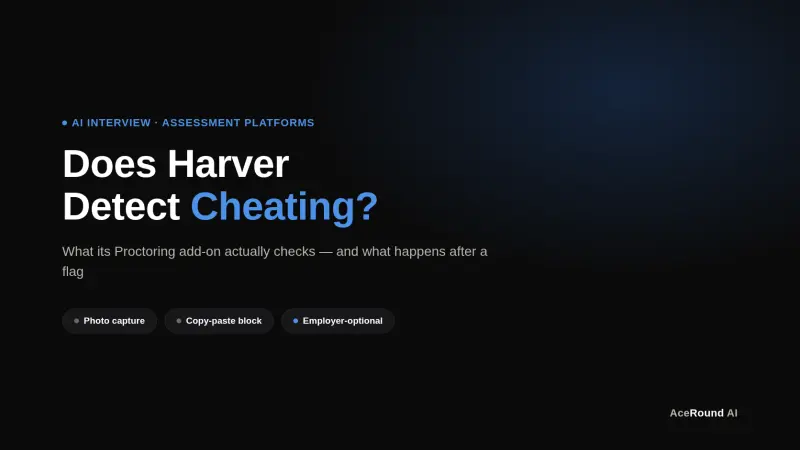
Does Harver Detect Cheating? What Its Proctoring Actually Checks
Does Harver detect cheating on its pre-employment assessments? A candidate look at Harver's Proctoring add-on, what gets logged after a flag, and what happens next.
Micro1's Zara AI Interview: What It Actually Tests (And Why Timing Gets Flagged)
Micro1's AI interviewer Zara has run 300,000+ interviews for remote roles. Here's why it flags response latency as a cheating signal, and what that means for AI prep.