AI Interview Assistant Chrome Extension: What It Can and Can't Do
Thinking about an AI interview assistant Chrome extension? Here's what actually happens when you share your screen, how detection works, and why the form factor is changing.
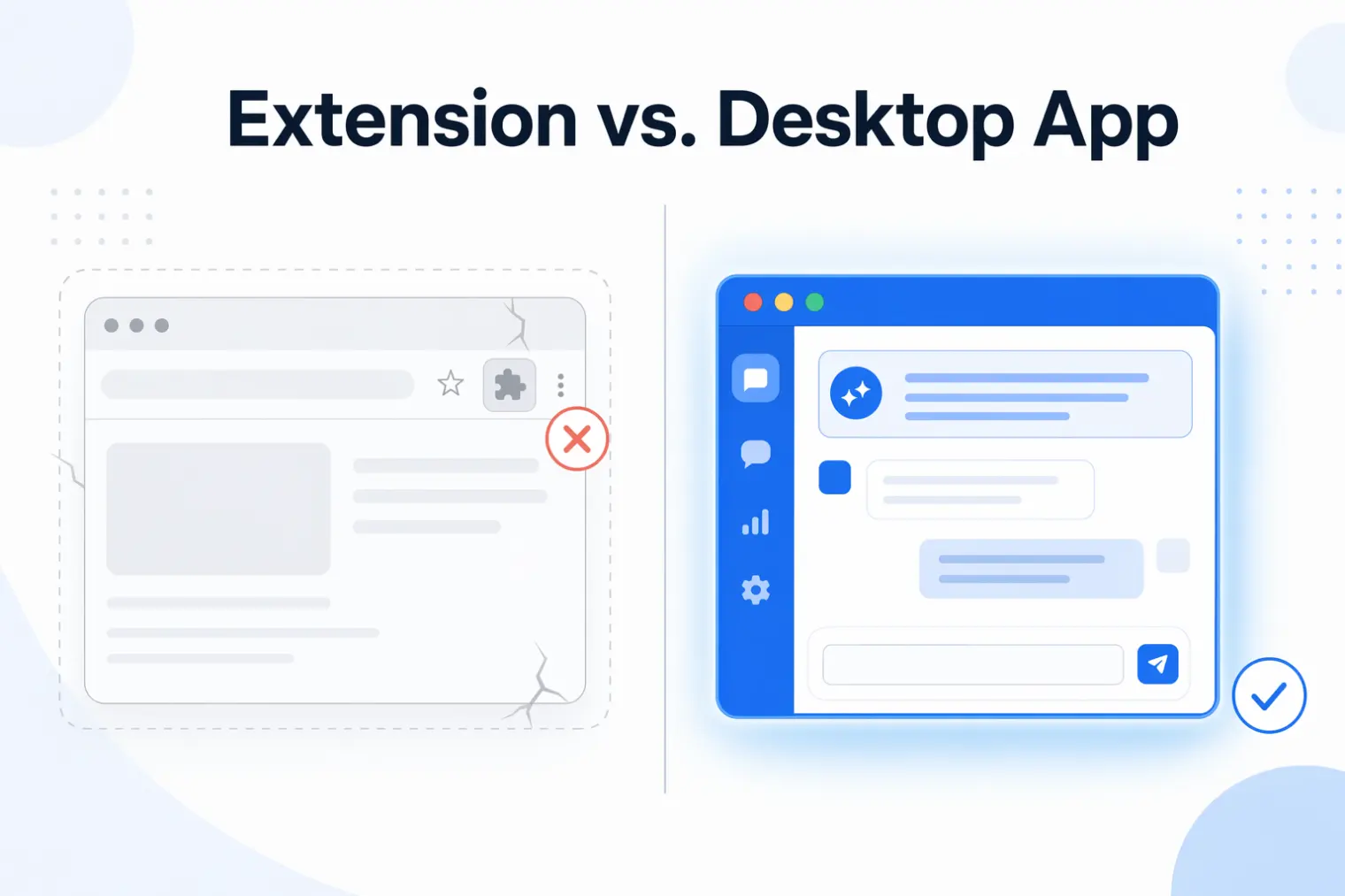
TL;DR: An AI interview assistant Chrome extension is easy to install but structurally fragile for live video interviews — it can show up the moment you share your whole screen, it may leave extension-specific traces inside the browser tab, and Google's Chrome Web Store policy has been tightening around deceptive or policy-circumvention extensions since mid-2026. Desktop apps that run outside the browser tab avoid those browser-extension-specific problems, which is why several extension-based tools have already moved that direction.
Last month a candidate posted in a job-search forum that they'd installed an AI interview extension the night before a final round, tested it in a practice call, and then got asked mid-interview to share their entire screen for a live coding exercise. The extension icon sat right there in the toolbar. They closed the tab, apologized, and finished the interview without it. That's not a one-off story — it's the predictable failure mode of running an AI assistant as a browser extension instead of a separate application.
If you're searching for "AI interview assistant Chrome extension," you're probably choosing between installing something quick in your browser or setting up a standalone app. Here's what the extension route actually gets you, where it breaks, and why the category is quietly moving away from it.
Why Job Seekers Reach for a Chrome Extension First
Extensions look like the lower-friction option. No download, no install prompt outside the browser, no separate app taking up space in your dock. For casual mock-interview practice — reading through a question bank, timing yourself, or getting suggested talking points before a call — that's a reasonable trade-off, because nobody is watching your screen.
The problem shows up specifically in live, proctored, or screen-shared interviews, which is what most people searching this term actually mean. That's a different use case with different requirements, and a browser extension quietly fails at most of them.
The Real Risk: What Happens When You Share Your Screen
A Chrome extension lives in your browser chrome — literally the toolbar, the extensions menu, sometimes a floating overlay inside the page. None of that is hidden from screen sharing. If an interviewer asks you to share your full screen (common in take-home coding rounds and HireVue-style live technical interviews), the extension icon, any popup window, or an on-page overlay is visible in the recording exactly like any other window.
Some extensions try to mitigate this with a "hide during screen share" toggle. In practice this only hides the extension's own UI from the shared tab — it does nothing about the icon sitting in the toolbar, which is outside the shared content area but still part of the browser chrome the interviewer sees if you share your whole screen rather than a single tab. The moment the platform requests full-screen sharing instead of tab-sharing, that protection stops applying.
How Proctoring and ATS Platforms Actually Scan for Extensions
This is the part most extension vendors don't explain clearly: detection doesn't always require watching your screen in real time. A normal web page cannot simply call Chrome's extension-management API and list everything you installed, but assessment setups can still look for indirect signals: injected DOM elements, known web-accessible resources, extension-specific network behavior, or managed-browser inventories in locked-down school or employer environments. According to a breakdown of AI-cheating detection mechanics, some assessment tools treat unusual extension patterns or specific known extension signatures as an automatic flag worth a manual review, independent of anything visible on screen (source).
That source also notes a pattern that's worth taking seriously: desktop overlay applications that run as separate processes outside the browser don't inject the same browser-extension artifacts into the interview page. That's structurally different from a hidden UI toggle — it's a difference in what the page can technically observe, not just what a UI setting hides.
Chrome Web Store Policy Is Getting Stricter, Not Looser
This isn't a hypothetical risk. Chrome Web Store's developer program policies already prohibit extensions that mislead users or enable deceptive behavior toward third parties (Chrome Web Store Program Policies), and reporting on Google's newer enforcement wave — which specifically targets extensions built to circumvent platform safeguards, with enforcement expanding through 2026 — makes clear this category is getting more scrutiny, not less (source). An extension that gets pulled from the store mid-search doesn't just disappear from search results — if you already installed it, an update can be blocked, and you're stuck on a stale version with no support the week before an interview.
Even the Category's Own Vendors Have Moved Off Extensions
This isn't a theoretical argument against the format — it's already playing out. Interview Coder, one of the earliest and most-discussed AI coding-interview tools, started life as a Chrome extension and later shipped a desktop app instead (our comparison covers the product's evolution in more detail). That's a meaningful signal from inside the category: a tool built specifically for live technical interviews outgrew the extension model once real usage exposed its limits.
Extension vs. Desktop App: A Practical Comparison
| Chrome Extension | Desktop App | |
|---|---|---|
| Visible during full-screen share | Yes (toolbar/icon) | No (separate window, not the shared app) |
| Browser-level detection surface | Higher (extension artifacts inside the tab) | Lower (separate process outside the tab) |
| Works outside the browser (native apps, some HireVue flows) | No | Yes |
| Survives a Chrome Web Store policy sweep | No — can be delisted or blocked from updating | Not subject to Web Store review |
| Performance impact during video call | Can add noticeable lag on lower-end machines | Runs as an independent process |
None of this means extensions are useless — for pre-interview practice, question drilling, or async written prep where nobody is watching your screen, the lighter footprint is a genuine advantage. The mismatch only shows up when the same tool gets used in a live, screen-shared, or proctored interview it was never really built to survive.
What to Look For Instead
If most of your prep is passive — reviewing questions, building talking points, running mock interviews on your own time — an extension is fine. If you're using help during a live video interview where screen sharing is likely, look for a tool that runs as its own application rather than living inside the tab you're sharing. AceRound AI ships Mac and Windows desktop apps specifically because live interviews are the primary use case, not an afterthought bolted onto a browser tool. If you expect to take the call on a phone or use a second device, compare that with the phone and device setup guide before choosing a desktop-only workflow.
Being honest about this: no assistant, extension or desktop, changes the fact that you still have to answer the questions and demonstrate real judgment. Real-time help is scaffolding for structure and recall under pressure — it doesn't replace preparation, and treating it as a script instead of a prompt is exactly how people who over-rely on any interview tool end up losing offers over inconsistent, robotic-sounding answers.
FAQ
Does an AI interview extension get detected during a screen share? If you share your entire screen (rather than a single tab), the extension icon and any browser-level UI is visible in that share. Separately, some assessment setups look for known extension signatures, injected page elements, or managed-browser inventory before the interview even begins — independent of what's visible on screen.
Does it work with HireVue, Zoom, Google Meet, and Microsoft Teams? Extensions only function inside the Chrome browser tab. If the interview moves to a native desktop app, a different browser, or a HireVue flow that doesn't run through a browser tab you control, a Chrome-only tool has no visibility into that session at all. A desktop app that runs alongside any video platform doesn't have this gap.
Is there a discreet interview copilot that won't be detected during a remote interview? No tool can guarantee it won't be detected — that's not a claim any credible product should make. What's true is that the risk profile differs by form factor: a separate desktop application is not visible in a full-screen share and does not leave browser-extension traces inside the interview tab, which meaningfully lowers (not eliminates) the chance of an incidental flag.
Is using an AI interview copilot cheating? This is genuinely contested, and reasonable people land in different places. The full ethics breakdown covers the spectrum — from AI-assisted practice before the interview (widely accepted) to leaning on AI for real-time answers you present as entirely your own (more controversial). Where you land depends on your own use case and what the employer's policy actually says.
Is an AI interview Chrome extension safe to install? Check what permissions it requests before installing anything. Extensions that read page content or cookies on sites like LinkedIn carry more risk than a simple popup tool, and it's worth checking the developer's listed permissions in the Chrome Web Store detail page rather than assuming "AI interview tool" automatically means low-risk.
Author · Alex Chen. Career consultant and former tech recruiter. Spent 5 years on the hiring side before switching to help candidates instead. Writes about real interview dynamics, not textbook advice.
Related Articles
OpenAI's AI Interview Policy: Banned, Required, or Team-Dependent
OpenAI sells AI coding agents, then bans most candidates from using one. Here's the round-by-round policy, including the new agentic round that flips it.
Does Harver Detect Cheating? What Its Proctoring Actually Checks
Does Harver detect cheating on its pre-employment assessments? A candidate look at Harver's Proctoring add-on, what gets logged after a flag, and what happens next.
Micro1's Zara AI Interview: What It Actually Tests (And Why Timing Gets Flagged)
Micro1's AI interviewer Zara has run 300,000+ interviews for remote roles. Here's why it flags response latency as a cheating signal, and what that means for AI prep.