Loom Async Interview Tips: Nail One-Way Video Interviews with AI
How to prepare for Loom and async video interviews using AI — from the 30-second prep window to what the algorithm actually scores you on.

TL;DR: Loom async video interviews give you 30–60 seconds to read each question before recording begins — the candidates who use that window to structure a real answer (not just panic) consistently outperform those who wing it. AI interview tools like AceRound turn that prep window into structured bullet points you can internalize before the camera rolls.
You have 47 seconds. The question appears on screen: "Describe a time you had to align stakeholders with competing priorities." A countdown timer is running. You haven't spoken to a single human at this company yet. And whatever you say in the next two minutes is going to be reviewed asynchronously by someone you've never met, possibly evaluated by an AI before a human even watches it.
Welcome to the async video interview — and specifically to Loom-style one-way interviews, which have become the default first-round screen at thousands of companies since 2023. The format cuts time-to-hire from 48 days to 13 days according to a 2025 NIH study on asynchronous video interviews, which is why HR teams love it. Candidates tend to feel differently.
This guide is about closing that gap.
What Is a Loom Async Interview — and Why It's Spreading
An asynchronous video interview (AVI) means you record answers to preset questions without a live interviewer present. Loom — originally a workplace communication tool — has become a popular platform for this because hiring managers can record questions once and share the link with dozens of candidates. Other platforms include HireVue, Spark Hire, and Modern Hire, but the dynamics are the same.
The format feels strange because it breaks every social cue you rely on in a real conversation. No nodding head to tell you the interviewer follows you. No "tell me more" prompt when you're on to something good. No facial reaction to calibrate whether your answer is landing.
What you get instead is a prep window — typically 30 to 90 seconds — before recording starts. That window is where this interview is actually won or lost.
The 30-Second Window Framework — Your Real Prep Advantage
Most async interview guides tell you to "practice your answers beforehand." That's fine advice that misses the specific opportunity the format gives you.
The prep window is live interview time. You're not practicing — you're structuring. The difference matters.
Here's what strong candidates do in those 30–60 seconds:
- Identify the question type (behavioral, situational, motivational, or technical) — takes 3 seconds
- Pick the right story if behavioral — the specific situation that fits, not the first one that comes to mind — takes 10 seconds
- Map a 3-point structure: situation + what you did + result — takes 10 seconds
- Flag one concrete metric if you have one (team of 8, cut process time by 30%, $2M deal) — takes 5 seconds
That leaves 10+ seconds to settle, breathe, and start with intention rather than panic.
Where AI tools help: AceRound AI can assist during your practice sessions before the actual interview — you input question types you're likely to face, and it generates structured answer frameworks you can internalize. When the real prep window starts, you're not constructing a STAR answer from scratch; you're recalling a framework you've already rehearsed.
This matters more in async interviews than in live ones because there's no interviewer to course-correct you if you go off track.
What the AI Scorer Is Actually Evaluating
Here's something most preparation guides skip: your Loom interview may be pre-screened by an algorithm before a human watches it.
AI scoring systems — used by HireVue and several enterprise AVI platforms — typically evaluate:
- Pacing: too fast signals anxiety; too slow signals lack of preparation
- Filler words: "um," "like," "you know" are flagged and counted
- Sentiment analysis: the emotional valence of your word choice
- Eye contact proxy: looking at the camera vs. looking away (often interpreted as reading notes)
- Response completeness: did you answer all parts of the question?
A 2024 academic study found that candidates who knew their responses were being AI-evaluated changed their behavior significantly — often for the better. Knowing what's being measured helps you perform intentionally rather than hoping your natural instincts translate to video.
Practical takeaways:
- Slow down by about 15% from your normal conversational pace
- Keep filler words conscious — it's easier to catch "um" before it comes out than to edit it from your recording
- Look at your camera lens, not at your face in the preview window
- End answers with a clear closing statement, not a trailing thought
The Retake Decision Framework — When to Redo vs. Submit
Most async platforms give you one or two retakes. Almost no guide tells you when to use them.
Here's a simple framework:
Submit the first take if:
- You hit all the main points you planned to cover
- You didn't stumble significantly in the first 15 seconds (that's where first impressions form)
- The answer is 90% or more of what you'd say in a live interview
Use a retake if:
- You blanked on the specific example you intended to use and substituted a weaker one
- A technical term came out wrong in a way that suggests you don't know it
- You tripped over your words in the opening 10 seconds
Don't use a retake just because:
- You said "um" twice — one or two filler words are human and fine
- The answer felt imperfect to you — it almost always does on playback
- You think you could phrase something more elegantly — elegance isn't being scored, substance is
The retake anxiety is real. A Fast Company analysis of one-way video interviews noted that candidates often spiral into perfectionism on retakes and submit worse versions than their first attempt. The second take is usually the one where the nerves compound.
Using Loom Proactively: The Video Cover Letter Play
Here's a tactic almost no competitor article covers: you don't have to wait for a company to send you an async interview. You can use Loom to send one proactively.
The format: record a 90-second Loom video introducing yourself, referencing a specific role, and making one concrete point about why you're a fit. Attach it to a LinkedIn message or cold email.
Why this works:
- Most applicants send text. Video is unusual enough to get watched
- It shows comfort with async communication — a signal that's increasingly valued in remote-first companies
- It's pre-screened by you, so you control the quality entirely
What to include:
- Name + role you're applying for (10 seconds)
- One specific observation about their product or company (20 seconds)
- The single clearest reason you're a fit (40 seconds)
- A specific ask (a 15-minute call, a specific date) (20 seconds)
Keep it under 2 minutes. Edit nothing — the raw authenticity is part of the point.
Async Interview Prep for Non-Native Speakers and Neurodivergent Candidates
The NIH 2025 study flagged this explicitly: async video interviews create amplified stress for candidates with communication differences, social anxiety, or for whom English is a second language. The absence of live social feedback makes it harder to calibrate in real time.
For non-native English speakers:
- The prep window is actually more valuable for you than for native speakers — use every second to construct your opening sentence before the recording begins
- Scripting your first sentence word-for-word (not the full answer) helps prevent the blank-brain panic that often comes from starting in a second language
- Slow your pace 20% below what feels natural — what feels slow to you sounds clear to the listener
For candidates with social anxiety:
- Treat the camera like a specific person, not a void — imagine one supportive colleague watching
- The lack of live judgment cuts both ways: no one is watching you freeze in real time
- Practice the setup (room, lighting, camera angle) until it feels boring — novelty increases anxiety
For neurodivergent candidates: the structured nature of async interviews can actually work in your favor if you prepare the structure. The question is fixed, the time is fixed, the format is fixed. Build a personal template for each question type and practice until the template is automatic.
Quick Setup Checklist Before You Hit Record
These aren't just aesthetics — most of them affect your AI score:
- Camera at eye level (not looking up your nose or down at you)
- Light source in front of you, not behind (backlight ruins video quality)
- Headphones with microphone, not laptop speakers (mic bleed kills audio)
- Clean or blurred background — visual noise pulls attention
- Close all browser tabs and notifications before starting
- Do a 30-second test recording to check framing and audio
- Know how many questions, how long per answer, and how many retakes before you start
- Drink water beforehand — a dry mouth affects voice quality more than nerves do
FAQ
Is it reasonable to decline a one-way video interview?
Yes. Some candidates — especially those applying to roles where culture fit matters — choose to decline requests for async screens as a signal about what kind of company they're applying to. As one commenter on Ask a Manager put it: "I'm really put off by this practice." That's a valid response. If the format genuinely misrepresents your communication skills (as it can for some candidates), it's worth explaining that in a brief note rather than just declining silently.
What if I have questions about the role before recording?
"What if I have questions about the position that I want answered before making an informed decision?" — this is a real and fair concern raised by candidates. Most platforms don't let you pause and ask. Your options: email the recruiter before starting the async interview with specific questions, or answer with the information you have and flag gaps transparently ("I'd want to understand X before fully committing to this example").
I haven't spoken to a human at this company yet — is that normal?
It's increasingly common, and many candidates find it frustrating: "I haven't even been given the chance to have an actual conversation with a person." The one-way video interview is usually the gate before you get human contact. The way through it is to treat it as a writing assignment with a camera — your job is to make a human want to have the conversation that comes next.
Is this format a red flag?
Not inherently. "Has anyone ever done a one-way video interview platform? I was just asked to do one as an initial step in the process. Wondering how this works and how long it takes and if this is a red flag." — async interviews correlate with high applicant volume (meaning the company is popular or using efficient funnels), not necessarily poor culture. The red flags are things like: no human contact even after passing the screen, vague questions that don't relate to the actual role, or no feedback mechanism after the process.
How do I deal with the awkwardness of talking to a camera?
The awkwardness is real and you don't fully eliminate it — you just get used to it. "Deal with the awkwardness of being filmed in a one-way conversation where they don't know exactly what they're being judged on" — the best countermeasure is knowing what you're being judged on (see the AI scoring section above). Familiarity with the criteria makes the performance less abstract.
Does AI know if I used AI to prepare my answers?
For async pre-recorded interviews, no detector currently flags AI-prepared answers reliably — they look at delivery, not origin. Where you can get caught is if your answer sounds unnaturally polished or doesn't match follow-up responses in a later human interview. The best use of AI prep tools like AceRound is to internalize the structure rather than memorize a script — you want your phrasing to be natural when the camera rolls. For more on the ethics question, see our piece on whether using AI in job interviews is cheating.
The one-way video interview is uncomfortable by design — companies know that and some use that intentionally to see how you perform under imperfect conditions. Your edge isn't pretending that discomfort doesn't exist. It's knowing the format well enough that the discomfort doesn't control your answer.
If you want to practice the format before your next async screen, AceRound AI runs mock one-way interview sessions where you can drill question types and get feedback on your answer structure. It won't eliminate the awkward silence before you hit record — but it'll give you something to say when you do.
Author · Alex Chen. Career consultant and former tech recruiter. Spent 5 years on the hiring side before switching to help candidates instead. Writes about real interview dynamics, not textbook advice.
Related Articles
OpenAI's AI Interview Policy: Banned, Required, or Team-Dependent
OpenAI sells AI coding agents, then bans most candidates from using one. Here's the round-by-round policy, including the new agentic round that flips it.
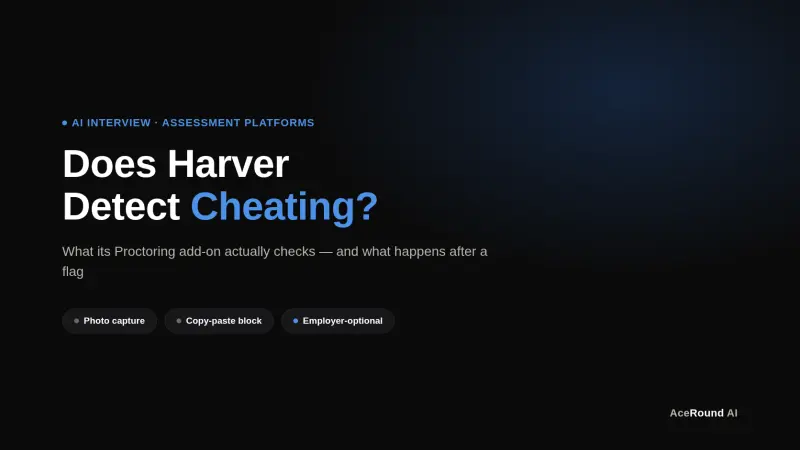
Does Harver Detect Cheating? What Its Proctoring Actually Checks
Does Harver detect cheating on its pre-employment assessments? A candidate look at Harver's Proctoring add-on, what gets logged after a flag, and what happens next.
Micro1's Zara AI Interview: What It Actually Tests (And Why Timing Gets Flagged)
Micro1's AI interviewer Zara has run 300,000+ interviews for remote roles. Here's why it flags response latency as a cheating signal, and what that means for AI prep.