Dual-Device AI Interview Setup: How It Works
How dual-device AI interview setups actually work, the three common rigs, and the documented gaze-tracking research on why they're not risk-free.
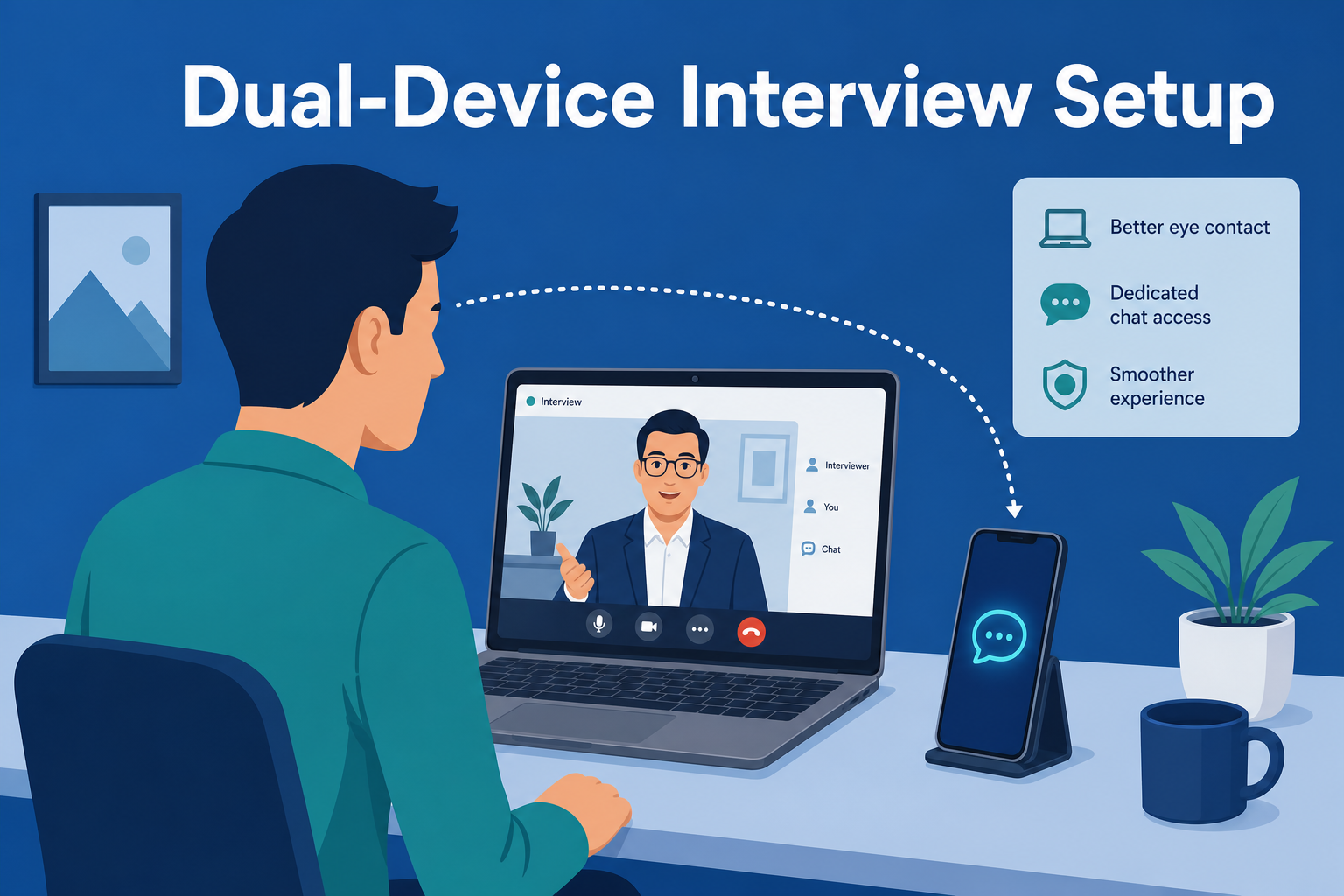
TL;DR: A dual-device AI interview setup means running your laptop for the actual video call and a second device — usually a phone on a stand — to display AI-generated answers where you can glance at them. It genuinely solves the screen-capture problem: nothing shows up if someone reviews your shared screen or recording. It does not solve the behavioral problem — gaze-tracking research and real hiring-manager accounts both confirm that repeatedly looking away from the camera is a noticeable, well-documented tell on its own.
Search "dual device AI interview setup" and most of what comes up is marketing copy from AI-copilot vendors calling the approach "100% undetectable." That's true for exactly one channel — screen capture — and silent on the other one that actually catches people: a trained interviewer watching your eyes. Here's how the setup actually works, the three ways people build it, and the research and real accounts that explain why "off-screen" and "unnoticed" aren't the same thing.
What "Dual-Device" Actually Means
The core idea is simple: your laptop handles the video call and shares your screen or a specific window with the interviewer. A second device — physically separate, with its own screen — runs the AI copilot, listens to the interview audio (usually through the room's ambient sound or a second microphone), and displays a generated answer. Because the AI's output only exists on the second device, there's nothing for a screen-recording tool, a "share entire screen" request, or a post-interview review of the recording to pick up. That's the entire technical premise, and it's accurate as far as it goes.
The Three Common Setups
Phone on a stand. The most common rig: a small tripod or phone stand positioned just below or beside the laptop's webcam, angled so the phone screen is visible without a large head movement. This is the setup most AI-copilot marketing pages show in their demo videos, because it's the cheapest and most portable.
Tablet beside the monitor. Some candidates use a tablet propped upright next to their main screen, at roughly the same height as the laptop display. This allows slightly larger text and a more natural "second monitor" glance, at the cost of being a bigger, more visible object in frame if the camera has a wide field of view.
Second laptop. Less common, but some candidates run a fully separate laptop angled just outside the primary camera's frame, using it the way you'd use a second monitor. This gives the most screen real estate for reading longer answers, but it's the hardest to position without appearing in a wide-angle webcam shot.
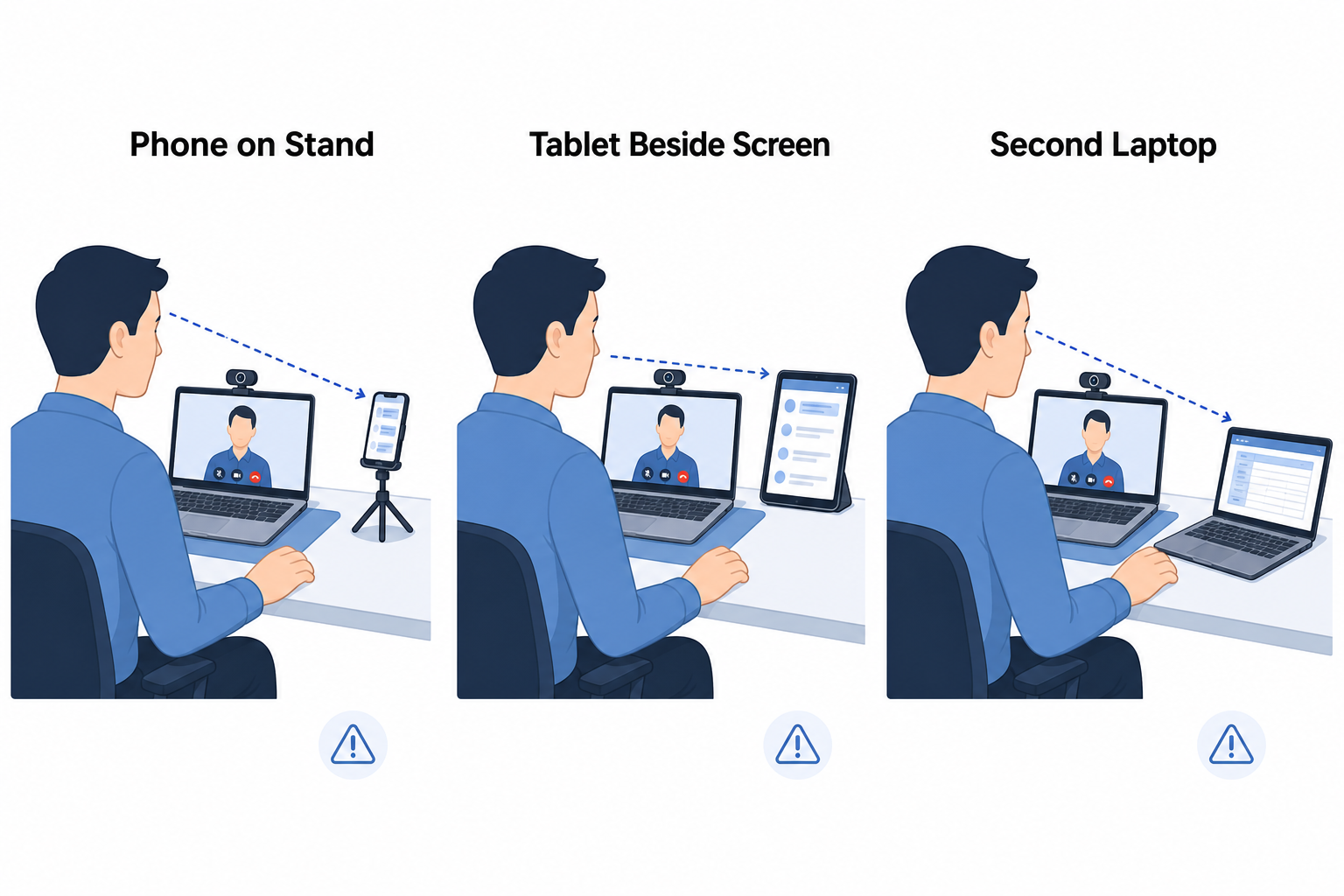
Across all three, the physical constraint is the same: the closer the second device sits to the camera's actual line of sight, the smaller the visible eye movement when you glance at it. A phone taped just under the webcam requires a much smaller glance than a tablet sitting a foot to the side.
What It Solves — and What It Doesn't
The screen-capture problem is real and dual-device genuinely closes it. If an interviewer asks you to share your entire desktop, records the session, or a proctoring tool takes periodic screenshots, none of that will ever show the AI's output, because it was never on that device.
What it doesn't touch is the oldest interview-detection method there is: a human watching your face. A peer-reviewed eye-tracking study on gaze aversion in mock job interviews found that interviewees already make more sideways gaze aversions than interviewers do as a baseline — meaning candidates' eyes naturally wander more during questioning than most people realize, before an AI tool is even in the picture. Add a second device that requires a deliberate glance at a specific rhythm — right after a question is asked, right before an answer starts — and that pattern becomes a lot easier to notice, not harder.
Betts Recruiting's guide on spotting AI use in interviews lists exactly this kind of timing-based gaze pattern as one of the top behavioral signals recruiters are now trained to watch for — alongside flat, uniform response delivery and an inability to elaborate when asked a natural follow-up question.
What Hiring Managers Are Actually Reporting
This isn't theoretical. On the hiring side, real accounts describe catching this specific pattern. One tech-company hiring manager described a candidate who "continually looked at something to the left of the interview window," produced an optimal solution unusually fast, and then "couldn't [explain the logic] at all" when asked to walk through it with an example. Another described a batch of ten interviews where "9 of them were clearly reading something off the screen whenever he asked them a question" — in a behavioral round, not even a coding screen. A third flatly summarized the risk: "unless you 100% know what you're doing or your interviewer just dgaf, you're probably getting caught."
None of these accounts involve screen capture at all. Every one of them is a person noticing a person's eyes and timing — exactly the layer that a dual-device setup, by design, does nothing to address.
If You're Going to Use One Anyway
A few things measurably reduce how noticeable the glance is, even if none of them eliminate the risk:
- Minimize the distance. Mount the second device as close to the camera's actual lens as physically possible — directly under or beside it, not off to the side or down in your lap.
- Don't let timing give it away. A glance that happens at a consistent delay after every single question is a pattern; a natural pause that varies in length looks more like normal thinking.
- Be ready to go off-script. The hiring-manager account above caught someone specifically because they couldn't explain their own "answer" when asked a follow-up. If you can't defend it unprompted, it isn't safe to use, regardless of the setup.
- Practice the cadence beforehand. Reading an answer verbatim sounds different from speaking one you understand — rehearsing with a mock interview closes that gap more than any hardware position does.
The Simpler Alternative
The entire dual-device category exists to solve a problem that only comes up because the AI's output is rendering somewhere you have to physically look at. Tools built to overlay on the same screen you're sharing — without appearing in standard screen-share capture — remove that requirement altogether: there's no second device to mount, angle, or glance at, because there's nothing outside your existing eye line to look at in the first place. AceRound works this way, alongside built-in mock-interview practice for the cadence issue above. For a head-to-head look at a specific dual-device tool, see AceRound vs InterviewFox, and for the screen-capture side of this question specifically, see is an AI interview assistant safe on screen share.
FAQ
What is a dual-device AI interview setup? It's a way of running an AI interview copilot so the generated answers never appear on the screen you're sharing with the interviewer. One device (your laptop) handles the actual video call; a second device (a phone, tablet, or another laptop) runs the AI tool and displays its output, positioned near the camera so you can glance at it.
Is a dual-device AI interview setup detectable? Not through screen capture — that's the one problem it genuinely solves. It's detectable through behavior: gaze-tracking research shows interviewees make more sideways glances than interviewers already, and real hiring-manager accounts describe candidates getting flagged specifically for repeatedly looking down and away from the camera at a rhythm that matches question timing.
Which dual-device setup is hardest for interviewers to notice? None of them fully solve the problem, but positioning matters: a device mounted as close to the webcam's line of sight as possible (just below or beside the lens) minimizes how far your eyes have to travel, which is less noticeable than a device sitting off to the side or down in your lap. Camera angle and how naturally you can pause without going silent matter more than which device you use.
Can interviewers actually tell if you're using a second screen? Documented cases say yes, often. Hiring managers on forums like Blind describe specific tells: consistent multi-second pauses before answers, a candidate's eyes tracking sideways at a rhythm that matches when a question ends, and an inability to explain their own answer when asked a follow-up. None of these require the interviewer to see your screen — they're behavioral, not technical.
Is there a safer alternative to a dual-device setup? Tools that render on the same screen you're sharing — rather than requiring a second device — remove the physical glance-away problem entirely, since there's nothing to look at that isn't already in your natural eye line. AceRound works this way: no second device to manage, and the overlay isn't visible to standard screen-share capture in the first place.
Author · Alex Chen. Career consultant and former tech recruiter. Spent 5 years on the hiring side before switching to help candidates instead. Writes about real interview dynamics, not textbook advice.
Related Articles
AceRound vs InterviewFox: 2026 Comparison
AceRound vs InterviewFox compared on pricing math, language coverage, and the behavioral risk behind InterviewFox's dual-device stealth mode.
Is Your AI Interview Assistant Safe on Screen Share?
Will screen sharing expose your AI interview assistant? The real answer: window vs. full-desktop capture, overlay exclusion, and why nothing is 100% safe.
AceRound vs Parakeet AI: 2026 Comparison
AceRound vs Parakeet AI compared on features, pricing math, and the detection risk behind Parakeet's process-naming trick — before you buy credits.