Does iMocha Detect Cheating? What Actually Gets Flagged
Does iMocha detect cheating? Webcam snapshots, window-violation logging, and Safe Assessment Browser lockdown — here's exactly what iMocha's proctoring watches and what it can't.
TL;DR: Does iMocha detect cheating? Yes, but through specific, documented mechanisms — not a single all-seeing check. Webcam snapshots or video watch for a missing or second face, Window/Time Violation logs every tab switch and how long you were gone, and Safe Assessment Browser locks the page into fullscreen while blocking other software. iMocha's own help docs admit one gap directly: Safe Assessment Browser doesn't work on File Upload questions. The mechanisms also share a structural blind spot — they watch the browser tab, your outward mic, and your face, not a second device or what's played into an earpiece.
You've got an iMocha assessment link and a countdown timer, and no clear idea what the test environment can actually see. That uncertainty is the real problem most guides don't fix — they either read like iMocha's own recruiter-facing sales copy, or like a "how to outsmart iMocha" tool pitch that overstates how invisible any workaround really is. This one goes by iMocha's own documentation first, then lets the mechanism gaps speak for themselves.
What iMocha's Proctoring Actually Watches
iMocha bundles this under a configurable Smart/AI-Enabled Proctoring Suite that a company turns on per assessment, not a fixed set of checks that runs every time:
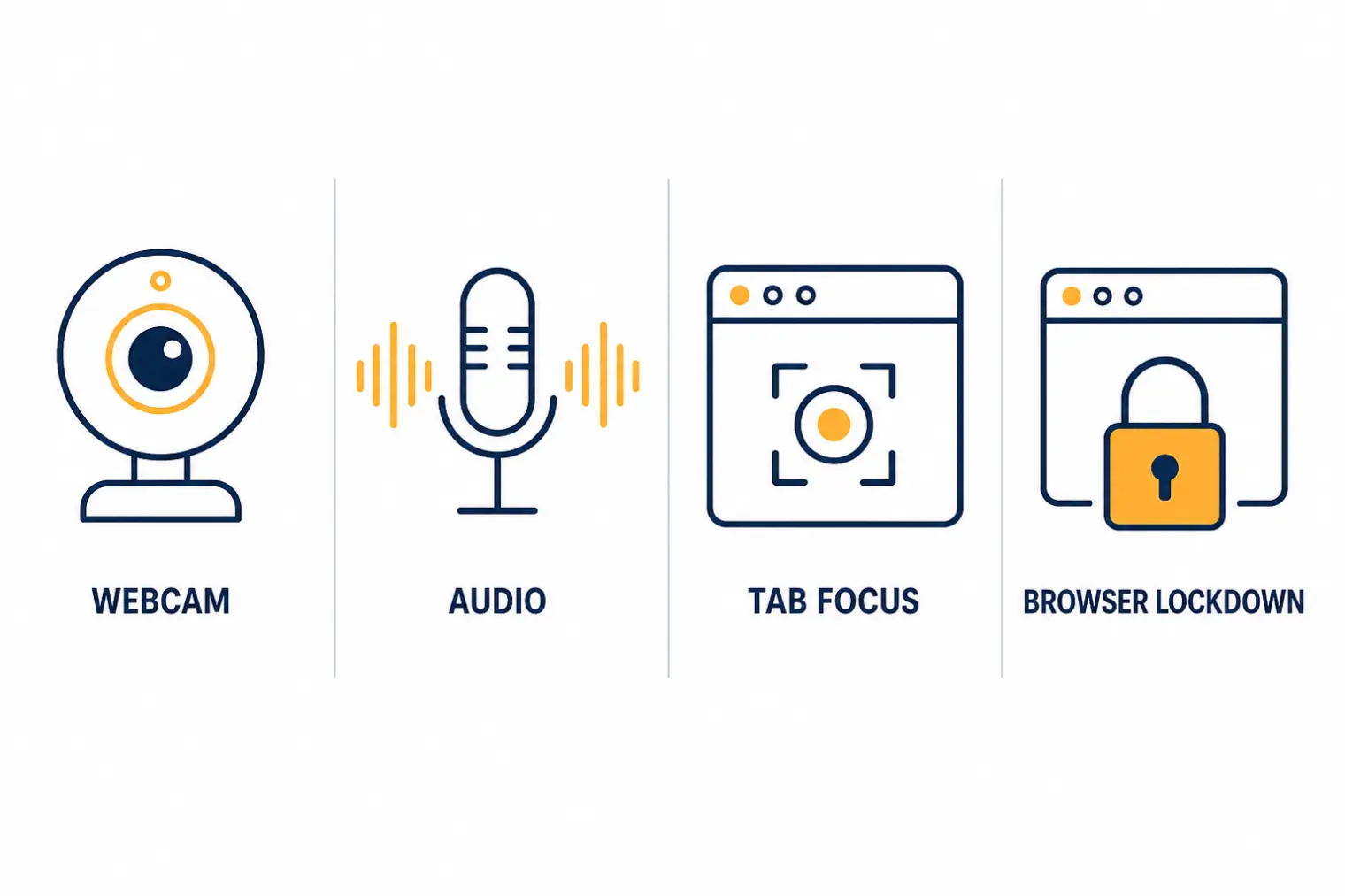
- Image & Video Proctoring — activates your webcam and either takes periodic snapshots or records continuous video through the test, feeding a face-detection model that checks for a missing face, a second face entering frame, or a mismatch against your ID photo.
- Audio Proctoring — listens through your own microphone for background noise or a second voice, flagging patterns that suggest you're talking to someone else in the room.
- Window/Time Violation — logs every time the proctored browser tab loses focus (alt-tab, switching apps) and how long you were away, surfaced to recruiters as a violation count and duration.
- Safe Assessment Browser — forces fullscreen, blocks other installed software, detects multiple connected monitors, and disables copy-paste and print-screen.
- Identity and integrity checks — a government-ID-plus-selfie match before the test starts, IP-range restriction, and question/answer randomization to reduce the value of leaked question banks.
Flags carry a severity label — low, medium, or high — and in "Record & Review" configurations a human proctor audits the AI-generated flags before a recruiter ever sees them. That matters: iMocha's system produces signals for a person to judge, not an automatic disqualification.
Can iMocha Tell If You Switch Tabs?
Yes, and this is the feature test-takers report most consistently. One r/recruitinghell thread describes a testing platform that "asked to access my webcam... to 'take periodic photos' of me" and "resisted when I tried to exit or change browser tabs" — a direct, first-hand description of Window/Time Violation and Safe Assessment Browser working as documented. If your workflow depends on reading a second window without it registering, iMocha's own tab-focus logging is built specifically to catch that.
The One Gap iMocha Admits to Directly
iMocha's own help documentation on Safe Assessment Browser states plainly that it does not work on assessments that include File Upload questions. That's not a rumor or a workaround someone found — it's a documented limitation of the lockdown layer, specific to that question type.
What the Mechanisms Structurally Can't See
These follow directly from how each check works, not from guessing:
- A second, unmonitored device. Window/Time Violation only fires when the proctored tab itself loses focus. Content on a separate physical device — a phone, a second machine — that never requires leaving that tab isn't logged the same way Multiple-Screen Detection is scoped to monitors physically connected to the same machine, which is a narrower net than "any second device in view."
- Audio fed privately into an earpiece. Audio Proctoring listens through your outward-facing microphone for sound in the room. It has no way to inspect what's being played into your ear through a private channel — no outgoing sound, no signal to flag.
- Brief glances that don't remove your face from frame. Face detection validates presence and identity; it isn't described as doing fine-grained gaze or attention tracking beyond flagging when a face disappears or a second one appears.
- File Upload assessments, per iMocha's own documentation above.
Reddit backs up that these gaps are exactly where test-takers push: one r/findareddit post from someone with an upcoming iMocha assessment mentions having "multiple monitors set up," and a r/Capgemini_india thread about an upcoming iMocha exam notes students in a mock round "cheated using mobile phone" — both aimed at the second-device gap rather than beating the webcam or tab-focus checks directly.
The Better Use of This Information
Knowing what's monitored is useful for a completely different reason than finding a blind spot to exploit: it tells you what not to risk during a proctored, timed OA where a flag — even one a human later dismisses — can slow down or end your process. A linkjob.ai piece on iMocha proctoring frames this territory as "how to outsmart" the system and pitches a specific bypass tool; that framing puts your candidacy at risk for a marginal edge on a test you should be able to pass on preparation alone.
Where a tool like AceRound AI actually fits well is the live technical interview that typically follows an iMocha-style screen — the round where you're explaining your reasoning out loud to an engineer, not typing into a locked-down, logged browser tab. If your process runs other assessment platforms alongside iMocha, our breakdowns of HackerEarth's detection setup, CodeSignal's proctoring, and whether you can Google during a HackerRank test cover how the approach differs platform to platform.
FAQ
Does iMocha detect cheating?
Yes, through several separate layers rather than one check. iMocha's Smart Proctoring Suite includes image or video webcam monitoring with face detection, audio monitoring for background voices, window/tab-focus logging, and a Safe Assessment Browser that locks the test into fullscreen and blocks other software. Flags carry a severity label and typically route to a recruiter or human reviewer rather than triggering an automatic fail.
Does iMocha use your webcam?
When webcam proctoring is enabled for a specific assessment, yes. iMocha's Image Proctoring takes periodic snapshots and Video Proctoring records continuously; both feed a face-detection model that flags a missing face, a second face entering the frame, or a mismatch against your ID photo.
Can iMocha tell if you switch tabs?
Yes — this is one of iMocha's most consistently reported features. Window/Time Violation logs every time the proctored browser tab loses focus and how long you were away, and Reddit threads from test-takers confirm it actively resists attempts to exit or switch tabs during a live assessment.
What does iMocha's Safe Assessment Browser not cover?
iMocha's own help documentation states the Safe Assessment Browser does not work on assessments that include File Upload questions. It also can't restrict what happens outside the monitored browser tab itself — its lockdown scope is the assessment page, not the whole physical environment.
Can iMocha detect a second device or an earpiece?
Not directly, based on its documented mechanisms. Window/Time Violation only fires when the monitored tab itself loses focus, so content on a separate physical device that doesn't require leaving that tab isn't logged the same way. Audio Proctoring listens through your outward-facing microphone for background noise or a second voice in the room — it has no way to inspect audio fed privately into an earpiece.
Author · Alex Chen. Career consultant and former tech recruiter. Spent 5 years on the hiring side before switching to help candidates instead. Writes about real interview dynamics, not textbook advice.
Related Articles
Dell and HPE Fresher Interview Process in India: HirePro Tests and Project-Heavy Rounds
Dell and HPE campus drives as candidates describe them: HirePro tests, CGPA cut-offs, funnel sizes, technical and HR rounds, and where posts disagree.
Zapier's AI Interview Policy: Use AI to Prep, Not Live (and the AI Recruiter Screen)
Zapier publishes what AI use is OK at each hiring stage, bans it in live interviews, and may put you in a 15-20 minute screen run by an AI recruiter. Here's how both fit together.
GitLab's AI Interview Policy: What's Allowed at Each Stage
GitLab publishes its AI rules for candidates: welcome in assessments and take-homes, not as a script in live interviews. Here's the stage-by-stage breakdown.