Can You Google During a HackerRank Test? What the Proctoring Actually Allows
Whether you can Google during a HackerRank test depends on which proctoring tier your employer chose — not HackerRank's defaults. Here's the honest breakdown.

TL;DR: Whether you can Google during a HackerRank test depends entirely on the HackerRank proctoring tier your employer enabled — the platform itself has no universal restriction. Basic tab-switching logs activity without blocking access. Secure Mode locks the browser entirely. If your invite email mentions no proctoring, Google is technically accessible — but copying solutions still triggers plagiarism detection regardless of tier.
You have a HackerRank coding assessment in 2 hours. The invite says 90 minutes, three questions, and nothing about external resources. No mention of proctoring. No "closed-book" language. You're wondering: can I have a Google tab open? Can I check the Python docs if I forget a method?
These are genuinely unclear situations. The internet's answer is mostly "it depends" with no useful follow-up. Here's the actual breakdown of how HackerRank's proctoring system works — and what that means for you.
The 4 HackerRank Proctoring Tiers
HackerRank is a platform, not a test. The employer configures what level of monitoring applies, and there are four meaningful tiers. Understanding which one you're in answers the Google question definitively.
Tier 1: No proctoring enabled The baseline. HackerRank records your code and timestamps but doesn't log browser activity at all. You can switch tabs freely. The employer receives your code, completion times, and test results — nothing else. Common for low-stakes screens, internship filters, and companies that treat the test as a starting point rather than a gate.
Tier 2: Tab-switching log (basic HackerRank proctoring) The most common setup for mid-size company technical screens. HackerRank logs every time you switch away from the test window and reports a tab-switching count to the employer. It does not block access to other tabs. Googling for syntax documentation is technically accessible — but the employer can see you switched tabs.
What employers actually do with that data varies enormously. Fast-moving companies often don't care about occasional switches. Others have strict internal policies. You can't know without asking.
Tier 3: HackerRank Secure Mode The browser is locked down. You cannot open new tabs, switch to other applications, or access any external site. This is what "proctored test" typically means in context. Google is blocked at the platform level.
Secure Mode is disclosed in the invite — look for language like "HackerRank secure browser required" or "this assessment has proctoring enabled."
Tier 4: Full proctoring with webcam + OS lockdown Used for critical roles, regulated industries, or very high-stakes assessments. Webcam monitoring is active, and in some implementations the HackerRank desktop app restricts OS-level switching. Always clearly disclosed in advance.
If your invite mentions none of the above: you're almost certainly in Tier 1 or 2.
AceRound AI can help you prepare for behavioral and situational interview rounds through AI-powered mock sessions. Try a free session before your next interview.
How to Tell Which Tier Your Test Uses
Look for these signals in the invite email:
- "Proctored test" or "HackerRank Proctoring" → Tier 2–3
- "Secure browser required" → Tier 3
- "Webcam required" → Tier 4
- No mention of proctoring → Tier 1–2 (assume tab-switching is logged)
- "Open-book" or "feel free to reference documentation" → employer explicitly allows external resources
If you're still unsure after reading the invite, ask the recruiter: "Is this an open-book or closed-book assessment?" Most will answer without hesitation. Asking signals you're taking the process seriously.
HackerRank External Resources Policy: Documentation vs. Solution Copying
This distinction matters far more than whether you can technically access Google — because plagiarism detection runs regardless of proctoring tier.
Low-risk: syntax and documentation lookups
Checking which Python method adds an element to a list. Looking up how JavaScript handles integer overflow. Verifying the time complexity of a known algorithm. This kind of lookup is extremely low-risk. HackerRank's own documentation focuses plagiarism detection on code similarity to known solutions — not on whether you looked up a syntax question.
High-risk: copying solutions from the web
HackerRank uses AI-based plagiarism analysis that compares submitted code against a database of known solutions — GeeksForGeeks, LeetCode editorial solutions, GitHub repositories, StackOverflow answers. If your submission matches above a similarity threshold, it's flagged regardless of which proctoring tier applies.
This detection runs post-submission. The tab-switching log is often irrelevant — it's the code itself that triggers flags.
The AI tools question (2024–2026)
ChatGPT, Copilot, and similar tools are a newer dimension. HackerRank has been updating its plagiarism detection to recognize common AI-generated boilerplate patterns. Even in unproctored tests, code that's clearly AI-generated — unusual variable naming conventions, overly verbose inline comments, generic structural patterns — is increasingly flagged in manual review.
The practical risk: even if the platform doesn't block AI use, hiring teams notice in technical interviews when candidates can't explain their own code.
What HackerRank Tab Switching Detection Actually Captures
For Tier 2 tests, the employer report typically shows:
- Total number of tab switches (a count, not which sites)
- Whether the test window was minimized
- Time spent off the test window per interval
What it does not show:
- Which websites you visited
- Contents of any tab other than the test
- Clipboard history
- Activity on a second device or phone
HackerRank's own blog on tab proctoring explicitly acknowledges that secondary devices and phone lookups are outside what the platform can monitor. That doesn't make it a safe strategy — technical interview follow-up questions will surface candidates who can't explain their work — but it's accurate information about what the tool actually tracks.
Online Assessment Cheating Detection: The Bigger Picture
Most candidates focus on what happens during the test. The more important picture is what happens across the full pipeline:
- Tab-switching report — logged behavior during the test window
- Code plagiarism analysis — post-submission comparison to known solutions
- Statistical anomaly flagging — too-fast completion for a problem's known difficulty
- Behavioral pattern review — human review of suspicious submissions
- Technical interview follow-up — the strongest filter of all
Most detection happens after submission, not during. A clean tab-switching log means nothing if the code closely matches a known solution. And the interview debrief — where candidates walk through their approach — is where copied or AI-generated work most often surfaces.
For a complete breakdown of how HackerRank's detection system works across all these layers, see HackerRank Cheating Detection Explained. For the broader question of what different platforms can and can't see, see Can Online Interviews Detect Cheating.
FAQ
Is it ok to have Google in another tab while doing a HackerRank test? In Tier 1–2 tests, yes — Google is technically accessible, though tab-switching is logged. In Tier 3–4 (Secure Mode or full proctoring), the browser is locked and Google is blocked. If your invite says nothing about proctoring, assume Tier 2: switching is logged, but access isn't blocked.
Can I check documentation during a HackerRank coding test — for example, which Python method to use? Yes, in unproctored or basic-proctored tests. HackerRank's plagiarism detection looks for code similarity to known solutions, not for syntax lookups. Checking how a language feature works is fundamentally different from copying a solution to a specific problem.
Salesforce / [company] HackerRank test — can I use Google? This depends entirely on which proctoring tier that company enabled, not on HackerRank's default settings. If the invite doesn't mention proctoring, assume Tier 2. If you want certainty, ask the recruiter whether it's open or closed-book.
Does HackerRank detect if I use ChatGPT or Copilot? Not directly through real-time monitoring in most tiers. However, AI-generated code patterns are increasingly flagged in post-submission review, and hiring teams identify AI-generated code during technical interview follow-ups. The platform risk is lower than the human-review risk.
Can employers see which websites I visited during a HackerRank test? In Tier 2, employers see a tab-switching count — not which sites you visited or what you did there. In Tier 3–4, external sites are blocked entirely. No tier sends the employer a browser history.
What if my internet disconnects mid-test? HackerRank auto-saves progress periodically. Contact the recruiter immediately if you're disconnected — most companies will extend or reset the test window if you flag it promptly.
Author · Alex Chen. Career consultant and former tech recruiter. Spent 5 years on the hiring side before switching to help candidates instead. Writes about real interview dynamics, not textbook advice.
Related Articles
Hedy AI Alternative: Pricing, Language Limits & 5 Better Options (2026)
Looking for a Hedy AI alternative? See real 2026 pricing, the documented non-English transcription problem, and how AceRound and other tools compare for interviews.
Interview Sidekick Alternative: Pricing Red Flags & 5 Honest Options (2026)
Interview Sidekick quotes three different prices across its own marketing. Before you buy, see what it actually costs, whether Stealth Mode holds up on screen share, and 5 real alternatives.
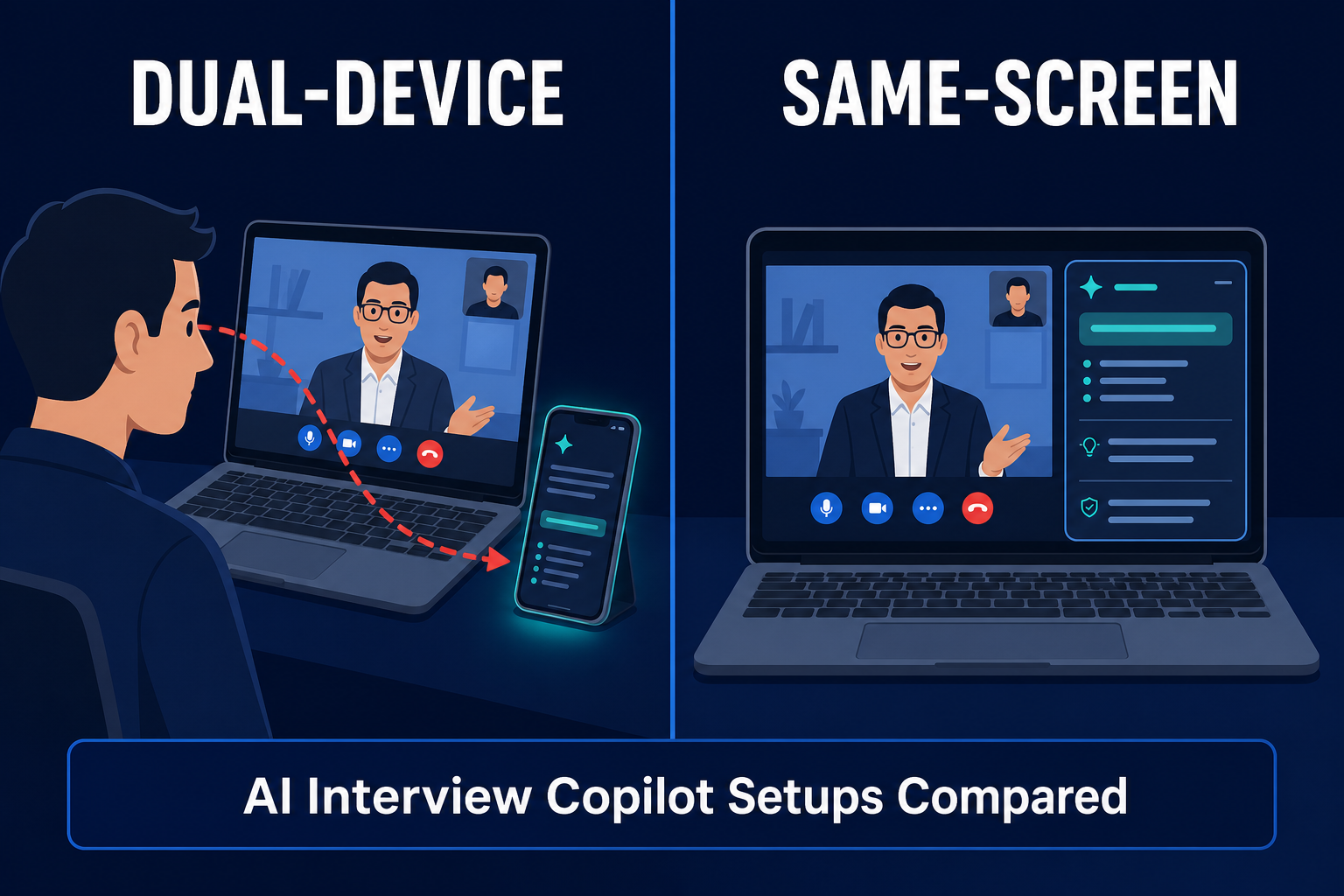
Best InterviewFox Alternatives in 2026: Same-Screen vs. Dual-Device Risk
Looking for an InterviewFox alternative? Compare pricing signals, the dual-device screen-share claim, and same-screen options like AceRound before you buy.