AceRound vs Interview Coder: An Honest Comparison in 2026
AceRound vs Interview Coder compared feature by feature — stealth architecture, pricing, interview scope, and detection risk — before you spend $299+.
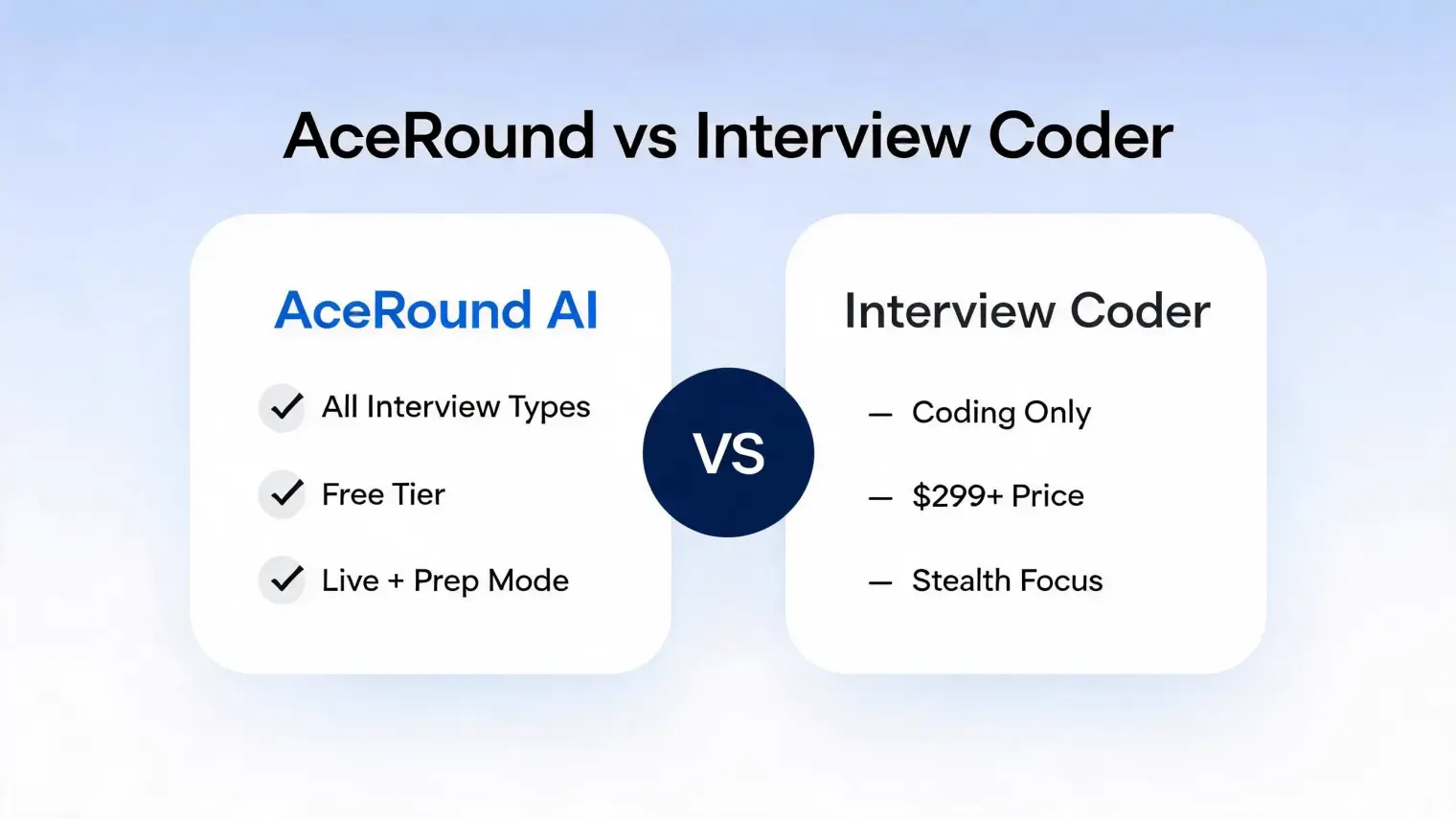
TL;DR: AceRound vs Interview Coder comes down to scope, pricing, and risk tolerance. Interview Coder is a stealth desktop overlay with genuinely strong hidden-window engineering and a heavy technical-interview focus, while its own site now markets support beyond pure LeetCode rounds. AceRound AI covers behavioral, system design, and coding rounds with a free tier and a documented anti-screen-capture desktop client. If your biggest need is live technical help, compare latency and workflow carefully; if your loop includes non-coding conversations, AceRound's broader prep and live support matter more.
Interview Coder has $1M in reported ARR, a founder Amazon rescinded an internship offer over, and paid plans that can cost more than many candidates' first month of rent. Its marketing now claims support for coding, system design, behavioral, and even sales interviews, but the product's strongest public proof still centers on live technical problem solving and hidden-window delivery. Before paying $299–$799 for a high-stakes interview assistant, it's worth being precise about what you're actually buying — and what a broader tool like AceRound AI does differently.
What Interview Coder Actually Does Well
As an AI coding interview assistant, Interview Coder's core engineering claim is real, not vaporware. It's a stealth interview copilot in the literal sense — a native desktop app, not a browser extension, that doesn't appear in the dock or taskbar, shows no system tray icon, and is built specifically so its overlay window stays invisible during screen sharing on platforms like Zoom or Google Meet. It listens to the interviewer's spoken question, transcribes it, and surfaces generated help for technical prompts, with coding platforms like HackerRank, CoderPad, and CodeSignal being the clearest fit.
If the entirety of your remaining interview loop is one live technical round on one of those platforms, that's a narrow, well-built workflow for a narrow job.
AceRound vs Interview Coder: Feature by Feature
| AceRound AI | Interview Coder | |
|---|---|---|
| Interview types covered | Behavioral, system design, coding, case/PM/finance | Markets coding, system design, behavioral, sales; strongest proof is technical live help |
| Real-time live support | Yes, across all interview types | Yes, strongest fit for live technical/coding rounds |
| Structured prep/mock mode | Yes — practice before the live interview | No |
| Non-native English support | Yes, built specifically for phrasing + structure | Limited public evidence beyond generated interview answers |
| Anti-screen-capture design | Yes, native desktop client | Yes, native desktop client |
| Free tier | Yes | Free download is advertised; paid usage still centers on $299–$799 plans |
| Pricing | Weekly/monthly passes and credit packs | $299–$799 flat |
| Platform coverage | Zoom, Meet, Teams, and OA-adjacent prep | Zoom/Meet screen-share workflow plus coding platforms like HackerRank, CoderPad, CodeSignal |
The gap that matters most: Interview Coder's public proof is strongest where the prompt is concrete and technical. Everything else in a modern hiring loop — the recruiter screen, the behavioral round, the system design conversation, the hiring manager chat — requires structured context, personal examples, and follow-up control, not just a hidden answer layer. Given that many engineering candidates fail on the behavioral or system-design round more often than the pure DSA round, that difference matters for the price.
The Stealth Claim: What's True and What Isn't
Undetectable AI interview assistant is the promise made directly on Interview Coder's own site, and the desktop-level hiding is genuinely engineered well. But "undetectable" has increasingly stopped meaning what candidates think it means. Detection has moved from "can the interviewer see the window" to "does the candidate's behavior look natural" — unnatural response latency, a flat reading cadence, and an inability to extend on follow-up questions are all behavioral tells that no amount of window-hiding fixes. HackerRank's own detection model claims roughly 93% accuracy identifying AI-assisted code through stylistic fingerprinting alone — architecture that never needs to see your screen to flag a submission.
The real-world track record backs this up. An independent investigation into whether Interview Coder is really undetectable collects user reports of response lag exceeding 20 seconds and failed test cases in live use — the kind of failure mode that's more conspicuous than any UI ever was. And the consequences aren't hypothetical: reports of a permanent hiring ban following a detected case at a major tech company circulate specifically because "invisible in screen share" was never the same guarantee as "undetectable."
None of this means Interview Coder doesn't work as engineered — the hiding mechanism is real. It means the risk sits somewhere other than where the marketing points, and a stealth UI doesn't insure against it.
Pricing: $299–$799 vs a Free Tier
Interview Coder pricing is a flat $299/month or a one-time $799, marketed explicitly as "not a subscription drain" — framing built around the assumption that you'll use it for a short, high-stakes window and then stop. Its site advertises a free download, but the real purchase decision is still the paid interview-use tier. That math only holds if the interview goes well. If the process drags on, gets rescheduled, or the offer falls through, the upfront risk is materially higher than starting with a lower-cost or free workflow.
AceRound starts free — try it before you decide anything — with weekly and monthly passes plus credit packs for candidates who want more usage, priced well under Interview Coder's single-purpose cost. For a tool meant to support an entire interview process rather than one round, that's a materially different risk profile.
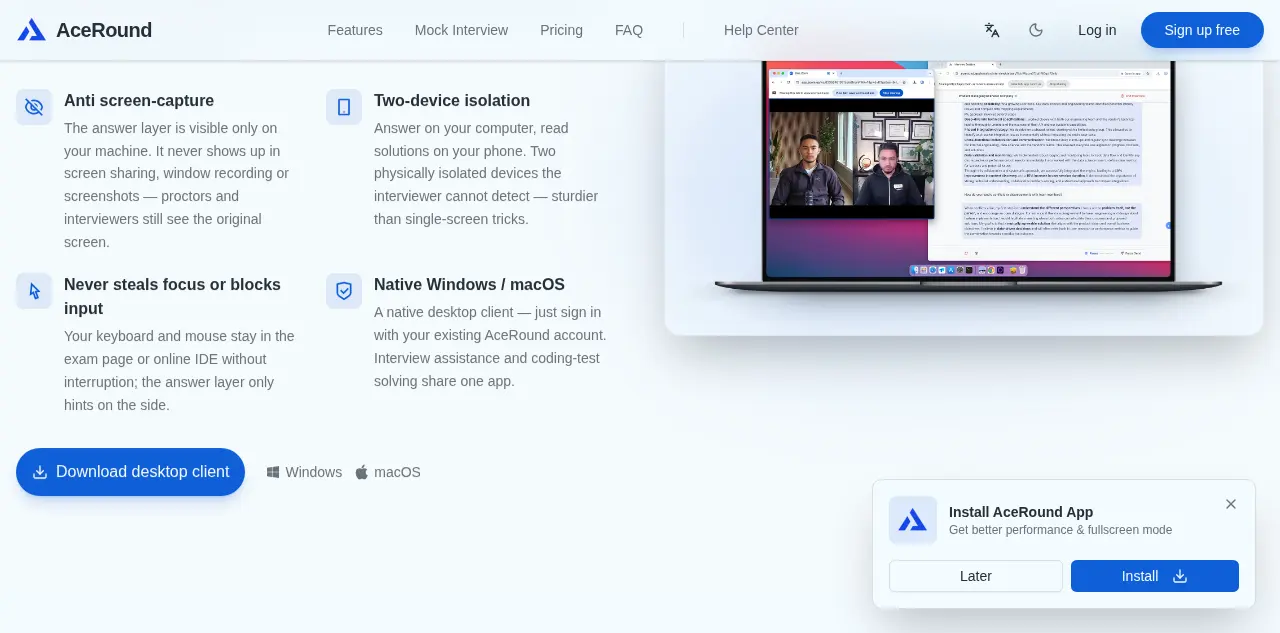
AceRound's desktop client uses the same category of anti-screen-capture design Interview Coder is known for — the answer layer stays visible only on your machine, never in a screen share, window recording, or screenshot — combined with two-device isolation for candidates who want an extra layer of separation. It's built for the interview that comes after the coding round decides you're worth talking to further.
Who Should Actually Use Which
Interview Coder makes sense if: your highest-risk remaining round is a live technical/coding interview on HackerRank or CoderPad, you've accepted the detection risk and cost, and you specifically want the hidden-overlay workflow.
AceRound makes sense if: your process includes behavioral, system design, or non-coding rounds (which is most processes), you want to test a tool for free before committing money, you're a non-native English speaker who needs help with structure and phrasing rather than just code output, or you'd rather prepare thoroughly beforehand than rely entirely on live generation during the interview itself.
For engineers specifically weighing coding-round tools, the existing Interview Coder alternatives comparison covers a wider field including Cluely and other entrants. If Interview Coder isn't the only competitor you're evaluating, AceRound vs Final Round AI and AceRound vs Cluely cover the other two most-searched comparisons.
A Quick Checklist Before You Spend $299+
- Map your actual remaining rounds first. If a recruiter screen, behavioral round, or system design conversation is anywhere on your calendar, make sure the tool has real workflow support for those formats, not just a generic answer box.
- Test the free option before the paid one. There's no reason to spend anything before confirming a tool's transcription accuracy and latency work reliably on your actual hardware and network.
- Price in the downside, not just the upside. A $299–$799 spend assumes the process goes smoothly; factor in what happens to that math if the interview is rescheduled, the offer falls through, or the round you needed help with isn't the one you expected.
- Separate "hidden from screen share" from "undetectable." The two are not the same claim, and treating them as interchangeable is where the real risk sits.
FAQ
Has anyone actually gotten caught using Interview Coder, or is it really undetectable? The window-hiding works as engineered — interviewers don't see the overlay in a standard screen share. But real user reports, including a widely circulated Reddit thread calling Interview Coder 2.0 "not worth it," describe response lag and failed test cases severe enough to be noticed independently of any visual detection. Detection risk has shifted toward behavioral signals — response cadence, inability to extend on follow-ups — that window-hiding doesn't address.
Is Interview Coder detectable in 2026? Visually, generally no, if the engineering works as claimed. Behaviorally, increasingly yes — platforms and interviewers are getting better at reading unnatural response patterns rather than relying on catching a visible window.
What does Interview Coder actually cost? $299/month or a one-time $799 payment for the paid interview-use plan. Its site advertises a free download, but candidates should verify what is usable before paying.
Does AceRound work for coding interviews too? Yes — AceRound supports live technical/coding rounds in addition to behavioral, system design, and case interviews, though candidates whose only remaining round is pure LeetCode-style DSA may still find Interview Coder's narrower focus appealing for that specific format.
Is there a free alternative to Interview Coder? AceRound AI has a free tier that covers real-time support and mock preparation, which is the more meaningful "try before you commit $299" option if you want to test actual interview workflow before paying.
Author · Alex Chen. Career consultant and former tech recruiter. Spent 5 years on the hiring side before switching to help candidates instead. Writes about real interview dynamics, not textbook advice.
Related Articles

Interview Coder Alternatives in 2026: 7 Options, Priced and Checked
Looking for an Interview Coder alternative? Seven real options compared on today's price, what each one does in a live round, and what Interview Coder still does better.

AI Coding Interview Assistant: What Actually Helps in a Live Round
AI coding interview assistant tools promise live LeetCode help. See what works in CoderPad or HackerRank, where they fail, and what interviewers can see.
AceRound vs InterviewMan: Stealth Claims vs Real Reviews
AceRound vs InterviewMan compared: real pricing on both plans, InterviewMan's mobile-app advantage, and what its actual Trustpilot reviews say versus its own 4.9-star claim.