iOS Developer Interview Preparation with AI: The Complete 2026 Guide
Swift, SwiftUI, live Xcode coding, system design, behavioral — the iOS interview loop has 4–5 rounds. Here's how AI practice changes your prep strategy.
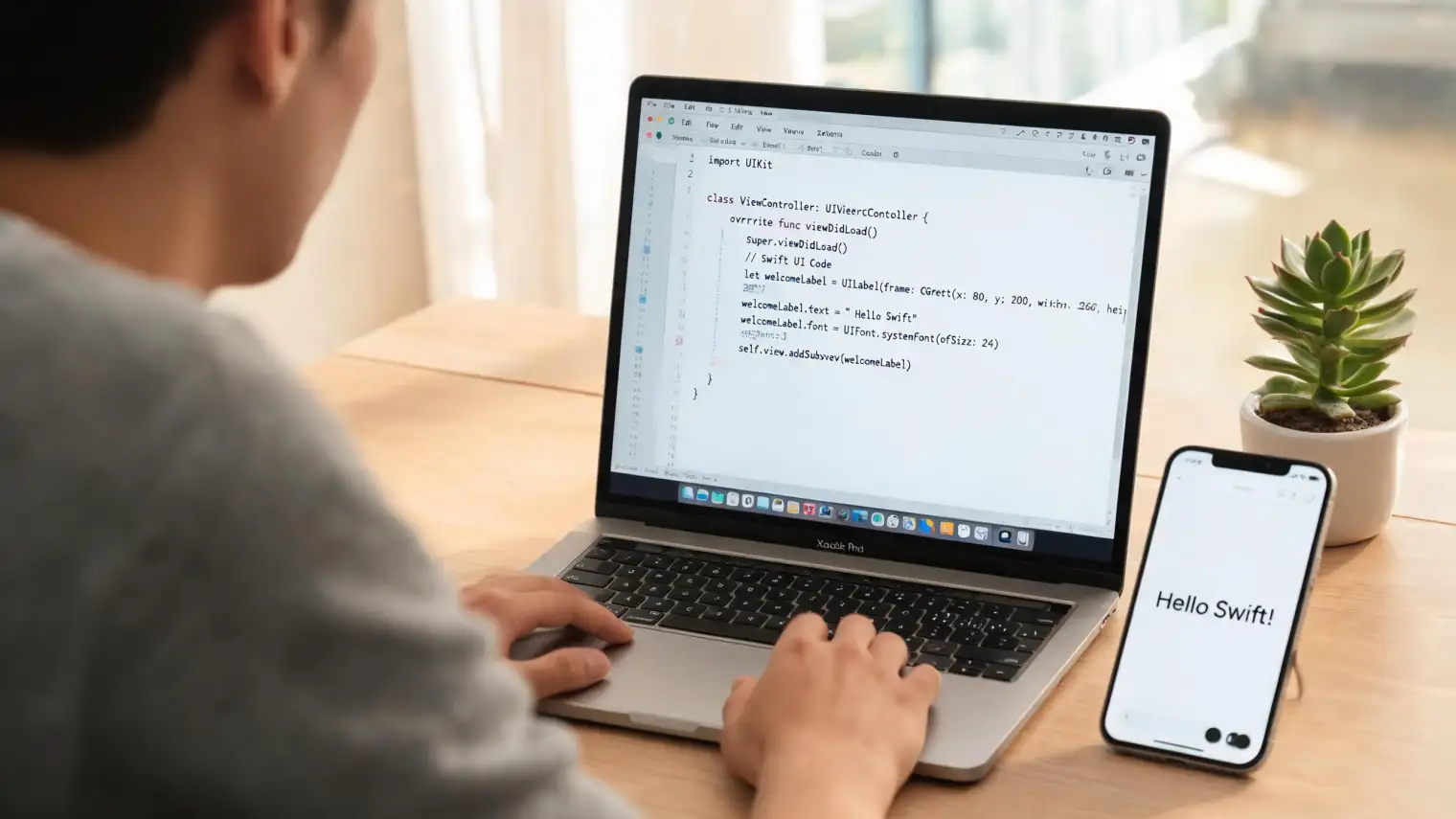
TL;DR: iOS developer interviews in 2026 run 4–5 rounds: Swift technical questions, live Xcode coding, system design, and behavioral. Static Q&A lists don't prepare you for any of them. This guide covers how to use iOS developer interview AI practice to build the skills that actually translate to a live interview.
The screening call was a formality. The real filter started three days later: a 5-hour virtual onsite with five engineers. Round one was Swift fundamentals with a senior engineer who kept pushing until you hit your ceiling. Round two was live Xcode coding — no IDE hints, they wanted to see your workflow, not just your output. Rounds three and four covered system design and behavioral. Round five was the hiring manager.
This is a real candidate's experience from a mid-size app company. It's increasingly the norm.
iOS hiring has moved past the "name 5 design patterns" phase. Companies want developers who can reason through architecture decisions, debug memory issues live, and explain their thinking clearly under pressure. Memorizing 30 Swift interview questions isn't enough. AI-powered practice is where the gap between prep and actual performance closes.
The iOS interview loop in 2026: what to expect
Most iOS developer interviews now follow a recognizable structure:
Round 1: Technical screening A 30–45 minute call covering Swift fundamentals, memory management, UIKit vs. SwiftUI awareness, and sometimes one or two LeetCode-style problems. This round filters out candidates who haven't written Swift recently.
Round 2: Live coding Usually 60–90 minutes in Xcode (shared screen or their environment). Expect to build a small feature, debug an existing codebase, or implement a data structure in Swift. Interviewers watch your process, not just your output.
Round 3: System design For mid-to-senior roles. Architect a photo caching system, design an offline-first data sync strategy, walk through a push notification service. iOS-specific constraints — memory limits, background execution, battery impact — matter here in ways they don't in backend design interviews.
Round 4: Behavioral Usually 45–60 minutes with an engineering manager or tech lead. Standard behavioral format, but interviewers expect iOS-specific examples: "tell me about a performance regression you tracked down," "how did you approach migrating from UIKit to SwiftUI?"
Round 5: Hiring manager / culture fit Less technical, more about alignment: your career trajectory, how you work with product and design, your view on technical debt tradeoffs.
Startups sometimes compress this to three rounds or add a take-home project. But most iOS interviews cover at least three of these four dimensions.
Swift and SwiftUI technical questions: what interviewers actually test
The Hacking with Swift interview question bank — 150+ questions across 11 categories — is the closest thing to a canonical reference for Swift technical interviews. But knowing answers isn't the same as answering questions fluently under pressure.
The questions that trip candidates up most aren't the obscure ones. They're the fundamental ones asked with follow-up probing:
Memory management: "Explain the difference between strong, weak, and unowned references." Most candidates handle this. Then: "In what scenario would you prefer unowned over weak?" Then: "Walk me through a retain cycle you saw in production and how you found it." The answer to the first question is textbook. The third reveals whether you've actually debugged memory issues or just read about them.
Concurrency: Swift 6 made strict concurrency checking the default. Interviewers now actively ask about Actors, Sendable conformance, and actor isolation. Candidates who prepared from 2024 resources are often caught flat-footed here. "What is an actor, and why can't you always just use @MainActor?" is becoming standard at companies that have adopted Swift 6.
SwiftUI vs. UIKit: The question isn't "which is better" — it's "when would you choose one over the other for a new project today?" A strong answer covers SwiftUI's current limitations (complex custom animations, certain layout edge cases), the migration strategy for existing codebases, and the candidate's hands-on experience with each. An answer that treats this as a binary choice reads as junior.
Frameworks and ecosystem: Combine vs. async/await, Core Data vs. SwiftData, XCTest vs. Swift Testing — interviewers probe whether you know when to use each and what the tradeoffs are, not just that the options exist.
Live Xcode coding rounds: how to actually prepare
This is where most interview prep falls short. Reading solutions or watching walkthroughs doesn't build the muscle memory for writing Swift under observation.
What a live coding round actually tests:
- Can you set up a basic data model without reference?
- Do you default to safe patterns — optional chaining, guard statements, proper error handling?
- Can you reason out loud while coding? Interviewers want to hear your thought process, not just watch you type.
- How do you handle an unexpected edge case? Do you freeze, or adapt?
Where AI practice changes the equation:
Traditional mock interview prep requires a partner who knows Swift well enough to give useful feedback. AI interview tools work differently: they can play the role of an interviewer who asks follow-up questions ("what happens if the input is nil here?"), surface gaps in your reasoning, and give structured feedback on your explanation clarity — regardless of the topic.
AceRound AI provides real-time suggestions during interviews, but for technical rounds the practice mode is often more valuable: rehearsing both the coding and the verbal explanation simultaneously builds the skill that makes live rounds go better.
The gap most iOS candidates have isn't Swift knowledge. It's articulating their thought process in real time while writing code. That's a skill you build through repetition, and AI-assisted practice shortens the feedback loop significantly.
Preparing for an iOS developer interview? AceRound AI provides real-time assistance during technical and behavioral rounds, helping you structure answers and handle follow-up questions more confidently.
iOS system design: what mobile-first constraints interviewers care about
iOS system design interviews differ from backend system design in ways that catch candidates off guard, especially those who cross-prep from backend resources.
Mobile-specific constraints that always matter:
- Memory footprint (iOS apps face hard limits; aggressive caching strategies need to account for this)
- Battery impact of background fetch and network operations
- Offline-first design and local storage strategies
- App Store guidelines that constrain certain architectural patterns
Common iOS system design prompts and what they probe:
"Design an image caching system." Tests memory management (NSCache vs. disk cache tradeoff), async image loading (avoiding main thread blocking), and cache invalidation.
"Design an offline-first news feed." Tests Core Data / SwiftData knowledge, sync conflict resolution, and background fetch scheduling via BGAppRefreshTask.
"Design a real-time chat interface." Tests WebSocket lifecycle management within UIKit/SwiftUI, message ordering guarantees, and handling reconnection gracefully.
Architecture patterns interviewers expect you to know: MVC, MVVM, VIPER, and The Composable Architecture (TCA) all come up at different companies. Most don't mandate a specific pattern, but they expect you to explain why you'd choose one for a given use case — not just name them.
Behavioral interviews for iOS developers: the iOS-specific angle
Generic behavioral answers — "tell me about a time you worked on a team" — are weaker than answers that weave in iOS-specific technical context.
The best behavioral answers for iOS interviews demonstrate one of three things:
Technical judgment: "We were considering SwiftUI for the main flow, but we had three developers who hadn't worked with it and a six-week shipping window. I advocated for a hybrid approach — SwiftUI for the new feature, UIKit maintained for the existing flows. Here's how that played out and what I'd do differently..."
Debugging ownership: "I noticed a 20% increase in app startup time in our crash reporting after one release. I used Instruments to trace the launch sequence, found we were loading user preferences synchronously on the main thread, and refactored it to async. That brought startup time back down and actually improved it 8% over the original baseline."
Cross-functional collaboration: iOS developers interact with backend, product, design, and QA constantly. Stories that show you understand the interfaces between those functions — not just the iOS codebase — stand out to engineering managers.
Use STAR format (Situation → Task → Action → Result) and make the iOS technical context part of the story, not a footnote. For STAR practice guidance, see our full STAR method interview guide.
For the broader behavioral framework that applies across roles, see our guide to behavioral interview questions.
Using AI tools in your iOS interview prep
What AI tools are genuinely useful for:
- Technical question drilling: AI can generate Swift interview questions at a specified seniority level (junior/mid/senior) and follow up on your answers, simulating the actual interview flow better than flashcards
- Behavioral answer rehearsal: Feed in your STAR stories, get feedback on structure and specificity, and check whether the iOS technical context comes through clearly
- Verbal articulation practice: The gap between knowing an answer and explaining it fluently is real. Practicing out loud with structured AI feedback is a faster loop than waiting for human mock sessions
- System design stress-testing: Describe your approach to an iOS design problem, then ask the AI to play adversarial architect — "what if the user has 2GB of cached images?" — to expose the weak points in your design before a real interview does
Where AI tools fall short:
- Memorizing answers verbatim — live interviews detect recitation quickly, and it hurts your communication score
- Replacing actual Xcode practice — you still need to write Swift code, not just describe it
- Generating system design answers without understanding — LLMs can produce plausible-sounding iOS architectures that have subtle errors; cross-check against official documentation and engineering blogs
The strongest preparation combines AI practice for structured feedback with real coding in Xcode, genuine project work, and authoritative resources. The 2026 mobile developer job outlook shows mobile developer demand growing 15% through 2034, with SwiftUI and architecture skills commanding the highest premium — which means the bar on all five interview dimensions keeps moving up.
For a broader comparison of AI tools across technical interview types, see our guide to the best AI for technical interviews.
FAQ
What are some uncommon iOS interview questions interviewers actually ask? Mid-level interviews often probe areas candidates skip: accessibility (UIAccessibility, Dynamic Type support), testing strategy (unit vs. UI tests, mock objects in Swift), and performance tooling (Instruments, MetricKit). "How do you measure your app's cold launch time?" and "explain how you'd test a view model that makes network calls" separate prepared candidates from those who only know the standard question list.
How important is SwiftUI for iOS developer interviews now? Very. Even at companies still shipping primarily UIKit codebases, interviewers expect you to discuss when you'd use SwiftUI for new work and what a migration path looks like. For greenfield projects, SwiftUI is increasingly the default. Not knowing SwiftUI in 2026 is similar to not knowing Auto Layout in 2019.
What's the best way to prep for a Swift interview in 2026? Three-track approach: (1) Work through Hacking with Swift's question bank and make sure you can explain not just what but why; (2) Build or refactor a small project using Swift 6's concurrency model so you have real examples to discuss; (3) Practice explaining your answers out loud — to an AI, a peer, or a rubber duck. The explaining is where the gap between knowledge and interview performance lives.
I'm a good programmer but my mind goes completely blank in technical interviews. How do I fix this? This is extremely common, and it has a specific cause: being observed under time pressure activates a threat response that compromises working memory. The fix isn't relaxation techniques — it's building a habitual fallback structure. When you go blank, default to: "Let me think out loud. I'll start with the simplest approach and optimize from there." Then start talking. Speaking first activates the problem-solving parts of your brain. Regular mock sessions (AI-assisted or with peers) are the only way to build this reflex before a real interview.
Will I be asked about App Store policies in an iOS interview? Rarely in technical rounds; more often for senior or lead roles where you'd make architectural decisions that affect App Store approval. Knowing the key constraints — background execution limits, privacy manifest requirements, in-app purchase rules — is a useful edge for lead-level interviews.
How do iOS interviews differ from backend or full-stack interviews? The core difference is mobile-specific constraints: memory limits, battery efficiency, offline behavior, and App Store compliance requirements all come up in design rounds. Behavioral questions lean toward cross-functional collaboration stories (design, product, QA) more than in purely backend roles. And live coding is almost always done in Xcode, not a browser editor, so familiarity with the actual IDE matters.
Author · Alex Chen. Career consultant and former tech recruiter. Spent 5 years on the hiring side before switching to help candidates instead. Writes about real interview dynamics, not textbook advice.
Related Articles
The SQL Technical Screen: What Interviewers Actually Watch You Do Live
The SQL technical screen is a live, shared-editor round, not a take-home. Here's the format, what interviewers watch for beyond correct output, and how to prep.

The Palantir Forward Deployed Engineer Interview: What Decomposition Tests
Palantir's FDE interview has a round most candidates never expect: decomposition. Here's what it actually tests, and why AI tools are banned in the room.
The Byteboard Interview at Google, Waymo & Dropbox: What CoreEval Tests
Byteboard swaps algorithm trivia for a two-part take-home assessment. Here's what CoreEval measures, who uses it, and where AI tools actually fit.